Supabase RLS Explained: Fix the “RLS Disabled in Public” Warning in Lovable and Bolt Apps (2026)
You open your Supabase dashboard and there it is, in red: RLS Disabled in Public. Or Lovable’s publish dialog flags tables without access rules. Or a friend tells you they could see other people’s data in your app. None of those feel great when you’re about to launch.
The good news is that Supabase RLS (row level security) is not as scary as it sounds. It’s a set of simple rules that live in your database and decide who can read or change each row. Once you have the right rules on every table, your public key can sit in the browser and nobody can read data that isn’t theirs.
This is Supabase RLS explained in plain English. I’ll show you how to find every unprotected table and give you copy-paste policies for the most common setups (owner-only, public read, contact forms, teams, file uploads). I’ll also cover the leaked secret key problem, what Lovable and Bolt set up for you, how to test your rules and what to check when something breaks. Every command and rule below comes from the official Supabase, Postgres, Vite, Lovable and Bolt docs, checked on October 23, 2026.
Here’s the quick version:
| Step | What to do | Where |
|---|---|---|
| 1. Find open tables | Look for the RLS Disabled in Public error, or run a quick query | Supabase Security Advisor or SQL Editor |
| 2. Turn RLS on | alter table ... enable row level security on every table in public | SQL Editor or a migration |
| 3. Set the grants | Revoke the default grants, then grant back only what each role needs | Same SQL |
| 4. Add policies | One policy per action (select, insert, update, delete), using auth.uid() | Copy-paste section below |
| 5. Lock up the secret key | The service_role or sb_secret_ key never goes in browser code | Your env vars and code |
| 6. Test it | Signed out, signed in as the owner, signed in as someone else | pgTAP tests or a quick curl |
Want your database locked down for you? An open or too-loose database is one of the gaps we see again and again. Launch Mango‘s Own and Secure ($199 one-off) moves your Lovable, Bolt, v0 or Cursor app onto your own GitHub, Supabase and Vercel accounts, then locks down your Supabase RLS policies and permissions, removes exposed API keys from the frontend, fixes sign-in and live Stripe payments, and hands you a security report, with a custom domain included. Money back if it isn’t live on your accounts. Run the free app check »
What Is Supabase RLS? (Explained Simply)
Here’s the one thing to understand about a Supabase app: your browser talks to your database directly. Your app ships with your project URL and a public key (the publishable key, or the older anon key), and anyone can open dev tools and copy both. Supabase’s API docs say every table is reachable through an auto-generated REST API at https://<project_ref>.supabase.co/rest/v1/.
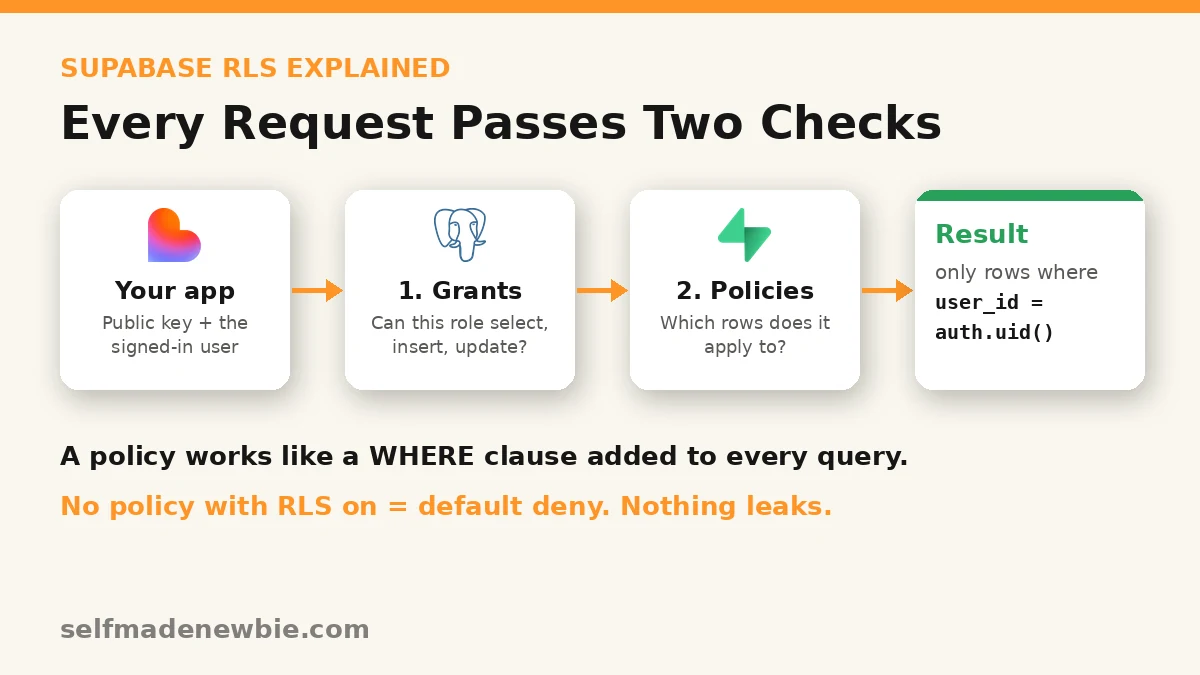
That’s fine, as long as the database itself decides what each request is allowed to do. That’s what row level security is. Supabase’s RLS guide describes a policy as adding a WHERE clause to every query. A rule that says “users can only see their own todos” quietly turns every select * from todos into “select the todos where user_id is the person asking”.
Two checks run before any request touches a table, and you need both:
- Grants decide whether a role can run an action (select, insert, update, delete) on a table at all.
- Policies decide which rows that action applies to.
And Supabase maps every request to a Postgres role. A signed-out visitor using the public key is anon. A signed-in user using the public key is authenticated. A request made with the secret key is service_role, and per the API keys docs that role skips every policy because it has the BYPASSRLS attribute. Keep that last one in mind. It comes back later.
One more Postgres rule worth knowing, from the Postgres docs: when RLS is on and a table has no policy, Postgres uses default deny. No rows are visible and nothing can be changed. So turning RLS on is safe. The worst that happens is your app shows empty lists until you add the right policies.
Why the “RLS Disabled in Public” Warning Matters
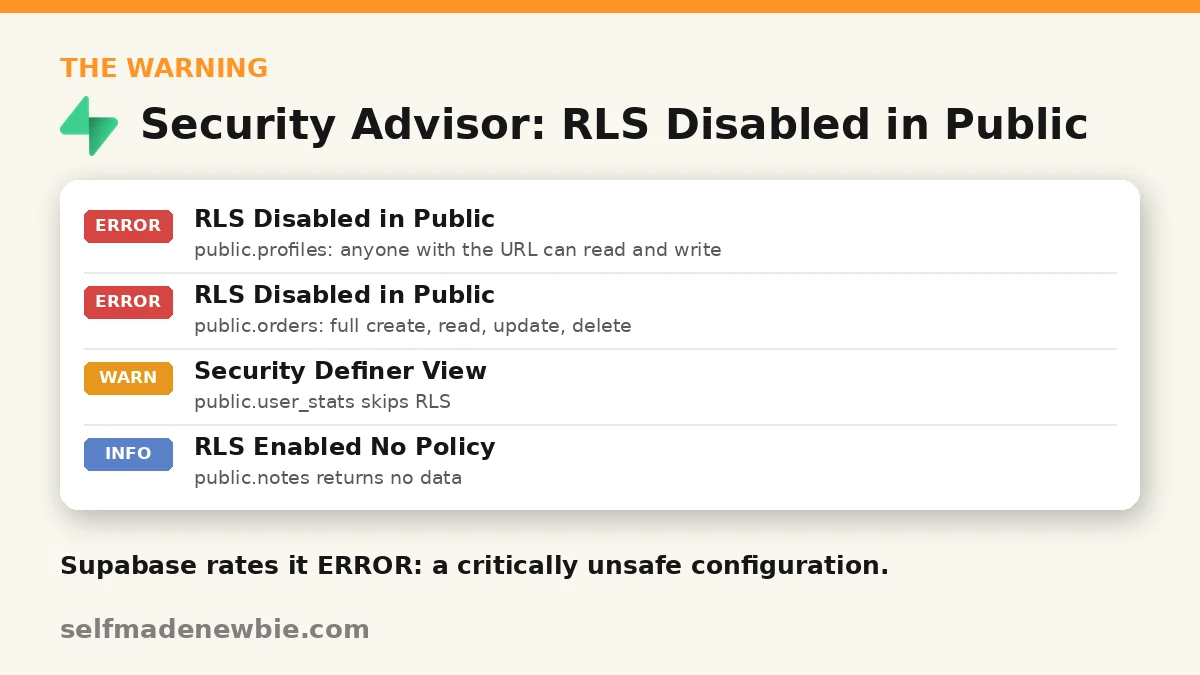
RLS Disabled in Public is check 0013 in Supabase’s Security Advisor, and it’s one of the few labeled ERROR rather than a warning. Supabase’s own explanation doesn’t soften it: tables in the public schema are reachable over Supabase’s APIs, and if RLS isn’t on, anyone with the project’s URL can create, read, update and delete rows in that table. Supabase calls that “a critically unsafe configuration”.
In real life that means a stranger can list every user’s profile, read private messages, edit prices, or wipe a table. They don’t need to hack anything. Your public key is already in your app’s JavaScript.
It gets worse with the default grants. Supabase’s securing your API guide says that on existing projects, new tables in public get every privilege granted to anon, authenticated and service_role by default, so they’re reachable through the Data API even when you didn’t mean to expose them. And adding policies doesn’t take those grants back.
You might also see these related checks in the same list:
| Advisor check | What it means | Fix |
|---|---|---|
0013 RLS Disabled in Public (ERROR) | Anyone can read and write the table | Enable RLS and add policies |
0008 RLS Enabled No Policy (INFO) | RLS is on but nothing is allowed, so the API returns no data | Add policies, or a using ( false ) policy if that’s on purpose |
0007 Policy Exists RLS Disabled | You wrote policies but never turned RLS on, so they do nothing | Enable RLS |
0010 Security Definer View | A view skips the RLS rules of the tables underneath it | Recreate it with security_invoker = true |
0015 RLS References user_metadata | A policy trusts data the user can edit themselves | Use app_metadata instead |
0024 Permissive RLS Policy | A rule that lets everyone through | Narrow it, unless public access is the point |
Supabase’s note on check 0008 is worth knowing: if you want a table to be completely closed to the API, it suggests making that intent explicit with a rejection policy like using ( false ).
Step 1: Find Every Table Without RLS
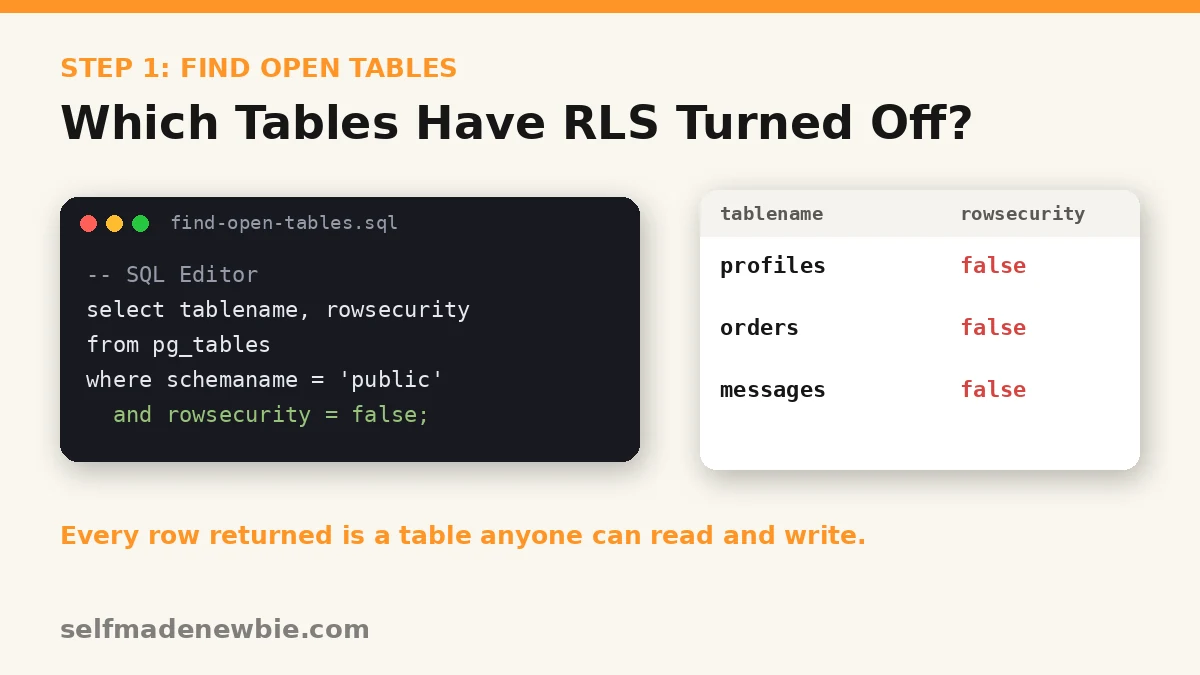
The easiest way is the Security Advisor in your Supabase dashboard. Supabase’s advisors docs say you can also run the same checks from the CLI with supabase db advisors. If you’re on Bolt’s built-in database, Bolt’s Security page uses the same checks (more on that below).
Prefer a straight answer from the database? Paste this into the Supabase SQL Editor. It uses the pg_tables view, where rowsecurity is true when RLS is on, and the pg_policies view, which lists every policy you have:
-- Which tables in public have RLS turned off?
select schemaname, tablename, rowsecurity
from pg_tables
where schemaname = 'public'
  and rowsecurity = false;

-- Which policies do you already have?
select tablename, policyname, cmd, roles, qual, with_check
from pg_policies
where schemaname = 'public';
Every row the first query returns is a table anyone can read and write. The second query is your inventory: if a table has RLS on but shows up with no policies, your app probably shows empty data for it. Also look for any policy where qual or with_check is just true on a table that holds private data.
Step 2: Turn On RLS and Set the Grants
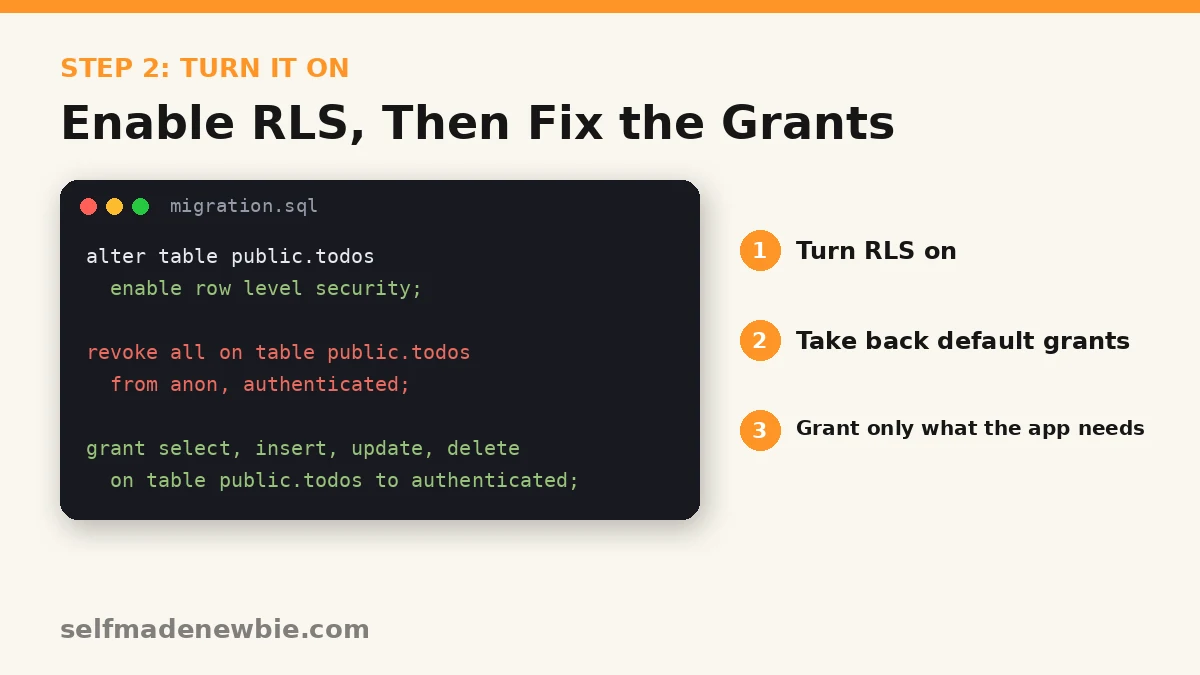
Supabase’s RLS guide gives the same three-step routine for every table in an exposed schema. Run it in the SQL Editor, or better, put it in a migration so it’s repeatable:
-- 1. Turn RLS on
alter table public.todos enable row level security;

-- 2. Take back the default grants
revoke all on table public.todos from anon, authenticated;

-- 3. Give back only what the app needs
grant select, insert, update, delete on table public.todos to authenticated;
Change todos to your table name and repeat for each table from Step 1. The grant line depends on the table:
- Private user data (profiles, orders, messages): grant to
authenticatedonly. Signed-out visitors get nothing. - Public content (blog posts, a menu, product listings): grant
selecttoanon, authenticated, nothing else. - Public forms (contact, waitlist): grant
insertonly.
Two heads-ups. First, Supabase says that once RLS is on, no data comes through the API with a publishable key until you create policies, so do Step 3 straight away. Second, a missing grant shows up as error 42501 before any policy even runs. If something your policy should allow fails with that code, check the grants first. Supabase also suggests turning off Automatically expose new tables in the Data API settings, so new tables aren’t reachable until you decide they should be.
Step 3: Copy-Paste Supabase RLS Policies
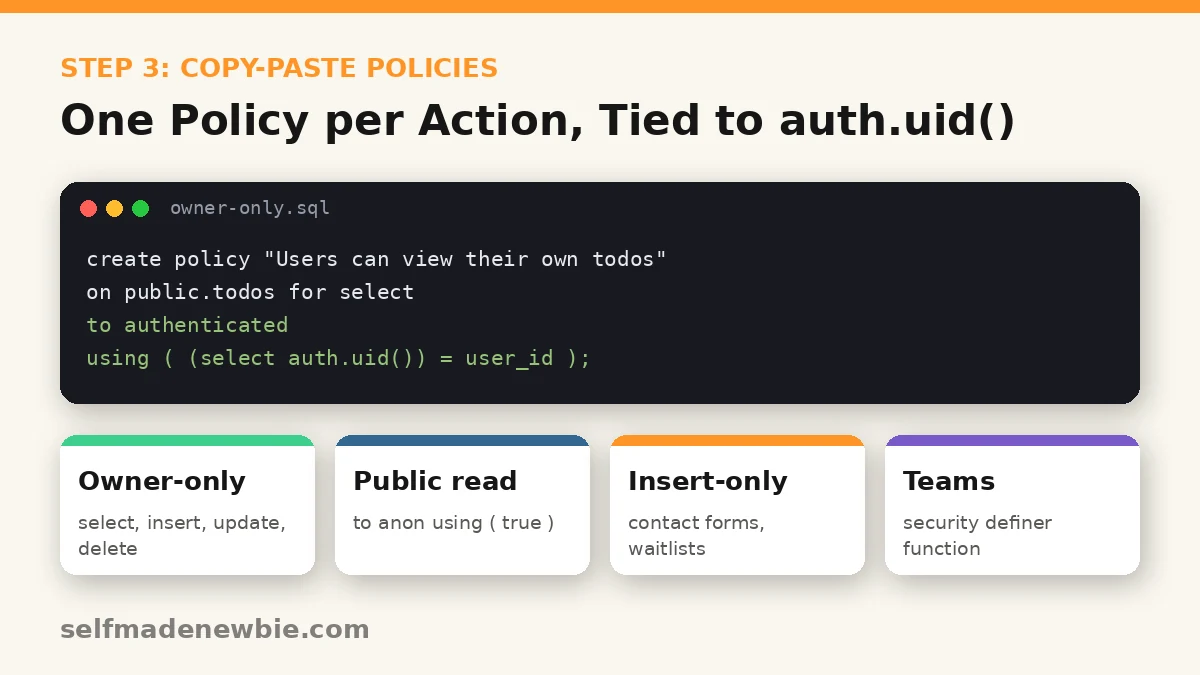
These are the patterns that cover most vibe-coded apps. They’re adapted from Supabase’s RLS guide, which recommends one policy per action and always naming the role with to. Swap the table and column names for yours.
Owner-only: users see and change only their own rows
This is the one most apps need for profiles, todos, notes, orders and anything else tied to a user. It assumes the table has a user_id column that holds the Supabase user’s id.
create policy "Users can view their own todos"
on public.todos for select
to authenticated
using ( (select auth.uid()) = user_id );

create policy "Users can create their own todos"
on public.todos for insert
to authenticated
with check ( (select auth.uid()) = user_id );

create policy "Users can update their own todos"
on public.todos for update
to authenticated
using ( (select auth.uid()) = user_id )
with check ( (select auth.uid()) = user_id );

create policy "Users can delete their own todos"
on public.todos for delete
to authenticated
using ( (select auth.uid()) = user_id );
A few details that matter. auth.uid() returns the id of the signed-in user. using decides which existing rows a user can see or touch. with check decides what a new or edited row may look like, which stops a user from creating a row for someone else or changing user_id to another person. And Supabase notes that an update also needs a matching select policy, or the update won’t work as expected.
Wrapping auth.uid() in (select ...) isn’t a typo. Supabase’s docs say it lets Postgres run the function once per query instead of once per row, which keeps big tables fast.
Public read: anyone can view, nobody can edit
alter table public.posts enable row level security;
revoke all on table public.posts from anon, authenticated;
grant select on table public.posts to anon, authenticated;

create policy "Anyone can read posts"
on public.posts for select
to anon, authenticated
using ( true );
Use this for content that’s meant to be public. Supabase’s guide warns that to anon using ( true ) gives every signed-out visitor read access to every row, so only use it for data you’d be happy to see on a billboard. If authors should be able to edit their own posts, add owner-only insert, update and delete policies (and grants) for authenticated on top.
Insert-only: a contact form or waitlist
alter table public.contact_messages enable row level security;
revoke all on table public.contact_messages from anon, authenticated;
grant insert on table public.contact_messages to anon, authenticated;

create policy "Anyone can send a message"
on public.contact_messages for insert
to anon, authenticated
with check ( true );
Visitors can add a message, but they can’t read, change or delete anyone’s messages, because there’s no select, update or delete grant or policy. You read the messages from the Supabase dashboard. The advisor may still flag the true check as permissive, which is fine here because that’s the point.
Teams or shared data
If users share data through a membership table, don’t write two policies that read each other’s tables. Supabase’s guide says that causes error 42P17 (infinite recursion). Its fix is a small security definer function in a private schema that returns the caller’s team ids:
create schema if not exists private;

create function private.user_team_ids()
returns setof uuid
language sql
security definer
set search_path = ''
stable
as $$
  select team_id from public.team_members
  where user_id = (select auth.uid())
$$;

revoke execute on function private.user_team_ids() from public;
grant usage on schema private to authenticated;
grant execute on function private.user_team_ids() to authenticated;

create policy "Team members can read team projects"
on public.projects for select
to authenticated
using ( team_id in (select private.user_team_ids()) );
Note the set search_path = '' line and the private schema. Supabase says every security definer function needs a pinned search path, and should never live in a schema exposed to the API.
Admins
For an admin role, check app_metadata, which users can’t edit, never user_metadata, which they can. Postgres combines multiple permissive policies with OR, so this sits happily next to the owner policy:
create policy "Admins can read all orders"
on public.orders for select
to authenticated
using ( (select auth.jwt() -> 'app_metadata' ->> 'role') = 'admin' );
File uploads (Supabase Storage)
Storage uses RLS too. Supabase’s Storage access control docs say uploads are blocked until you add policies on storage.objects. These two keep each user inside their own folder:
-- Users upload only into a folder named after their user id
create policy "Users upload to their own folder"
on storage.objects for insert
to authenticated
with check (
  bucket_id = 'uploads' and
  (storage.foldername(name))[1] = (select auth.jwt() ->> 'sub')
);

-- Users read only the files they uploaded
create policy "Users read their own files"
on storage.objects for select
to authenticated
using ( (select auth.jwt() ->> 'sub') = owner_id );
Never Ship the service_role (Secret) Key
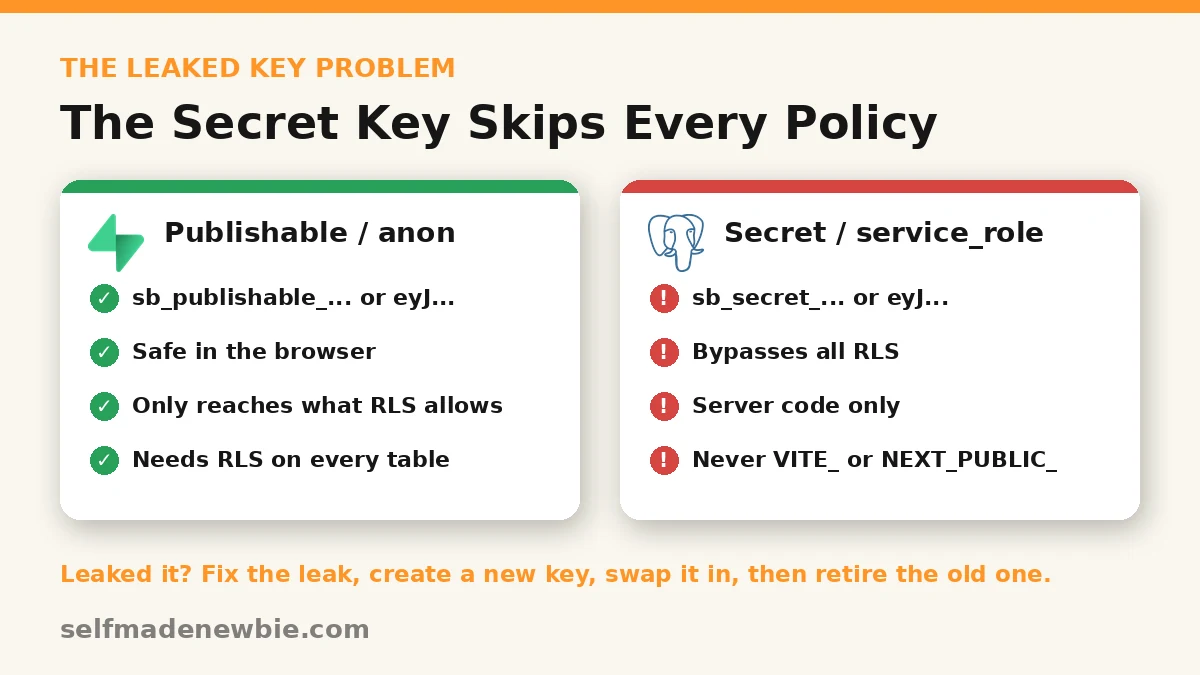
This is the mistake that makes all your RLS work pointless. You can write perfect policies, and if your secret key is in the browser, none of them apply.
Supabase’s API keys docs put it plainly: a leaked secret key exposes all of your project’s data, because it bypasses every Row Level Security policy you have. Never put one in a browser, a shipped app or source control. Supabase’s own analogy is a good one: the publishable key is taped to the front door and only opens the lobby, while the secret key is the master key.
| Key | Looks like | Safe in the browser? |
|---|---|---|
| Publishable key | sb_publishable_... | Yes, if RLS is on for every table |
| Legacy anon key | A long key starting with eyJ | Yes, same rule |
| Secret key | sb_secret_... | Never |
| Legacy service_role key | A long key starting with eyJ | Never |
Supabase says it is deprecating the legacy anon and service_role keys by the end of 2026, in favor of the new publishable and secret keys. One nice extra with the new secret keys: Supabase says they don’t work in a browser at all and return a 401 error. Legacy service_role keys have no such guard.
How a secret key ends up in your frontend
The usual way is an env var with the wrong prefix. Vite’s docs say any variable starting with VITE_ ends up in the code your visitors download after the build. Next.js does the same with NEXT_PUBLIC_. So VITE_SUPABASE_SERVICE_ROLE_KEY is a public key, whatever its name says. The safe setup looks like this:
# Fine in the browser. RLS is what protects you.
VITE_SUPABASE_URL=https://your-project.supabase.co
VITE_SUPABASE_PUBLISHABLE_KEY=sb_publishable_...

# Server only. Never give this one a VITE_ or NEXT_PUBLIC_ prefix.
SUPABASE_SECRET_KEY=sb_secret_...
To check your own app, search your code and your built files:
# In your project: does any browser code mention a secret key?
grep -rn "service_role\|SERVICE_ROLE\|sb_secret_" src/

# After npm run build: did a secret end up in the files you ship?
grep -r "sb_secret_" dist/
grep -r "FIRST_20_CHARACTERS_OF_YOUR_SERVICE_ROLE_KEY" dist/
Anything that needs the secret key (admin tasks, webhooks, scheduled jobs) belongs in server code, like a Supabase Edge Function or a server route.
If your secret key already leaked
Don’t just delete it in a panic. Supabase’s rotation steps are: fix whatever leaked it first, create a new secret key under Settings, API Keys, swap it in everywhere your app uses it, confirm everything works, then delete the old secret key (or deactivate legacy keys, which can be undone). If the key sat in a public GitHub repo or your live site, assume someone has it and check your data.
How Lovable and Bolt Set Up RLS (and What They Miss)
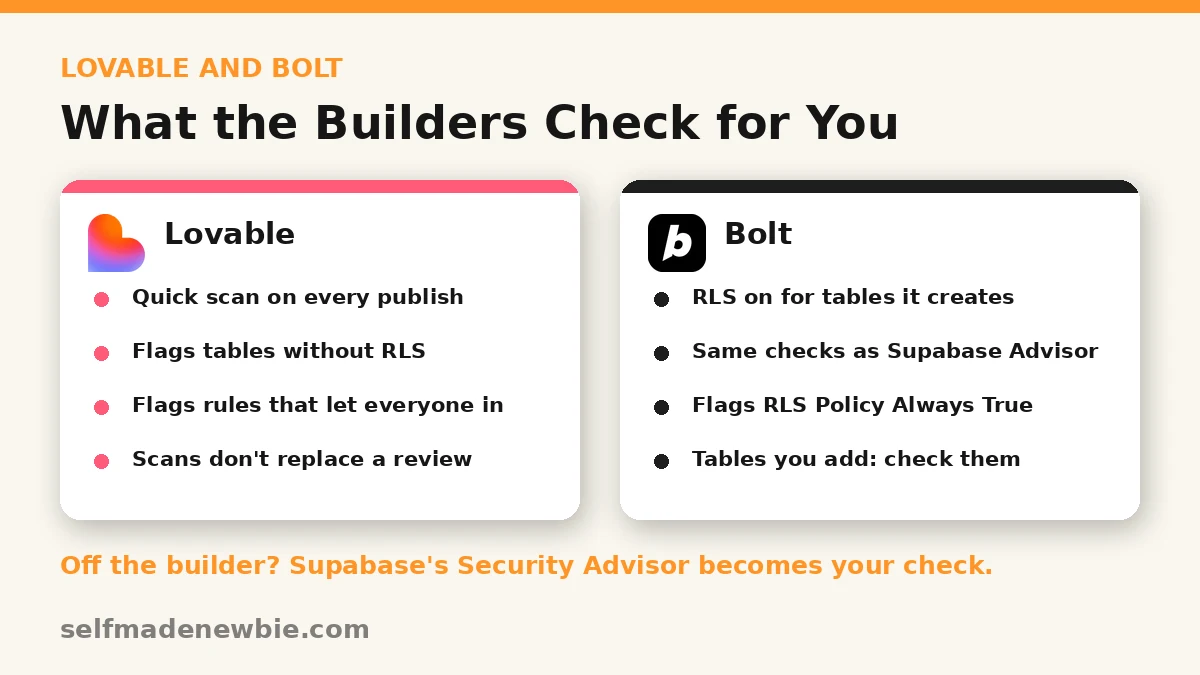
Both builders do more here than they used to, which is great. They just can’t know what you meant, so a few gaps are on you.
Lovable
Lovable’s security docs say it has two built-in scans. The Quick scan runs every time you publish and includes a database review that flags tables without row-level security, access rules that let everyone through, and leaked-password protection turned off. The Deep scan reviews your code too, including server code that bypasses the rules your database enforces and secrets in your source code. When auto-fix is on, Lovable can also fix common RLS mistakes as part of your next build request.
Per its database access docs, Lovable sets up your policies when it builds the app, and you can review them under More, Database, Manage, Policies. That view is read-only, so you change a policy by asking in the chat, like “Only allow users to see their own invoices.”
The soft spots: Lovable itself says these scans “do not replace a thorough security review”, and it recommends reviewing your policies regularly, especially before publishing or after changes to sign-in or your database. A scan can tell you a rule lets everyone through. It can’t tell you whether that table was meant to be public.
Bolt
Bolt’s database security docs say it turns on RLS for the tables it creates, and its Security page runs the same checks as Supabase’s Security Advisor, with an Ask Bolt to fix button. On paid plans, the Run security audit option in the Publish menu reviews your whole project, including whether private keys end up in your code or visitors’ browsers, per its security check docs.
Bolt is also refreshingly honest about two gaps. If you add tables yourself, you need to make sure RLS is on for those too. And if you haven’t added sign-in, Bolt might write policies that let any visitor view, add, change and delete your data. Those show up as RLS Policy Always True. Bolt suggests deciding, table by table, whether visitors should only view, only submit, or not touch the data at all, and adding sign-in for anything private.
What both can miss
- Tables you add by hand in the Supabase dashboard or SQL Editor, outside the builder.
- “Always true” rules on tables that hold private data, often left over from before you added sign-in.
- Views, which skip RLS unless you set
security_invoker = true. - Storage buckets, which have their own policies on
storage.objects. - A secret key in a server function that hands data back to anyone who calls it.
- Life after the builder. Once your app lives on your own GitHub, Supabase and Vercel accounts and you edit it elsewhere, the builder’s scans aren’t part of your workflow anymore. Supabase’s Security Advisor becomes your check.
If you’re moving off the builder right now, my guide on how to deploy a Lovable app covers the env vars side, and the OAuth redirect to localhost fix covers sign-in, which your policies depend on.
How to Test Your Supabase RLS Policies
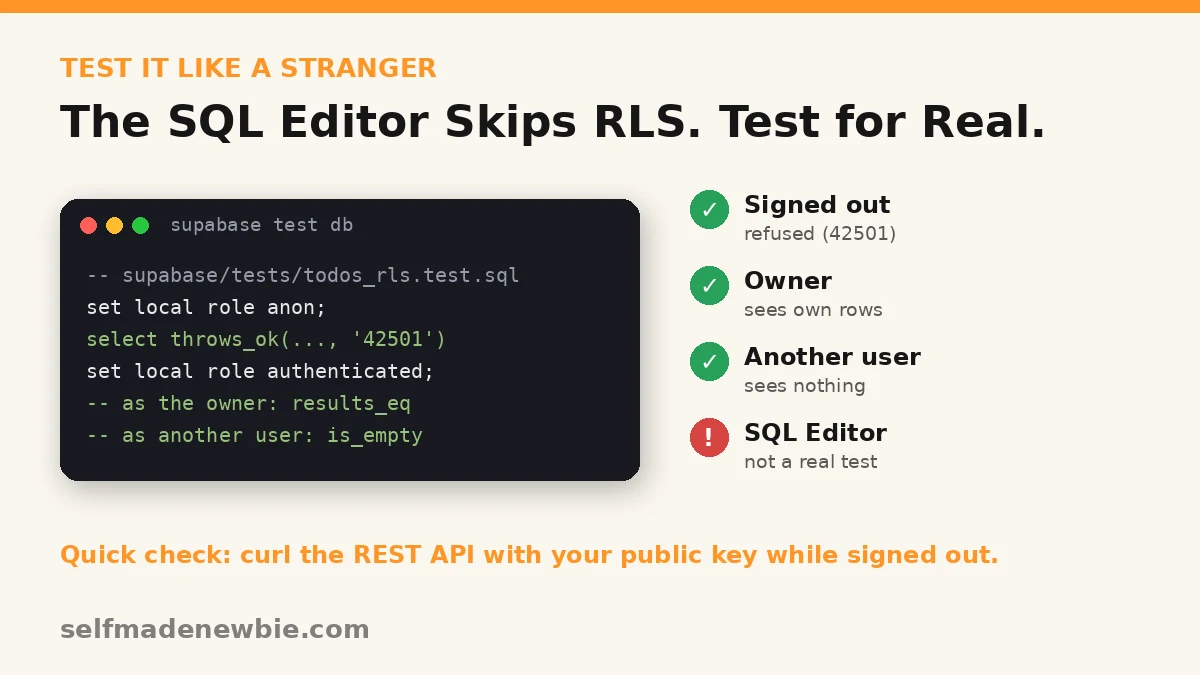
Here’s the trap: the SQL Editor is not a real test. It runs as the postgres role, which owns your tables, and Supabase’s RLS guide notes that on Supabase postgres has bypassrls. The Postgres docs add that table owners normally skip RLS too. So a query that works in the SQL Editor tells you nothing about what a stranger can see.
The quick test: ask the API like a stranger would
Grab your project URL and public key (the same ones in your app) and run this from your terminal for each table:
curl "https://<project-ref>.supabase.co/rest/v1/todos?select=*" \
  -H "apikey: <your publishable or anon key>"
For a private table you want a permission error or an empty []. If you get real rows back without signing in, that table is open. To test as a signed-in user, sign in to your app as a test account and try to load another test account’s data, for example by changing an id in the URL.
The proper test: pgTAP
Supabase’s guide recommends a test file for every table you secure, run with the Supabase CLI. Per its testing docs, tests live in supabase/tests/ and run with:
supabase test new todos_rls.test
supabase test db
A small version for the owner-only todos policies looks like this:
-- supabase/tests/todos_rls.test.sql
begin;
select plan(3);

insert into auth.users (id, email) values
  ('11111111-1111-1111-1111-111111111111', 'owner@example.com'),
  ('22222222-2222-2222-2222-222222222222', 'other@example.com');
insert into public.todos (user_id, title)
  values ('11111111-1111-1111-1111-111111111111', 'owner todo');

-- Signed out: no grant, so Postgres refuses (42501)
set local role anon;
select throws_ok($$ select * from todos $$, '42501', null, 'signed-out visitors cannot read todos');

-- Signed in as the owner: sees their own row
set local role authenticated;
set local request.jwt.claim.sub = '11111111-1111-1111-1111-111111111111';
select results_eq($$ select title from todos $$, array['owner todo'], 'the owner sees their todo');

-- Signed in as someone else: sees nothing
set local request.jwt.claim.sub = '22222222-2222-2222-2222-222222222222';
select is_empty($$ select * from todos $$, 'another user sees no todos');

select * from finish();
rollback;
Supabase’s tip here is a good one: a blocked using rule doesn’t raise an error, it just matches zero rows. So for every “should be denied” case, also check the owner’s row is still there and unchanged. Their full example on the RLS page covers insert, update and delete too.
Supabase RLS Best Practices
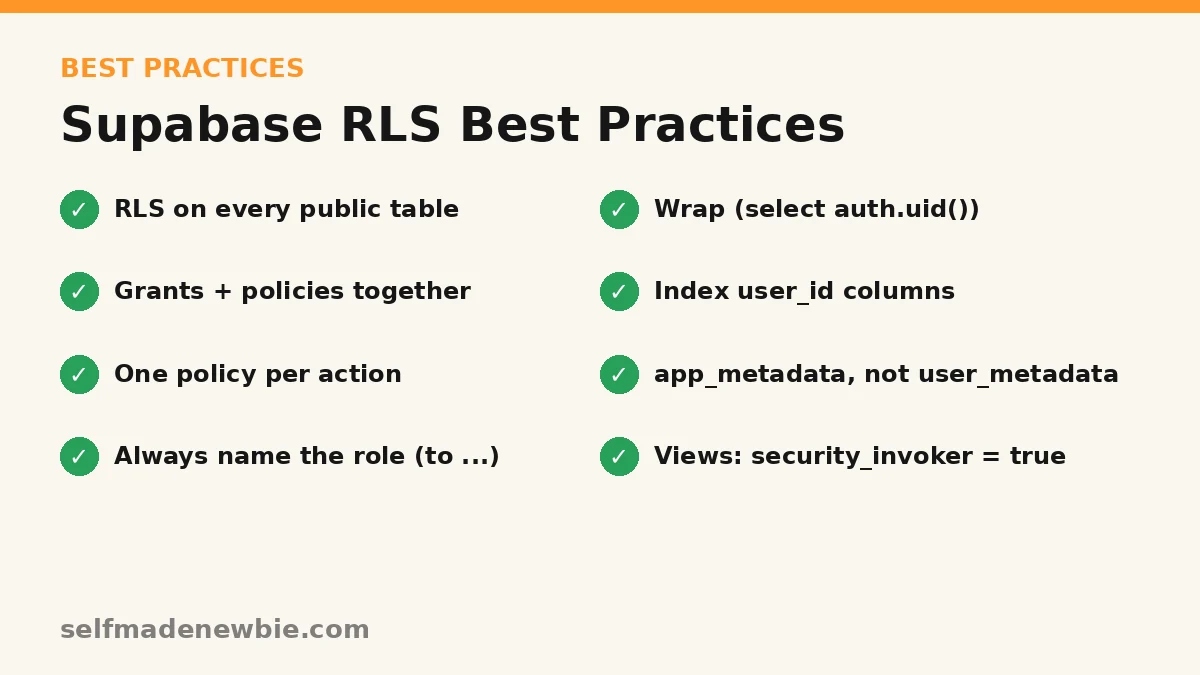
Once your tables are locked down, these habits from Supabase’s RLS guide and its performance notes keep them that way:
- RLS on every table in an exposed schema. No exceptions, even for tables you think nobody knows about.
- Grants and policies together, in the same migration, so they never drift apart.
- One policy per action. Supabase says a
for allpolicy hides which action each rule was meant to cover. - Always name the role with
to authenticatedorto anon, so a rule never runs for people it wasn’t written for. - Wrap helper functions like
(select auth.uid())so they run once per query. - Index the columns your policies filter on. Supabase’s performance notes report over 100x improvement on large tables from an index like this one:
create index todos_user_id_idx
on public.todos
using btree (user_id);- Never trust
user_metadatain a policy. Users can change it. Put roles and team ids inapp_metadata. - Make views respect RLS with
security_invoker = true(Postgres 15 and up), as Supabase’s security definer view check explains. - Use RLS for security, not for filtering. Supabase’s performance notes say to still add your own filters in queries, like
.eq('user_id', userId), so Postgres can use your indexes. - Re-run the Security Advisor every time you change your database. Some findings may be intentional, so read each one before you dismiss it.
A safe view over the todos table looks like this:
create view public.my_todos
with (security_invoker = true)
as select id, title from public.todos;
Supabase RLS Troubleshooting Checklist
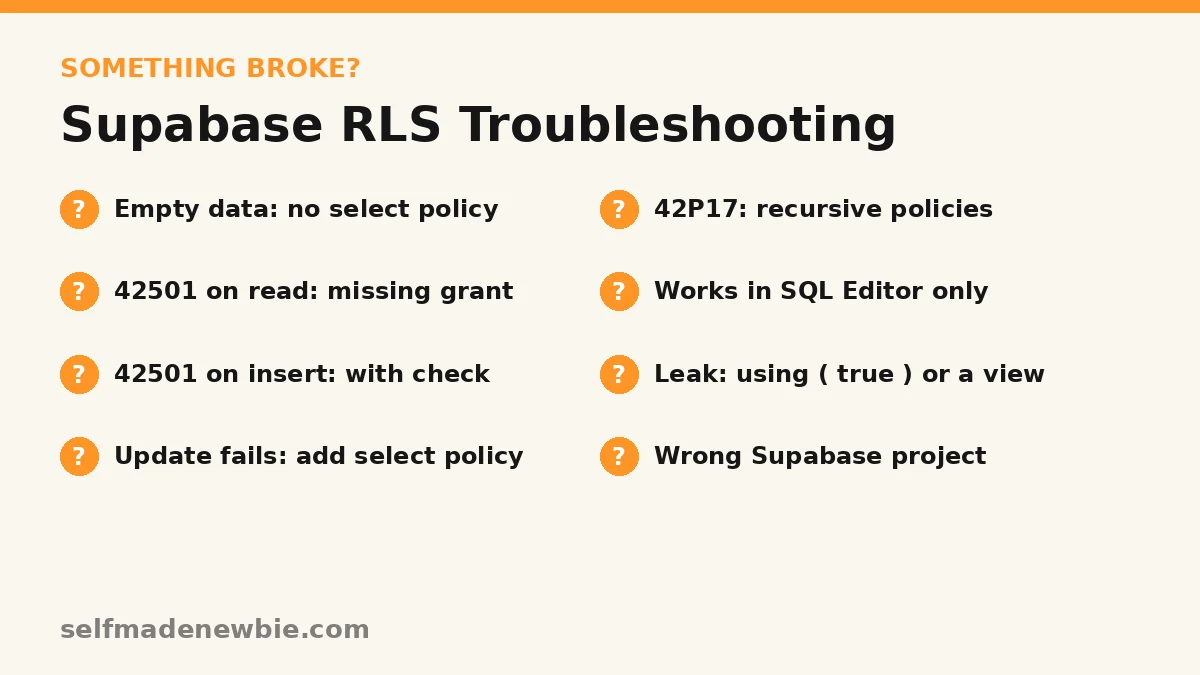
Turned RLS on and now something’s broken? It’s almost always one of these:
- Everything comes back empty. RLS is on but there’s no select policy, or the policy doesn’t match. Check that
user_idreally holds the Supabase user id, and that the user is actually signed in. Supabase notesauth.uid()isnullwhen nobody is signed in, so a rule comparing it touser_idquietly matches nothing. - Error 42501 on a read. That’s a missing grant, not a policy problem. Grant the action to the right role.
- Error 42501 on an insert or update. The new row failed your
with checkrule. Usually your app didn’t senduser_id, or sent a different one. Make sure the insert includes the signed-in user’s id. - Updates do nothing. Supabase says an update needs a matching select policy too. Add one.
- Error 42P17, infinite recursion. Two policies read each other’s tables. Use the security definer function pattern from the teams example.
- It works in the SQL Editor but not in the app. The SQL Editor runs as
postgresand skips RLS. Test with the public key instead. - It works for you but leaks to others. Look for a
using ( true )policy, a view withoutsecurity_invoker, or a server function using the secret key. - Sign-in loops or lands on localhost. That’s not RLS, but it stops
auth.uid()from ever having a value. See my OAuth redirect to localhost fix. - Policies changed but your live app didn’t. RLS changes apply instantly, so if the app still misbehaves, it’s probably pointing at a different Supabase project. Check the URL in your live env vars.
Fixed the database and wondering what else could bite you once real users show up? Our free app check asks five quick questions and flags your lock-in, security and deploy risks, including an open database and exposed keys.
Supabase RLS FAQ
What does “RLS disabled in public” mean in Supabase?
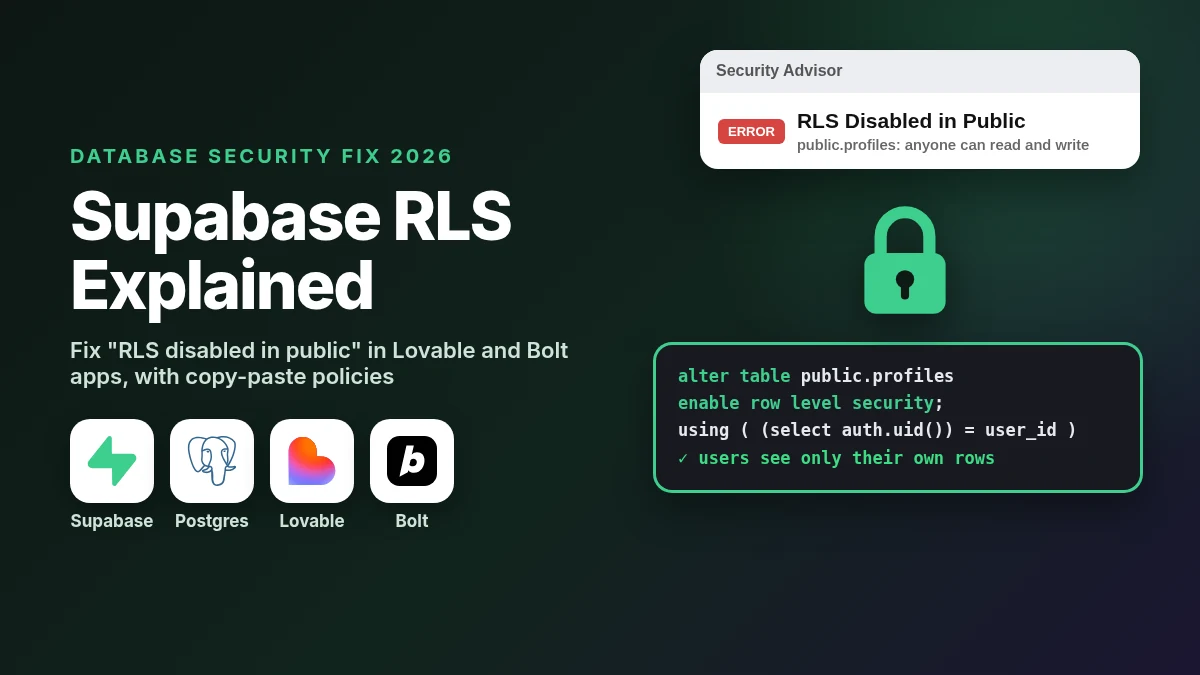
It means a table in your public schema doesn’t have row level security turned on. Supabase says anyone with your project URL can then create, read, update and delete its rows through the API. Fix it with alter table public.your_table enable row level security; and then add policies.
Is it safe to have my Supabase anon or publishable key in the browser?
Yes, that’s what it’s for, as long as RLS is on for every table and your policies are right. The key only gets your app in the door. Your policies decide what it can see.
Does the service_role key bypass RLS?
Yes. The service_role key and the newer sb_secret_ keys skip every policy. Keep them in server code only. Supabase adds one detail: a secret key bypasses RLS only when the request carries no user access token. With one, it runs under that user’s policies.
Will turning on RLS break my app?
It can show empty data until you add policies, because Postgres denies everything by default. Add your policies right after enabling RLS and test each screen. Nothing is deleted.
Do I need RLS if my app has no sign-in?
Yes. Without sign-in every visitor is anon, so use public-read or insert-only policies, and add sign-in for anything that should be private.
Does RLS slow down my queries?
It can on big tables. Index the columns your policies filter on and wrap auth.uid() in (select ...), as Supabase recommends.
Should I use one “for all” policy or four separate ones?
Four. Supabase recommends a separate policy for select, insert, update and delete, so it’s clear what each rule allows.
Final Thoughts: Lock Down Your Data Before Real Users Arrive
Supabase RLS sounds technical, but the fix is short: find the open tables, turn RLS on, set the grants, add one policy per action, keep the secret key on the server, and test as a stranger. Do that once and the “RLS disabled in public” error stops being a launch blocker.
If your database is one of several things that feel shaky now that your app is heading for real users, that’s normal. Open tables usually show up alongside keys in the frontend, sign-in that points at localhost, and Stripe still in test mode. You can work through them yourself (my DIY vs done-for-you breakdown shows what that really takes), or hand them off. Either way, my guide on how to launch your vibe-coded app lists everything to check before launch.
Handing it off is what we do at Launch Mango. Own Your App ($79 one-off) moves your Lovable, Bolt, v0 or Cursor app onto your own GitHub, Supabase and Vercel accounts, live at a real URL with a plain-English handover report, usually in 1 to 2 days, and your money back if it isn’t live on your accounts. Own and Secure ($199 one-off) adds the security side: Supabase RLS policies and database permissions locked down, exposed API keys and secrets removed from the frontend, sign-in and redirects fixed, live Stripe payments and webhooks, a security report and a custom domain.
Want the full picture first? Read my Launch Mango review or compare it with the best app launch services. Or just run the free 2-minute app check and see what your app needs.
Your app, on your accounts, safe for real users. Lock down your data, then go get users.