
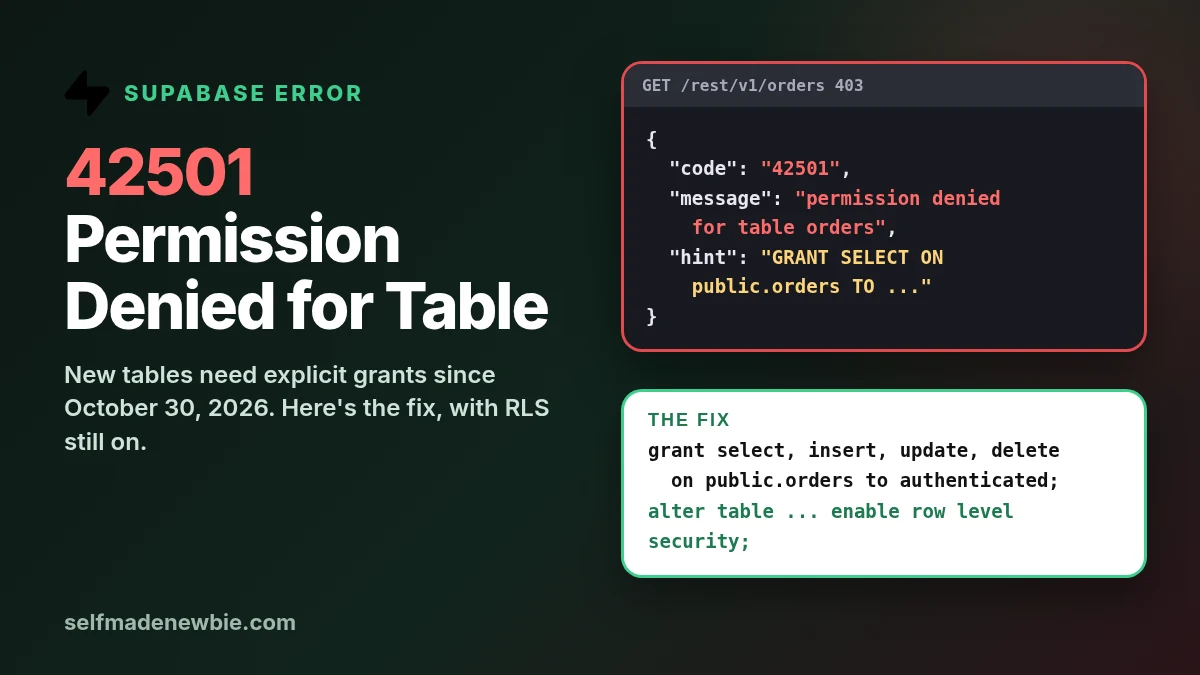
Supabase Permission Denied for Table (42501): The Fix (2026)
Your app worked yesterday. You added one new table, maybe a profiles or orders table, and now the page is blank and the console says 42501: permission denied for table. Nothing else changed. You didn’t touch the old tables. You definitely didn’t ask Postgres for an opinion.
So you do what everyone does: turn off RLS, add a policy that says “true”, maybe grant everything to everyone. The error goes away, and so does the only thing stopping strangers from reading your users’ data. That’s the expensive way to fix a one-line problem.
Here’s what actually happened. On October 30, 2026, Supabase started applying a breaking change to all existing projects: new tables in the public schema are no longer exposed to the Data API automatically. Until you add an explicit GRANT, supabase-js can’t see them, and Postgres answers with 42501. This guide shows you how to read the error, which grant is missing, the exact SQL to fix Supabase permission denied for table safely and how to stop it coming back.
Quick answer: Supabase error 42501 means the role making the request (anon, authenticated or service_role) lacks a privilege on that table, schema or function, or an RLS policy blocked a write. Since October 30, 2026, new public tables need explicit grants. Grant only what each role needs, keep RLS enabled and add policies.
| What the error says | Most likely cause | Fix |
|---|---|---|
permission denied for table your_table | New table created after the change, no grant for the role | Grant the role the privileges it needs, keep RLS on, add policies |
permission denied for schema myschema | Custom schema not exposed, or no USAGE grant | Add it to Exposed schemas and grant USAGE on the schema |
new row violates row-level security policy | Grant is fine, but no INSERT or UPDATE policy allows the write | Add a policy for that operation and role |
permission denied for function your_function | Role has no EXECUTE on the function | Grant EXECUTE to the roles that should call it |
permission denied for view your_view | View has no grant for the role | Grant SELECT on the view, create it with security_invoker |
Want the shortcut? Launch Mango moves your Lovable, Bolt, v0 or Cursor app onto your own GitHub, Supabase and Vercel accounts and makes it safe for real users. Own and Secure is $199 one-off: everything in Own Your App plus sign-in and redirects, Supabase RLS and permissions locked down, exposed API keys removed, live Stripe payments and webhooks, a security report and your custom domain included. Not sure what’s broken? Run the free 2-minute app check.
What Changed in Supabase on October 30, 2026?
On October 30, 2026, Supabase began enforcing on all existing projects a change it announced on April 28, 2026: new tables in the public schema no longer get automatic grants for anon, authenticated and service_role. Existing tables keep their grants. New tables stay invisible to the Data API until you grant access explicitly.
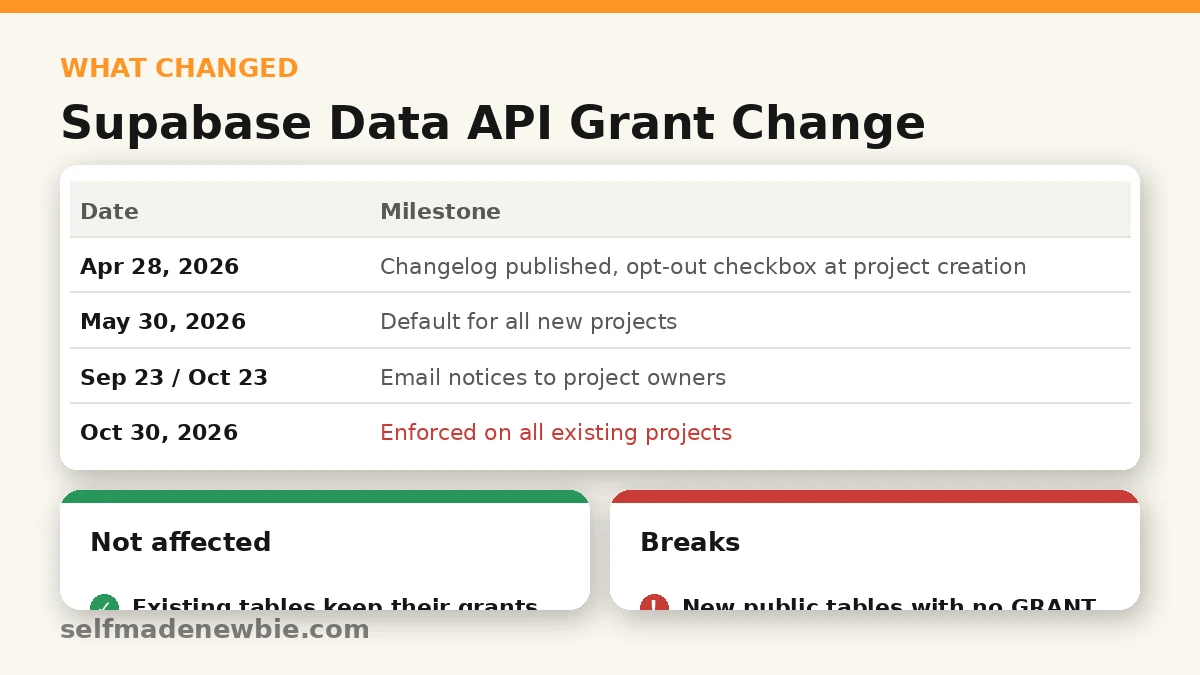
Supabase announced this in its breaking change changelog post on April 28, 2026, titled “Tables not exposed to Data and GraphQL API automatically”. Before the change, a project with default settings granted select, insert, update and delete on every new public table to anon, authenticated and service_role. Create a table, and supabase-js could reach it right away, protected or not.
| Date | What Supabase did |
|---|---|
| April 28, 2026 | Changelog published, opt-out checkbox “Automatically expose new tables” added at project creation |
| May 30, 2026 | New behavior becomes the default for all new projects (gradual rollout) |
| September 23 and October 23, 2026 | Email notices to owners and admins of active projects |
| October 30, 2026 | New behavior enforced on all existing projects |
Three details from the changelog matter most for fixing your app:
- Existing tables are not affected. They keep their current grants and stay reachable. Only tables created after the change break.
- RLS behavior is unchanged. Grants decide whether a role can touch a table at all. RLS decides which rows it sees. You need both.
- Direct connections are not affected. If your server talks to Postgres with a connection string (psql, an ORM), nothing changes. The change hits the Data API, which is what supabase-js calls.
The changelog also says the change touches only the public schema. Tables in storage, auth, realtime and custom schemas keep their current grants and defaults.
What Does Supabase Error 42501 Actually Mean?
42501 is the Postgres error code for insufficient privilege. In Supabase it means the database role behind your request is not allowed to do what it tried, either because a grant is missing on the table, schema, view or function, or because an RLS policy rejected an insert or update. Clients often show it as 401 or 403.
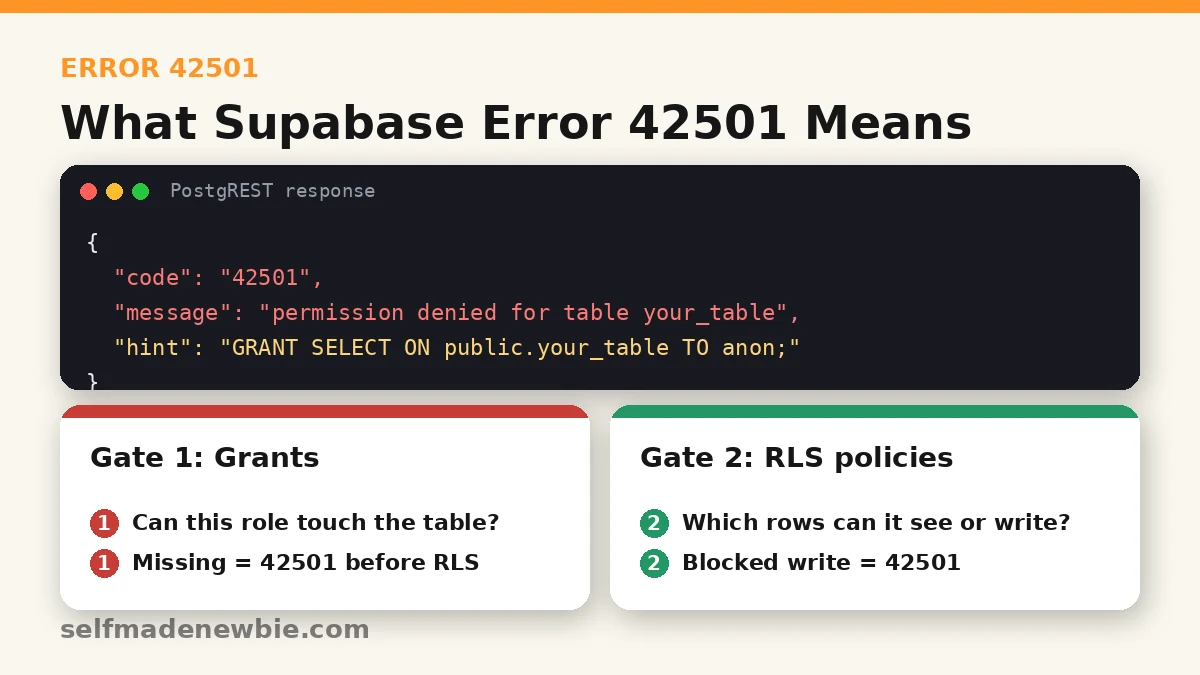
Every request from your frontend runs as a Postgres role. The publishable (anon) key makes you anon. A signed-in user’s token makes you authenticated. Your server-side secret key runs as service_role. Postgres checks two gates, in this order:
- Gate 1, grants: does this role have SELECT, INSERT, UPDATE or DELETE on this object at all? If not, 42501 before any policy runs.
- Gate 2, RLS policies: which rows may this role read or write? A blocked read usually returns empty results, while a blocked insert or update returns 42501.
After the change, a missing grant gives you a clear error with a hint, straight from the changelog:
{
  "code": "42501",
  "message": "permission denied for table your_table",
  "hint": "Grant the required privileges to the current role with: GRANT SELECT ON public.your_table TO anon;"
}
Read that hint closely. It names the role and the privilege that’s missing. That’s your diagnosis done. One catch: service_role bypasses RLS, but it does not bypass grants, so your server-side code hits the same 42501 on a new table with no grant.
How Do You Find Which Grant Is Missing?
Start with the hint in the error response, which names the role and privilege. Then check the table’s current grants in the SQL Editor with information_schema.role_table_grants. Supabase’s Security Advisor also flags affected tables, and the Table Editor shows a Data API exposure badge for each table.
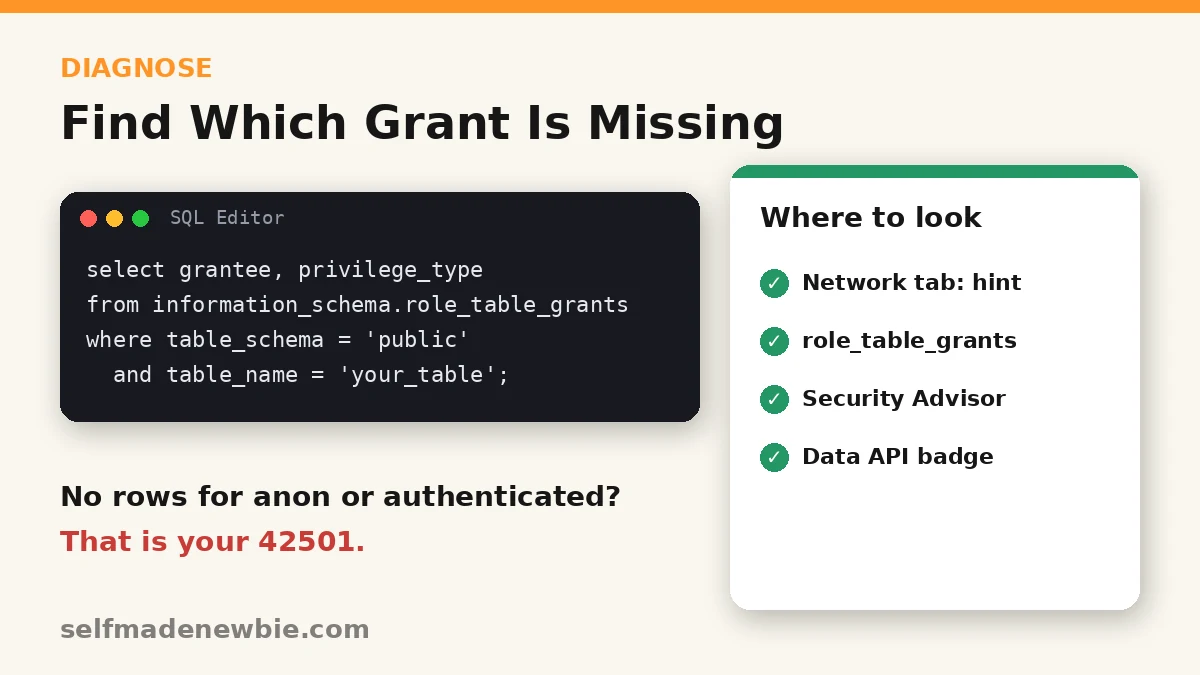
Open the browser dev tools on your app, go to the Network tab and click the failing /rest/v1/ request. The response body holds the code, message and hint. Then run this in the Supabase SQL Editor, swapping in your table name (this query comes from Supabase’s Database API 42501 errors guide):
select grantee, privilege_type
from information_schema.role_table_grants
where table_schema = 'public'
  and table_name = 'your_table'
order by grantee, privilege_type;
No rows for anon or authenticated? That’s your 42501. To spot every public table that a client role can’t reach yet, run this:
select c.relname as table_name,
       has_table_privilege('authenticated', c.oid, 'select') as auth_can_select,
       has_table_privilege('anon', c.oid, 'select') as anon_can_select,
       c.relrowsecurity as rls_enabled
from pg_class c
join pg_namespace n on n.oid = c.relnamespace
where n.nspname = 'public' and c.relkind = 'r'
order by c.relname;
The last column matters too. A table where clients can select but rls_enabled is false is the opposite problem: it’s open to anyone with your publishable key.
How Do You Fix Permission Denied for Table in Supabase?
Grant each role only the privileges your app needs on the table, enable Row Level Security and add policies, all in the same migration. Supabase’s changelog says to treat these three steps as one unit, because Postgres rejects the query before RLS runs if the grant is missing. Usually that means grants to authenticated and service_role.
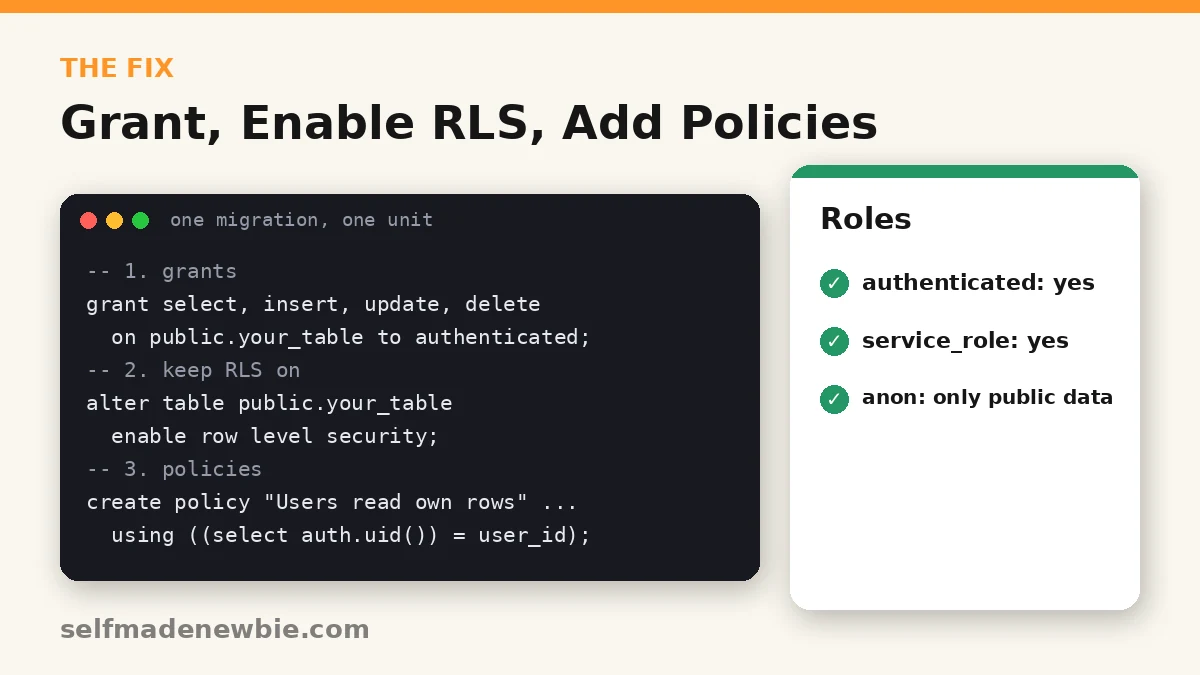
Here’s the fix for the most common case, a table where each signed-in user owns their own rows (a user_id column). Paste it into the SQL Editor, replace your_table, and run it:
-- 1. Grants: only the roles and operations your app uses
grant select, insert, update, delete on table public.your_table to authenticated;
grant select, insert, update, delete on table public.your_table to service_role;

-- 2. Keep RLS on (safe to run even if it is already on)
alter table public.your_table enable row level security;

-- 3. Policies: each user sees and changes only their own rows
create policy "Users read own rows" on public.your_table
  for select to authenticated using ((select auth.uid()) = user_id);
create policy "Users insert own rows" on public.your_table
  for insert to authenticated with check ((select auth.uid()) = user_id);
create policy "Users update own rows" on public.your_table
  for update to authenticated using ((select auth.uid()) = user_id)
  with check ((select auth.uid()) = user_id);
create policy "Users delete own rows" on public.your_table
  for delete to authenticated using ((select auth.uid()) = user_id);
Notice what’s not in there: no grant to anon. Signed-out visitors don’t need this table, so they don’t get it. If a policy with the same name already exists, Postgres will complain; drop the old one first or rename the new one. The Supabase RLS guide has copy-paste policies for public read, contact forms, teams and admins.
| Role | Who it is | Grant it |
|---|---|---|
anon | Anyone with your publishable key, signed out | Only SELECT, only on data meant to be public |
authenticated | Signed-in users | The operations your app exposes, filtered by RLS |
service_role | Server-side code with the secret key | What your backend needs; it bypasses RLS, so keep it off the frontend |
If the table uses a serial id, inserts also need the sequence. Supabase’s own rollback example grants it like this:
grant usage, select on all sequences in schema public to authenticated, service_role;Should You Grant Access to the anon Role?
Only when signed-out visitors genuinely need the data, like a public blog feed or pricing table, and then only SELECT plus an RLS policy that limits which rows they see. Never fix 42501 by granting everything to anon while RLS is off, because that opens the table to anyone holding your publishable key.
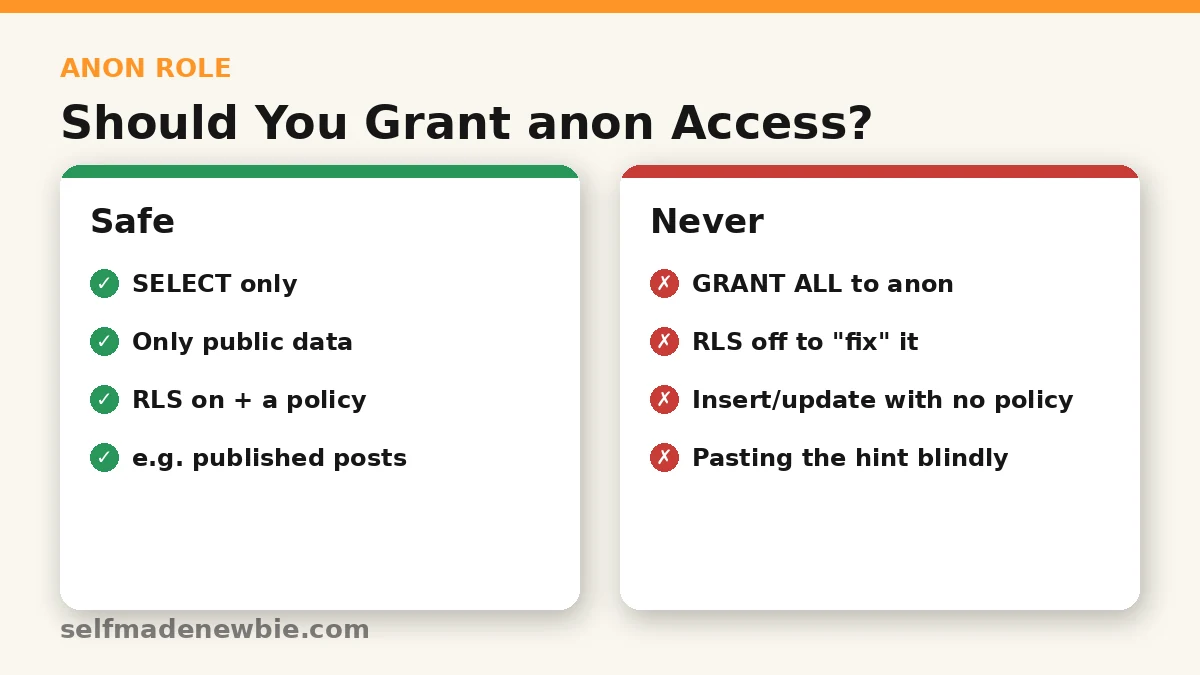
Your publishable key ships in your frontend. Anyone can open dev tools and copy it. That’s fine, as long as the anon role can only do what a stranger should do. Supabase’s RLS docs put it bluntly: adding policies doesn’t take grants back, and a table protected only by policies still hands anon an insert path if you never revoke the grant.
For data that really is public, the safe version looks like this:
-- Public read only, and only published rows
grant select on table public.posts to anon;
alter table public.posts enable row level security;
create policy "Anyone can read published posts" on public.posts
for select to anon, authenticated using (published = true);- Don’t grant INSERT, UPDATE or DELETE to anon unless a signed-out action truly needs it (a contact form insert, for example) and a policy limits it.
- Don’t paste the hint’s GRANT for anon without asking whether signed-out users should see that table at all.
- Don’t “fix” the error by disabling RLS. That trades a loud error for a silent data leak.
If your app has been running with loose grants for a while, the vibe-coded app security check walks through the other nine things to lock down before real users arrive.
How Do You Stop 42501 on Every New Table?
Put the grants in the same migration as every CREATE TABLE, next to ENABLE ROW LEVEL SECURITY and the policies. If you’d rather restore automatic grants, ALTER DEFAULT PRIVILEGES can do it, but only for future objects created by the role you name. Restoring them for authenticated and service_role only, not anon, is the safer version.
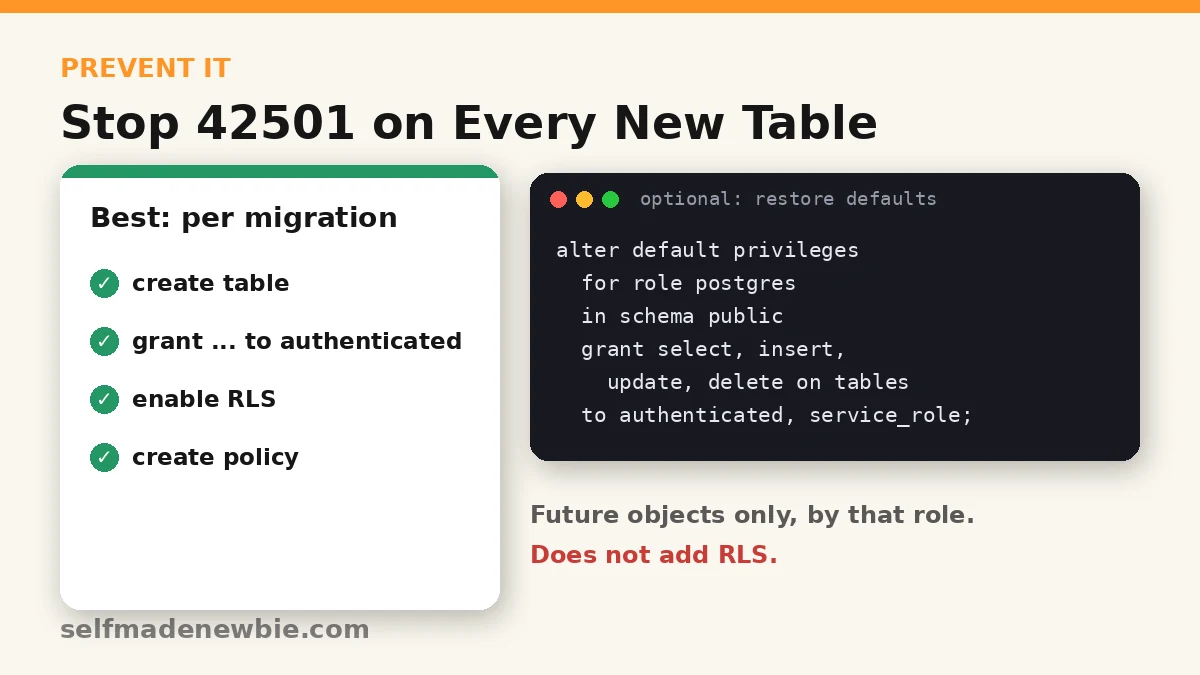
The explicit route is what Supabase recommends: every new table arrives with its grants, RLS and policies in one migration file. It’s reviewable, and nobody wonders later why a table is reachable. A template you can reuse:
create table public.orders (
  id uuid primary key default gen_random_uuid(),
  user_id uuid not null references auth.users (id) on delete cascade,
  total_cents integer not null,
  created_at timestamptz not null default now()
);

grant select, insert, update, delete on table public.orders to authenticated, service_role;
alter table public.orders enable row level security;

create policy "Users read own orders" on public.orders
  for select to authenticated using ((select auth.uid()) = user_id);
Prefer the old behavior for future tables? This restores default grants, minus anon:
alter default privileges for role postgres in schema public
  grant select, insert, update, delete on tables to authenticated, service_role;
alter default privileges for role postgres in schema public
  grant usage, select on sequences to authenticated, service_role;
Two gotchas, both from the docs. First, Supabase notes that alter default privileges only affects future objects, so tables you already created without grants still need a normal GRANT. Second, the Postgres docs say new objects only pick up the default privileges of the role that creates them. Dashboard and migration tables are normally owned by postgres; if yours are created by another role, the defaults above won’t apply to them. Either way, automatic grants don’t add RLS, so keep enable row level security in every migration.
Why Do You Get Permission Denied for Schema?
Permission denied for schema means the role has no USAGE privilege on that schema, or the schema is not exposed to the Data API. It usually shows up with custom schemas. Add the schema under Exposed schemas in the Data API settings, then grant USAGE on the schema plus table privileges to the roles that need it.
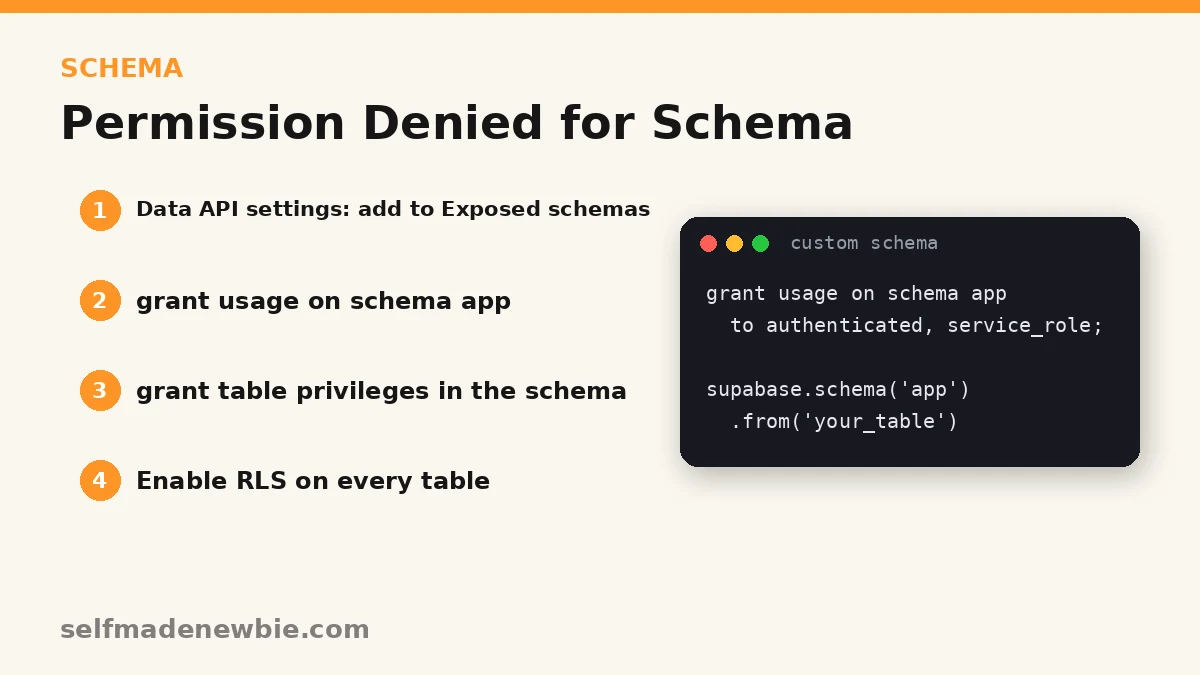
Postgres checks access to the schema before it ever looks at a table inside it. Supabase’s custom schemas guide lists two steps: add the schema to Exposed schemas in the API settings, then run the grants. Their example grants ALL to all three roles; a tighter version for a schema called app looks like this:
grant usage on schema app to authenticated, service_role;
grant select, insert, update, delete on all tables in schema app to authenticated, service_role;
grant usage, select on all sequences in schema app to authenticated, service_role;

alter default privileges for role postgres in schema app
  grant select, insert, update, delete on tables to authenticated, service_role;
Then point supabase-js at it with supabase.schema('app').from('your_table'). And yes, RLS still applies: enable it on every table in that schema too. Keep truly private tables (rate limits, internal logs) in a schema you don’t expose, which is the pattern Supabase’s own securing guide uses.
Why Does Supabase Return 42501 When the Grants Look Right?
If the grants are in place, a 42501 usually comes from Row Level Security: an insert or update with no policy that allows it returns new row violates row-level security policy. Column-level restrictions are the other cause, since select star expands to columns the role cannot read. Check the policy for that exact operation and role.
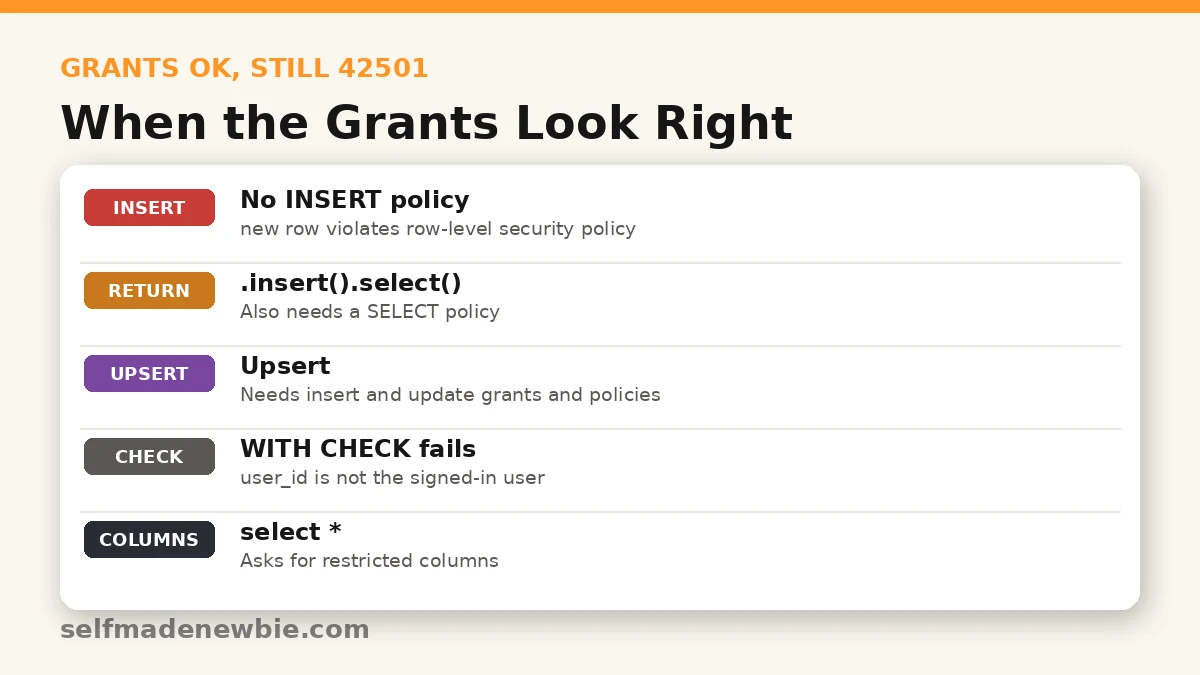
Supabase’s 42501 troubleshooting guide lists both causes. The usual suspects in a vibe-coded app:
- No INSERT policy. You wrote a SELECT policy and assumed it covered writes. It doesn’t. Each operation needs its own policy.
- Insert, then read it back.
.insert(row).select()also needs a SELECT policy that matches the new row, or the write fails. - Upsert. An upsert can insert or update, so it needs the grants and policies for both.
- WITH CHECK fails. The row you’re writing has a
user_idthat isn’t the signed-in user’s id, often because the frontend never set it. - Column restrictions. If you limited columns per role,
select *asks for forbidden ones. List the columns you need instead.
Quick fix for the classic “insert works for nobody” case: add the insert policy from the fix section above, and set user_id default to auth.uid() so the frontend can’t get it wrong. For full policy patterns per operation, see Supabase RLS explained:
alter table public.your_table alter column user_id set default auth.uid();How Do Views and Functions Cause 42501?
Views and functions need their own grants. A view needs SELECT for the role, and a function called through rpc needs EXECUTE. Be careful in the other direction too: views run as their owner by default and skip RLS, and security definer functions run with their creator’s rights, so use security_invoker and a fixed search_path.
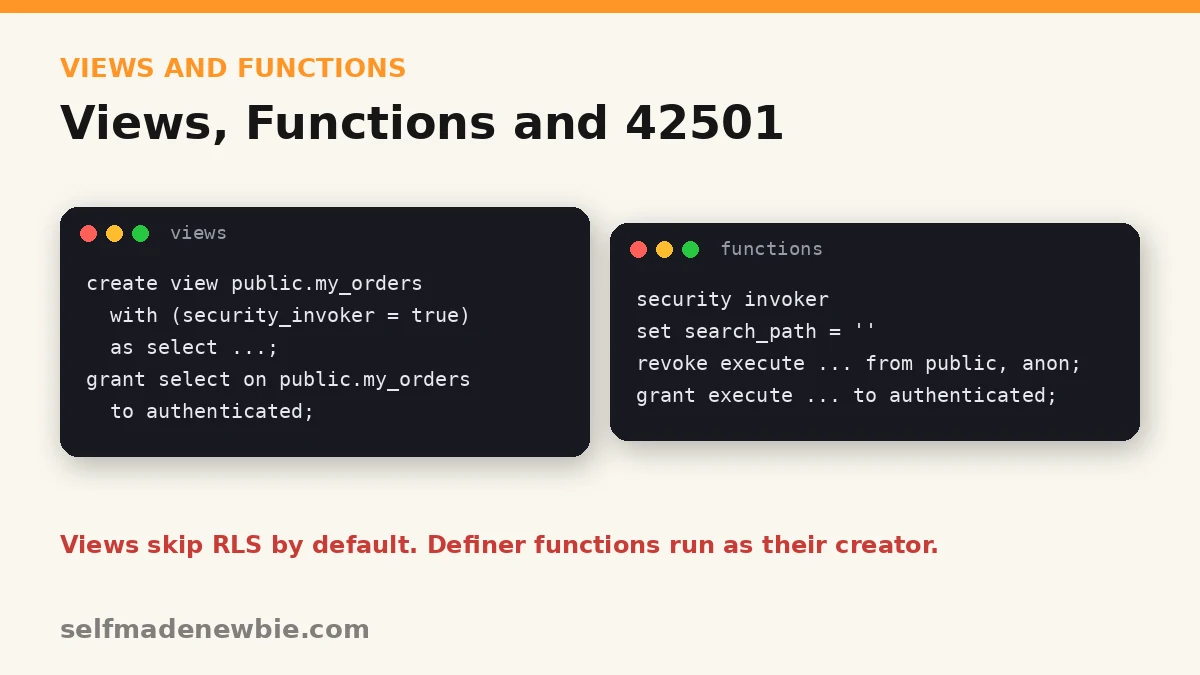
Views. Supabase’s RLS docs warn that views bypass RLS by default because Postgres creates them as security definer. On Postgres 15 and above, create views with security_invoker = true so they obey the underlying table’s policies, then grant SELECT to the roles that need them:
create view public.my_orders
  with (security_invoker = true)
  as select id, total_cents, created_at from public.orders;

grant select on public.my_orders to authenticated;
Functions. Supabase’s database functions docs say to prefer security invoker, which is the default, and that a security definer function must set its search_path and runs with its creator’s privileges, which for postgres means bypassing RLS. Grant EXECUTE only to the roles that should call it:
create or replace function public.my_order_count()
returns bigint
language sql
security invoker
set search_path = ''
as $$
  select count(*) from public.orders where user_id = (select auth.uid());
$$;

revoke execute on function public.my_order_count() from public, anon;
grant execute on function public.my_order_count() to authenticated;
The revoke matters. Supabase’s securing guide notes that new functions are callable by every role by default, because Postgres grants EXECUTE to PUBLIC.
How Do You Fix 42501 in Lovable, Bolt or Cursor Apps?
Find the migration or SQL that created the failing table, add the grants, RLS and policies for it, and run them on the Supabase project your live app actually uses. Builders that generate tables from prompts often skip the grant step, so ask for grants explicitly or add them yourself in the SQL Editor.
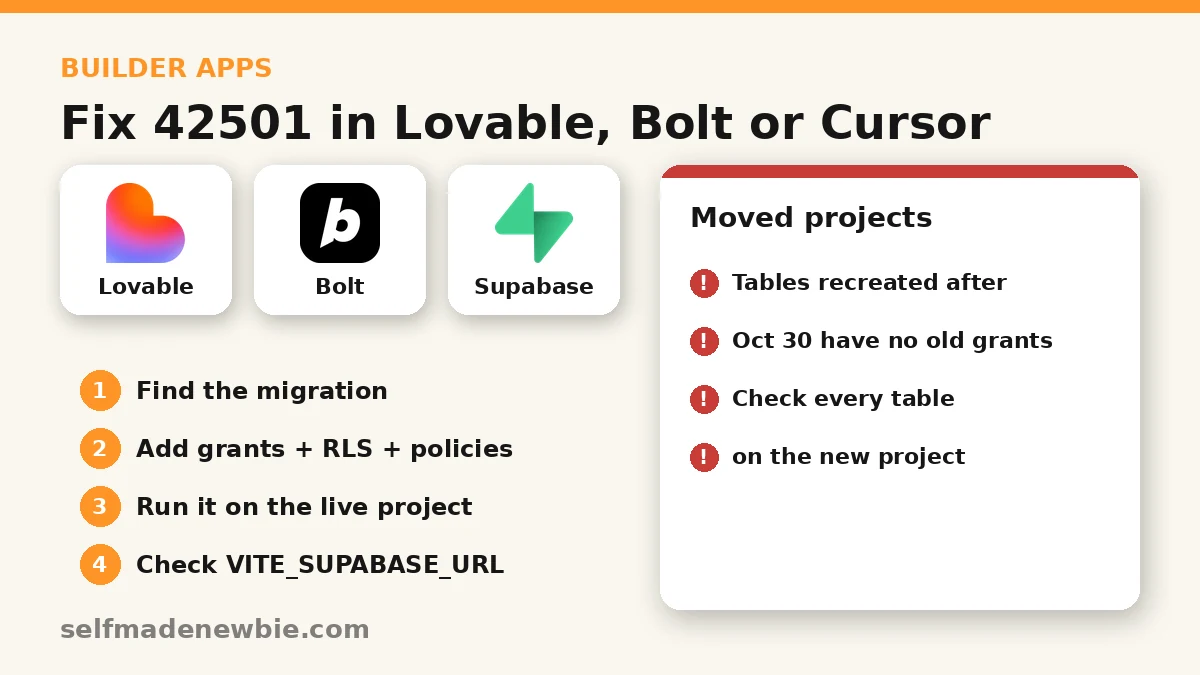
Supabase calls this out directly: if a tool creates tables and expects them to be reachable on creation, it needs the grant step. In practice, for builder apps:
- Look in supabase/migrations. Lovable and Cursor projects with Supabase usually keep SQL files there. Add the GRANT lines right after each
create table. - Prompt for it. Ask the builder to add explicit grants to authenticated and service_role, enable RLS and create owner-only policies for the new table. Then read the SQL before you run it.
- Check you’re on the right project. After a move to your own Supabase account, the live app reads
VITE_SUPABASE_URLfrom the host. A wrong value points you at a different database. See Vite env variables not working if the values look off. - Moved recently? Tables recreated on a new project after October 30 come without the old grants. If you migrated off Lovable, check grants on every table on the new project.
That last point catches a lot of people: the app worked on the builder’s database, then broke on a fresh project, and nobody changed a line of code.
How Do You Test the Fix Before Real Users Hit It?
Switch roles inside a transaction in the SQL Editor and run the same queries your app runs, then roll back. Test as anon and as authenticated, both for what should work and for what should fail. Finally, call the REST endpoint with your publishable key to confirm signed-out visitors only see public data.
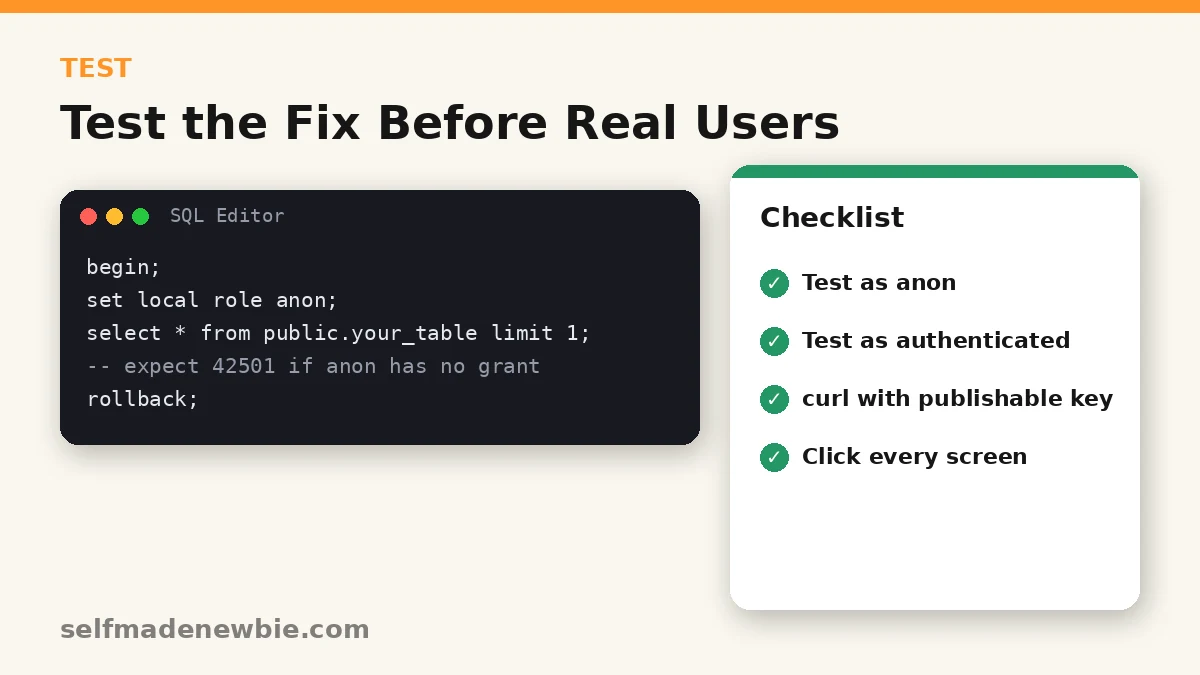
This tests the grant gate for signed-out visitors without changing anything:
begin;
set local role anon;
select * from public.your_table limit 1;  -- expect 42501 if anon has no grant
rollback;
And this checks the public REST endpoint the same way a stranger would, using only your publishable key:
curl "https://YOUR_PROJECT.supabase.co/rest/v1/your_table?select=*" \
  -H "apikey: YOUR_PUBLISHABLE_KEY"
For a private table, you want an error or an empty list here, never your users’ rows. Then sign in on the live app and click through every screen that reads or writes the table.
| Symptom | Check | Fix |
|---|---|---|
| 42501 on a table created after Oct 30 | role_table_grants shows no client roles | GRANT to authenticated (and anon only for public data) |
| 42501 on insert, select works | Policies list has no INSERT policy | Add an INSERT policy WITH CHECK |
| Empty results, no error | RLS on, no SELECT policy matches | Add or fix the SELECT policy |
| 42501 for schema | Schema not in Exposed schemas or no USAGE | Expose it, GRANT USAGE ON SCHEMA |
| 42501 on rpc() | No EXECUTE on the function | GRANT EXECUTE to the right roles |
| Server code gets 42501 | service_role has no grant on the new table | GRANT to service_role |
Supabase 42501 FAQ
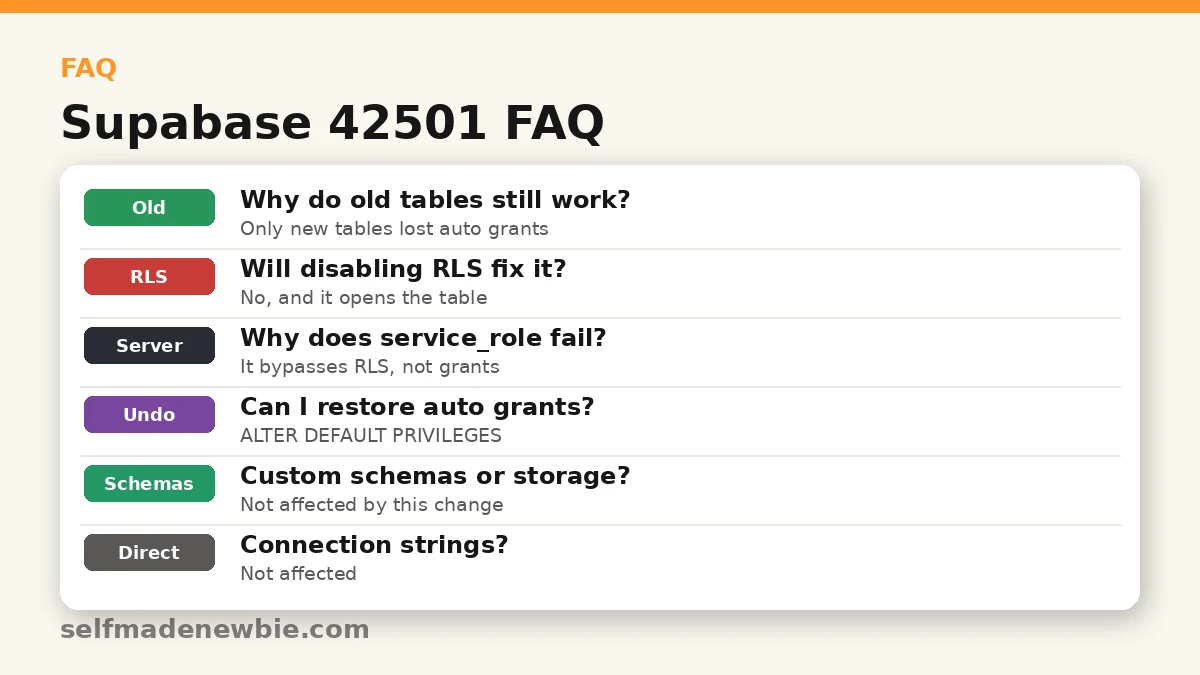
Why do my old tables still work but new ones throw 42501?
Because Supabase’s change only affects tables created after it reached your project. Existing tables keep their grants and stay reachable through the Data API. New tables in the public schema need an explicit GRANT before anon, authenticated or service_role can reach them, so only the new ones fail.
Will disabling RLS fix Supabase permission denied for table?
No, and it makes things worse. A missing grant raises 42501 before RLS runs, so turning RLS off doesn’t add the grant. If you add broad grants and turn RLS off, anyone with your publishable key can read and change that table. Add the grant and keep RLS on with policies.
Why does my service_role key get 42501?
The service role bypasses RLS, but it doesn’t bypass grants. After the change, a new table has no grant for service_role either, so server-side code and edge functions fail too. Grant the privileges your backend needs to service_role on that table, and keep the secret key off the frontend.
Can I turn automatic grants back on?
Yes. Supabase’s changelog shows the ALTER DEFAULT PRIVILEGES statements that restore default grants for future tables and sequences created by the postgres role. They don’t fix tables you already created, which need a normal GRANT. A safer version restores grants for authenticated and service_role only.
Does the change affect custom schemas or storage?
No. Supabase says the change touches default privileges in the public schema only. Tables in storage, auth, realtime and custom schemas keep their current grants and defaults. A permission denied for schema error on a custom schema means it isn’t exposed or has no USAGE grant.
Does 42501 affect apps that connect with a connection string?
Not because of this change. Supabase says apps that read and write Postgres over a direct connection, such as psql, an ORM or an app server with a connection string, are not affected. The change applies to the Data API, which supabase-js and the other client libraries call.
Want Your Supabase Permissions Done Right the First Time?
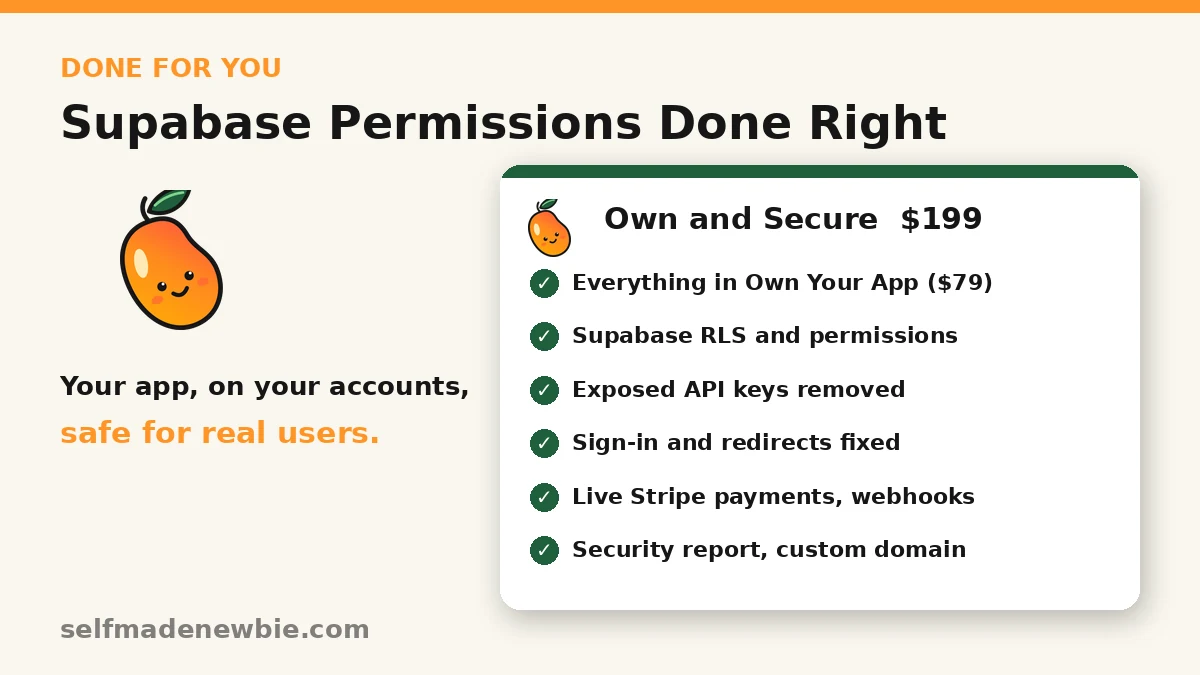
Fixing one 42501 takes a few lines of SQL. Getting every table, view and function right, with grants that match your RLS policies and nothing open to strangers, takes longer. If you’d rather hand it off, Launch Mango’s Own and Secure plan locks down Supabase RLS and permissions for a flat $199.
Most 42501 errors in vibe-coded apps aren’t one bug. They’re a sign that the tables were created fast, grants were never thought about, and RLS is a mix of right, missing and wide open. If you want the full launch picture first, the checklist to launch your vibe-coded app covers every step in order, and the Supabase RLS guide goes deep on policies.
Getting apps onto your own accounts and safe is what we do at Launch Mango. Own and Secure ($199 one-off) is everything in Own Your App plus sign-in and redirects checked and fixed, Supabase RLS and database permissions locked down, exposed API keys removed from the frontend, live Stripe payments and webhooks, a security report and your custom domain included. Own Your App ($79 one-off) moves your Lovable, Bolt, v0 or Cursor app onto your own GitHub, Supabase and Vercel accounts, live at a real URL with a plain-English handover report, usually in 1 to 2 days. Either way, money back if it isn’t live on your accounts.
Not sure how exposed your app is? Run the free 2-minute app check. Five quick questions flag your lock-in and security risks and tell you whether Own Your App or Own and Secure fits.
Your app, on your accounts, safe for real users.


