DIY vs Done-for-You App Deployment: Which Is Right for Your Vibe-Coded App? (2026)
Your app works in the Lovable preview. You click around, everything loads, and you think: this is basically done.
Then you try to put it on the real internet. Login sends people to localhost. Refreshing a page throws a 404. Stripe takes the money and your app never unlocks anything. Your Saturday is gone, and you’re reading a Reddit thread that ends with “nvm, fixed it.”
So here’s the real question: should you deploy your app yourself, or pay someone to do it? In this post I compare DIY vs done-for-you app deployment with real prices, a simple time and risk calculator, and a real example app that had eight launch issues hiding under the hood.
Here’s the quick answer:
| DIY | Freelancer | Done-for-you (Launch Mango) | |
|---|---|---|---|
| Upfront cost | $0 on free hosting tiers | Upwork lists $200 to $500 for a simple deployment setup | $79 Own Your App or $199 Own and Secure, one-off |
| Your time | About 6.5 to 14 hours for a first launch like our example | Hiring, briefing and back-and-forth | Hand over the project, then read the handover report |
| Risk | Easy to miss silent security issues | Depends on who you hire | Money back if it doesn’t end up live on your accounts |
| Best for | Learners with a free weekend | Big custom projects | Founders who want to own their app and take real users this week |
Want to skip the debugging? Launch Mango moves your Lovable, Bolt, v0 or Cursor app off the builder and onto your own GitHub, Supabase and Vercel or Netlify accounts: code, database and env vars, so you’re not locked in. It goes live at a real URL with a plain-English handover report, usually in 1 to 2 days, for $79 one-off. If it doesn’t end up live on your accounts, you get your money back. Own your app with Launch Mango »
What DIY and Done-for-You Deployment Actually Mean
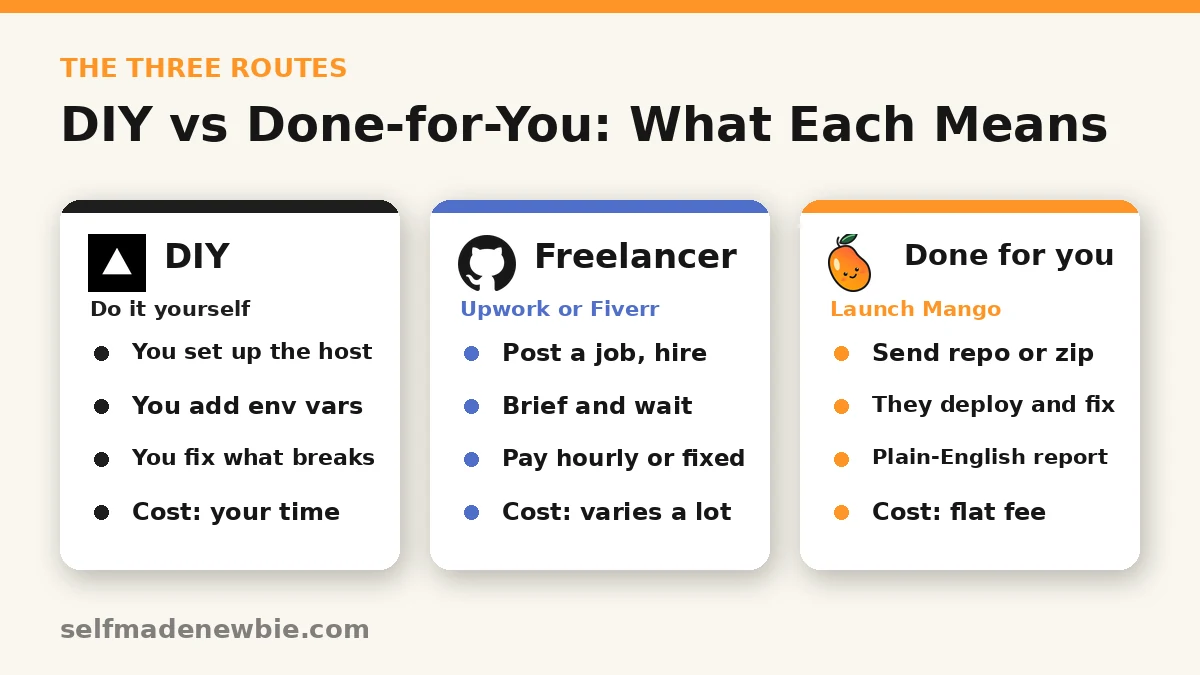
DIY deployment means you do every step yourself: sync your code to GitHub, set up a host like Vercel or Netlify, add your environment variables, fix whatever breaks and test it. The tools are free to start. The cost is your time.
Done-for-you deployment means you hand the project to a service, and they move it onto accounts you own and make it ready for real users. You pay money instead of time. The good ones charge a fixed price and tell you exactly what they changed. (Getting a link live is the easy part now: Lovable and Bolt both have a publish button. Owning it and making it safe is the hard part.)
The middle option is hiring a freelancer on Upwork or Fiverr. That can work, but now you’re running a hiring process, not just a deploy.
One Lovable detail matters for every route. Projects created from May 13, 2026 use TanStack Start, which runs a small server, while older projects are plain React + Vite apps that build into static files. Both deploy to Vercel and Netlify, but the settings differ.
The Real Example: 8 Launch Issues in One Finished-Looking App
To keep this fair, let’s use the same example from my guide on how to launch your vibe-coded app. Mango Notes is a small practice notes app built the Lovable way: React and Vite, Supabase for login and data, and a Stripe Upgrade button. It looked done. Under the hood, it had eight launch issues:
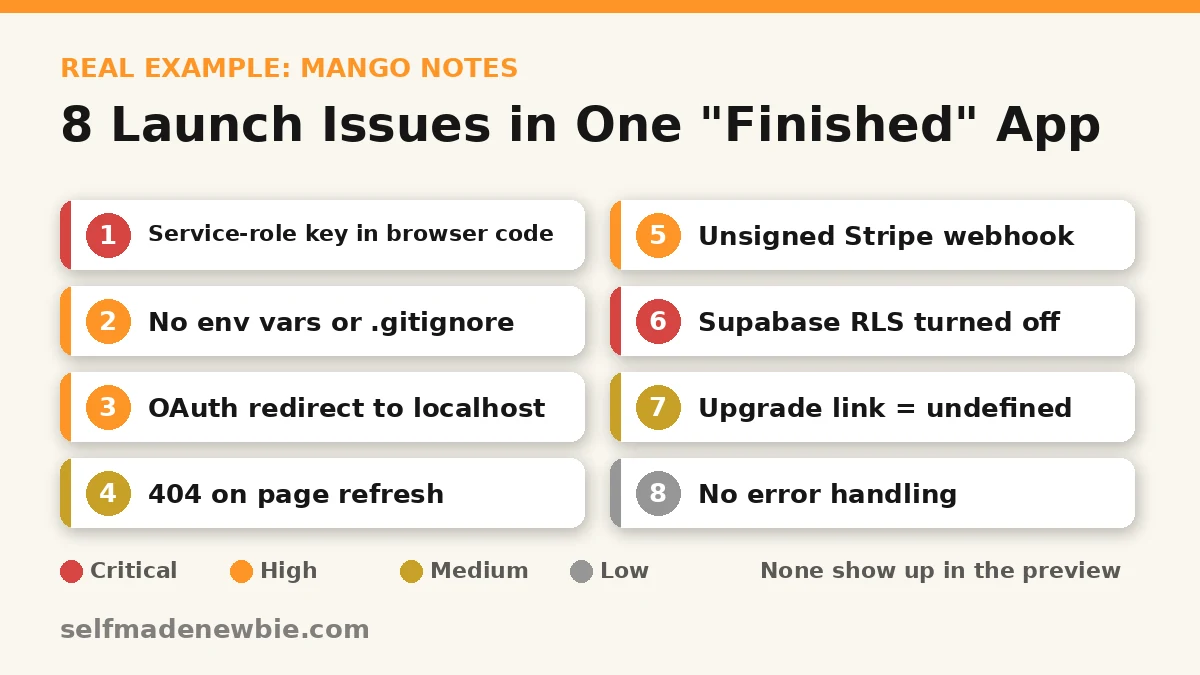
- A Supabase service-role key in browser code (full database access for anyone).
- No env var setup and no .gitignore.
- An OAuth redirect hardcoded to localhost:5173.
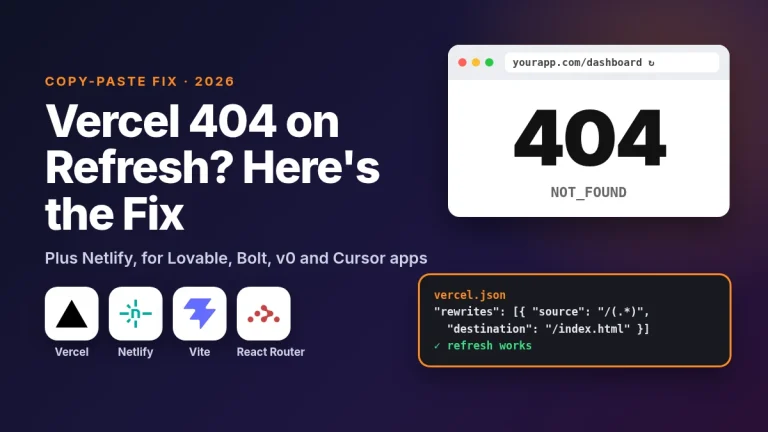
- A 404 on refresh on /dashboard.
- An unsigned Stripe webhook stub with no server.
- Row Level Security (RLS) off on the notes table.
- An “Upgrade” link pointing to undefined.
- No error handling, so failed loads showed an empty list.
None of these show up in the builder preview. That’s the sneaky part. Two of them (the exposed key and the open database) stay invisible until somebody else finds them.
The DIY Time and Risk Calculator
Here’s roughly how long each fix might take a first-timer working alone, Googling included. These are my own estimates, not lab results. Deployed before? You’ll be faster.
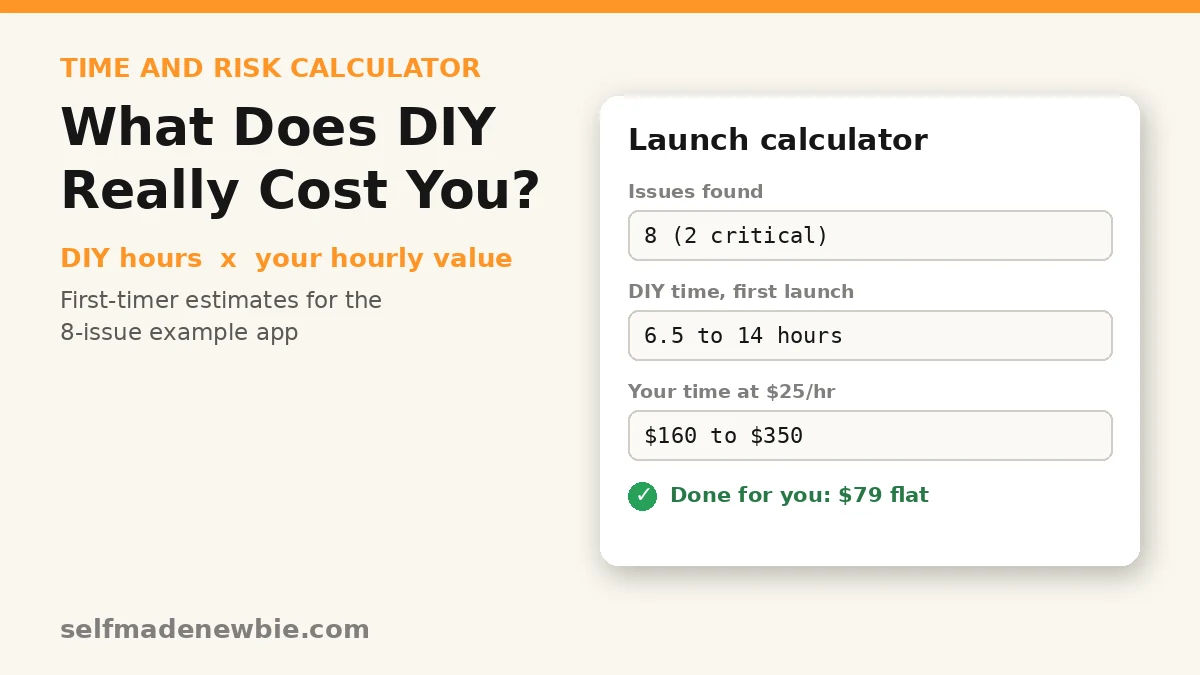
| Issue | DIY time (first-timer) | Risk if you miss it |
|---|---|---|
| Host setup (GitHub sync, Vercel or Netlify, build settings) | 1 to 2 hours | App never goes live |
| 1. Service-role key in browser code | 30 to 60 min (move it, then rotate it) | Critical: full database access for anyone |
| 2. No env vars or .gitignore | 30 to 60 min | Blank page, or keys committed to GitHub |
| 3. OAuth redirect to localhost | 30 to 90 min | High: real users can’t sign in |
| 4. 404 on refresh | 15 to 45 min | Medium: deep links and refreshes break |
| 5. Unsigned Stripe webhook, no server | 2 to 4 hours | High: people pay and nothing unlocks |
| 6. RLS turned off | 1 to 2 hours | Critical: anyone can read every note |
| 7. Upgrade link set to undefined | 15 to 30 min | Medium: lost sales |
| 8. No error handling | 30 to 60 min | Low: confused users, harder debugging |
| Total | About 6.5 to 14 hours | Two critical security holes if you skip a step |
Run the Numbers for Your Own App
- Count how many of the eight issues your app probably has. Not sure? Launch Mango’s free app check asks five quick questions and shows what’s most likely breaking.
- Add up the DIY hours from the table.
- Multiply by what an hour of your time is worth. Be honest: an hour on marketing or a client is worth something.
- Compare that number with the done-for-you price.
Example: at $25 an hour, 6.5 to 14 hours is about $160 to $350 of your time. At $50 an hour, it’s $325 to $700. Suddenly $79 or $199 one-off looks reasonable. But if your time is genuinely free (hello, students and weekend tinkerers), DIY wins on cost every time.
Time isn’t the only cost, though. Risk is. A missed 404 is annoying. A missed RLS policy or an exposed service-role key is how user data leaks. Done-for-you doesn’t make risk zero, but a fixed checklist covering sign-in, RLS, exposed keys and Stripe beats guessing on your first launch.
DIY vs Freelancer vs Done-for-You: What It Really Costs
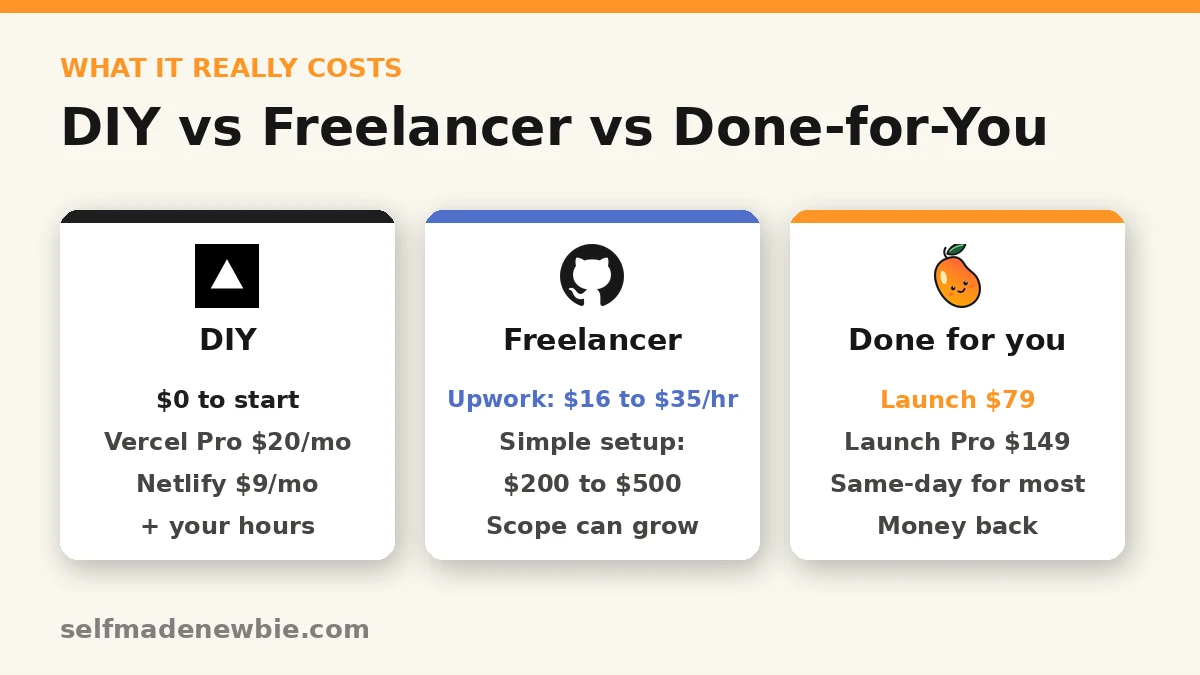
Real numbers for all three routes, from each company’s own pages (checked October 18, 2026):
| DIY | Freelancer | Done-for-you (Launch Mango) | |
|---|---|---|---|
| Service cost | $0 | Upwork: Vercel developers usually $16 to $35/hr; simple deployment setup $200 to $500; full app deployment $1,000 to $3,000 | $79 Own Your App or $199 Own and Secure, one-off |
| Hosting | Vercel Hobby free (non-commercial only), Pro $20/mo; Netlify Free (300 credits/mo), Personal $9/mo | Same host costs | Same host costs (you keep the accounts) |
| Extras | More of your time | Scope changes can add hours | None: custom domain is included in Own and Secure |
| Turnaround | Whenever you finish | Depends on the freelancer | Usually 1 to 2 days |
| If it fails | You keep debugging | Depends on your contract | Money back if it doesn’t end up live on your accounts |
A few things worth knowing:
- Hosting costs are the same no matter who deploys. Vercel’s Hobby plan is for personal, non-commercial use, so if your app makes money, budget $20 a month for Vercel Pro. On Netlify’s Free plan, each production deploy uses 15 of your 300 monthly credits.
- Freelancer prices vary a lot. Upwork lists DevOps engineers at $40 to $100 an hour, and Fiverr gig prices swing just as widely, so check the scope and reviews before you pay anyone.
- Other fixed-price services exist. FixBrokenApp, for example, lists a $49 Diagnosis, Rescue from $149 and Launch from $399. Compare what each tier includes.
- Own and Secure is the one to pick if real people will sign in or pay. For $199 it adds the security work (sign-in and redirects, Supabase RLS, exposed API keys, live Stripe payments and webhooks), a security report and a custom domain.
DIY Deployment: Pros and Cons
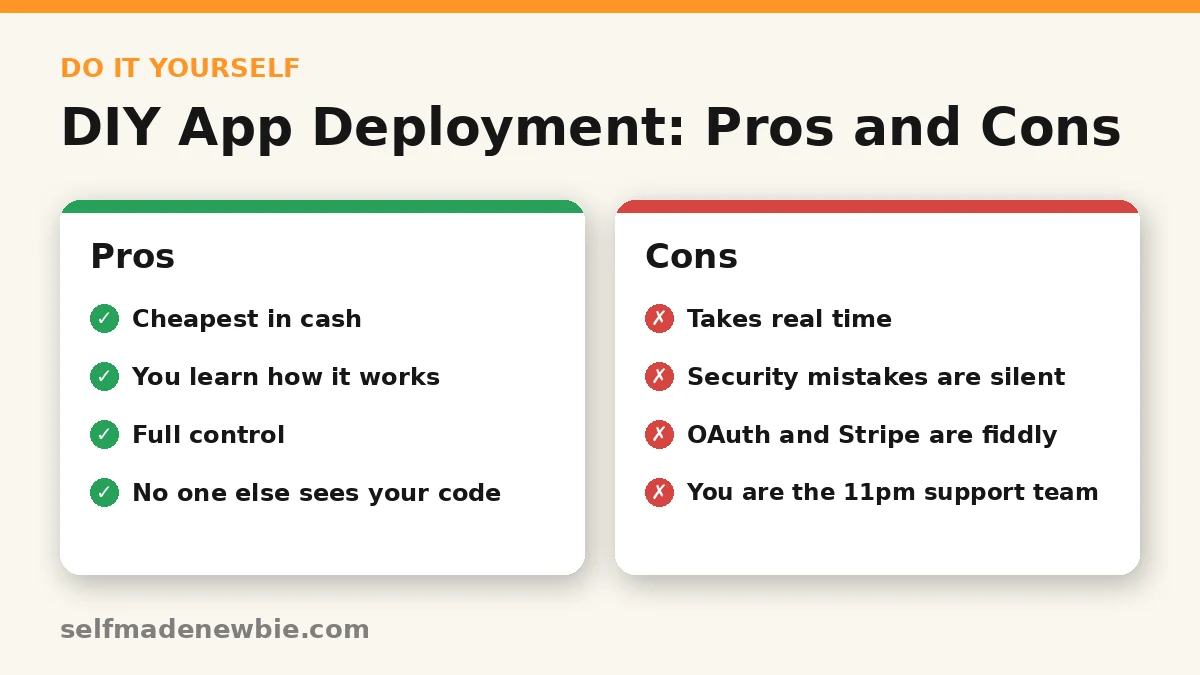
Going DIY is totally doable. My step-by-step guide on how to deploy a Lovable app walks through every click. Here’s the honest trade-off.
Pros
- Cheapest in cash. Free tiers cover most early apps.
- You learn how your app works, which pays off later.
- Full control over your host, settings and timing.
- Nobody else needs access to your code.
Cons
- It takes real time. Our example would eat a full weekend for most first-timers.
- Security mistakes are silent. An open database doesn’t throw an error. It just works, for everyone.
- Stripe webhooks and OAuth are fiddly, with unfriendly error messages.
- You’re the support team when something breaks at 11pm.
DIY is right for you if you enjoy the technical side, your app doesn’t handle payments or sensitive data yet, or you want to learn deployment for next time.
Done-for-You Deployment: Pros and Cons
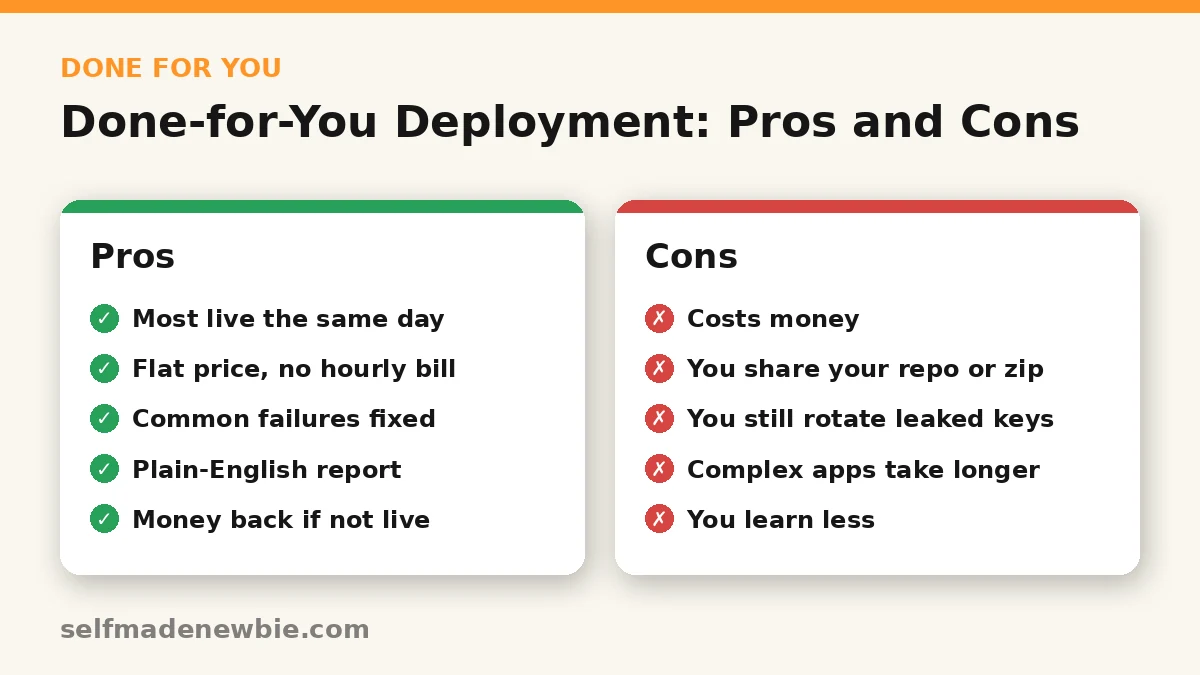
Paying someone isn’t automatically smart either. Here’s the fair version, using Launch Mango as the example.
Pros
- No lock-in. Your code, database and env vars end up on your own GitHub, Supabase and Vercel or Netlify accounts.
- Fixed price, so no hourly surprises.
- Lower risk. With Own and Secure, sign-in and redirects, Supabase RLS, exposed API keys and live Stripe payments get checked and fixed, with a security report.
- A plain-English handover report of what changed. No mystery box.
- Money back if it doesn’t end up live on your accounts.
Cons
- It costs money, and the security work and custom domain are only in the $199 Own and Secure tier.
- You have to share your repo or a zip, so pick a service you trust.
- You still own a few steps. The Mango Notes launch report left the owner to rotate the leaked Supabase key, add the live URL in Supabase Auth and the GitHub OAuth app, and point the Stripe webhook at the new endpoint, since those live in your own accounts.
- It usually takes 1 to 2 days, not minutes.
- You learn less than you would doing it yourself.
Done-for-you is right for you if you want to own your app outright, you handle payments or user data, or your time is worth more than the fee.
Which Should You Pick? A Quick Decision Table
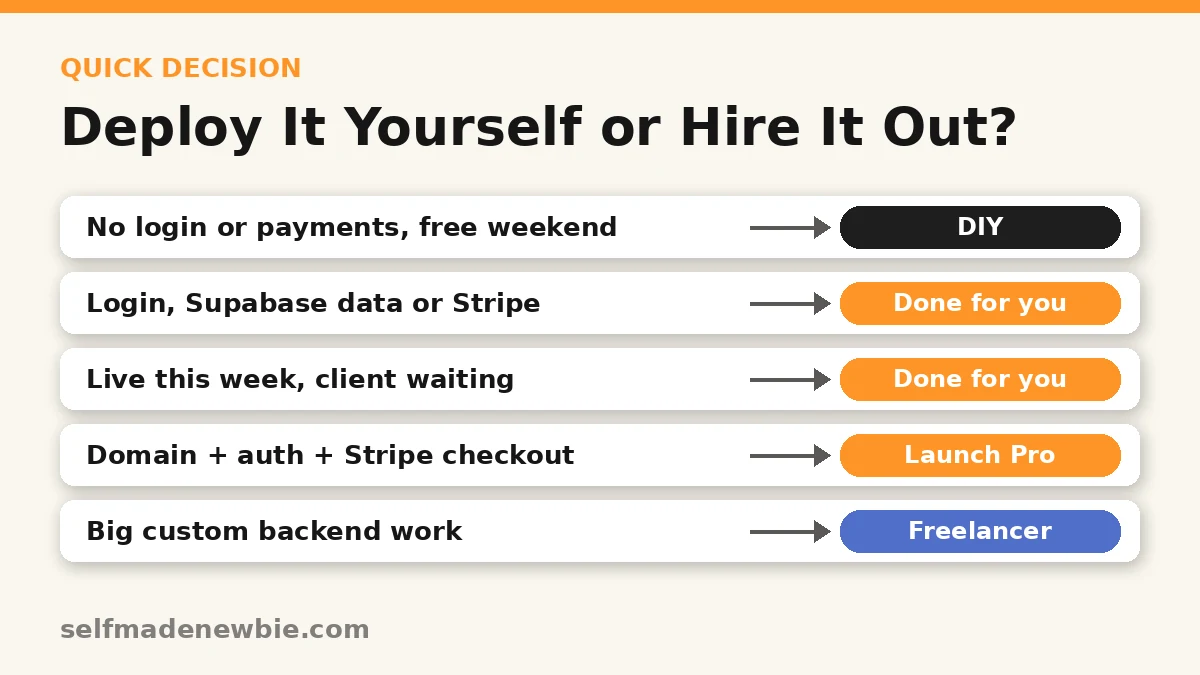
| Your situation | Best pick | Why |
|---|---|---|
| Simple app, no login or payments, free weekend | DIY | Low risk and a great way to learn |
| You just need a link to show friends | Lovable’s Publish button | Free lovable.app address in a couple of clicks |
| Login, Supabase data or Stripe payments | Done-for-you (Own and Secure) | These are the parts that break and leak |
| Launching this week, or a client is waiting | Done-for-you | Usually live on your accounts in 1 to 2 days |
| You need sign-in, Stripe payments and a custom domain, done safely | Own and Secure ($199) | Security work, security report and domain included |
| Moving off Lovable or Bolt hosting | Own Your App ($79), or DIY with the docs | Env vars, auth and data all have to move together |
| Big custom backend or ongoing dev work | Freelancer or agency | You need hours of custom work, not a launch |
| Not sure what’s broken | Free app check first | Five questions, no payment needed |
Stuck between two rows? Use the calculator. If your DIY hours times your hourly value come out under the done-for-you price, DIY wins. If not, hand it off.
How Launch Mango Works: Your App, on Your Accounts
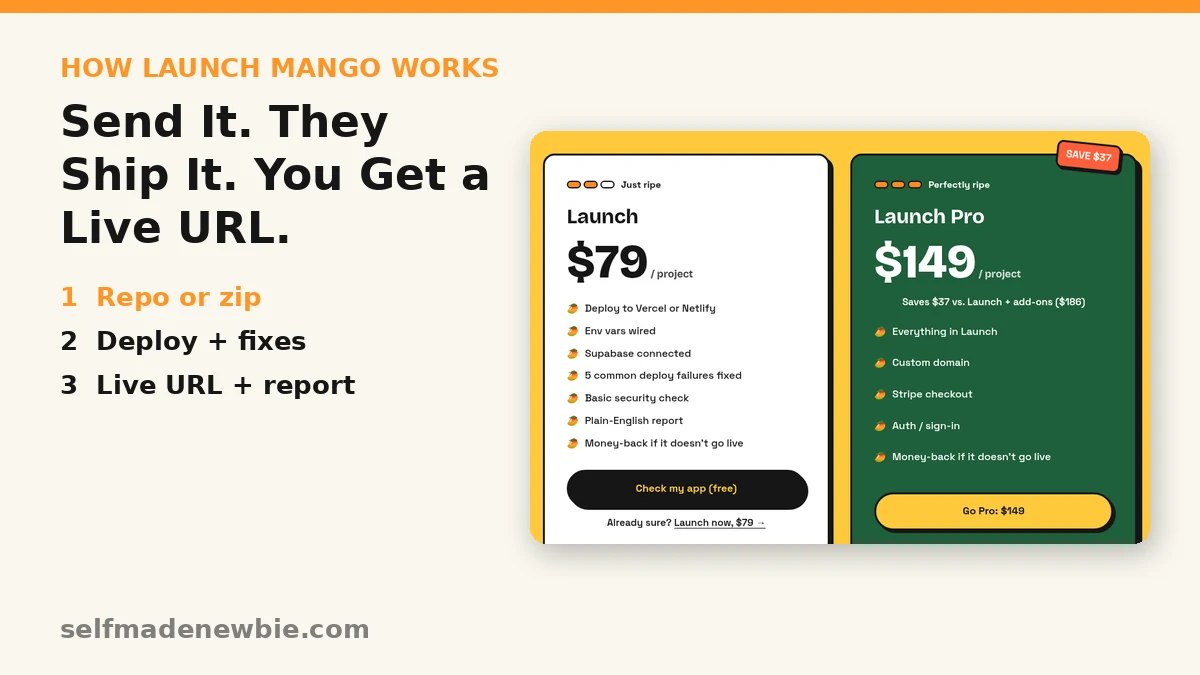
Launch Mango gets apps built with Lovable, Bolt, v0 or Cursor off the builder and onto your own accounts, safe for real users. The builders already have a publish button, so this isn’t about clicking deploy. It’s about not being locked in. Three steps:
- Send your project. Share your project (a GitHub repo, a zip or builder access).
- They move it. The team moves your code, database and env vars to your own GitHub, Supabase and Vercel or Netlify accounts and fixes what breaks on the way.
- Get your live URL, plus a plain-English handover report of what they changed.
| Plan | Price | What you get |
|---|---|---|
| Own Your App | $79 one-off | Moves your app off Lovable, Bolt, v0 or Cursor onto your own GitHub, Supabase and Vercel or Netlify (code, database, env vars). Live at a real URL, plain-English handover report, usually 1 to 2 days, money back if it doesn’t end up live on your accounts |
| Own and Secure | $199 one-off | Everything in Own Your App, plus sign-in and redirects, Supabase RLS and database permissions, exposed API keys, live Stripe payments and webhooks, a security report and a custom domain |
You keep ownership of your code and accounts: everything ends up on accounts in your name. Not sure which plan fits? The free app check takes about 2 minutes and tells you whether Own Your App or Own and Secure fits.
One honest note: it’s a young service, so you won’t find a mountain of public reviews yet. The money-back promise is your safety net.
If You Go DIY: The Short Checklist
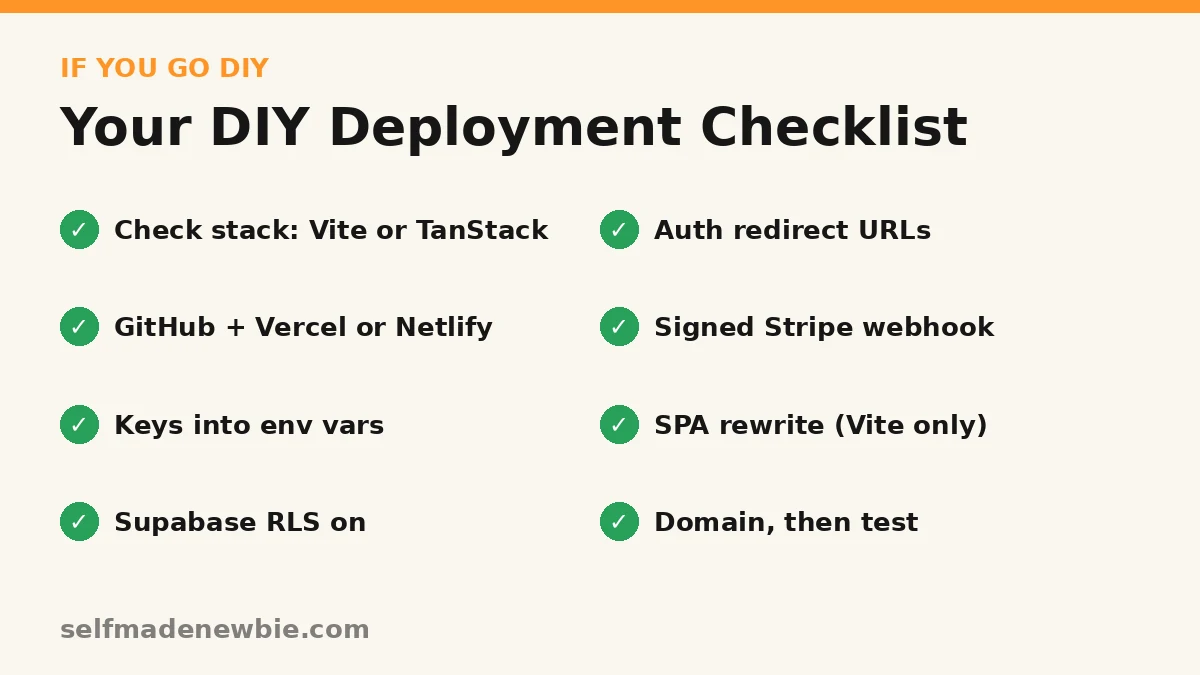
Going it alone? Respect. Here’s the order I’d go in:
- Check your stack. If
package.jsonlists@tanstack/react-start, it’s a TanStack Start app that needs a host that runs its server part. If not, it’s an older React + Vite app that builds todist. - Sync to GitHub and import the repo into Vercel or Netlify with
npm run build. TanStack Start apps use Node.js 22. - Move every key into env vars. Only public values get the
VITE_prefix. Rotate any secret that was ever in your code. - Turn on Supabase RLS for every table and add per-user policies.
- Fix auth redirects: add your live URL in Supabase Auth.
- Point your Stripe webhook at a server endpoint that verifies the signature.
- Add the SPA rewrite (older Vite apps only) so refreshes don’t 404.
- Connect your domain, then test everything in an incognito window.
The full walkthrough, with copy-paste code, is in my vibe-coded app launch checklist. To compare every route, including built-in publishing, see my roundup of the ways to get your Lovable or Bolt app live.
FAQ
Is it cheaper to deploy an app yourself or hire someone?
In cash, DIY is cheaper, because Vercel and Netlify both have free tiers. Once you count your time, a fixed-price service often wins: at $25 an hour, a 6.5 to 14 hour first launch costs more in time than a $79 done-for-you service.
How much does it cost to hire someone to deploy a Lovable app?
On Upwork, Vercel developers typically charge $16 to $35 an hour, and Upwork lists a simple deployment setup at $200 to $500. Launch Mango charges $79 one-off for Own Your App, or $199 for Own and Secure, which adds the security work and a custom domain.
How long does DIY deployment take?
A clean, simple app can go live in under an hour. An app with issues like our Mango Notes example can take a first-timer one to two full days.
Do I lose ownership of my code with a done-for-you service?
Not with Launch Mango. That’s the whole point: your code, database and env vars move to your own GitHub, Supabase and Vercel or Netlify accounts. Check this before you hire anyone.
Can I start DIY and switch to done-for-you later?
Yes. Plenty of builders try first, get stuck on OAuth or Stripe, then hand it off as a GitHub repo or zip.
Conclusion
The DIY vs done-for-you deployment choice comes down to one question: what’s your time worth, and how much risk can you live with?
Got a free weekend, a simple app and a curious brain? Go DIY. You’ll learn a ton, and my Lovable deploy guide will hold your hand.
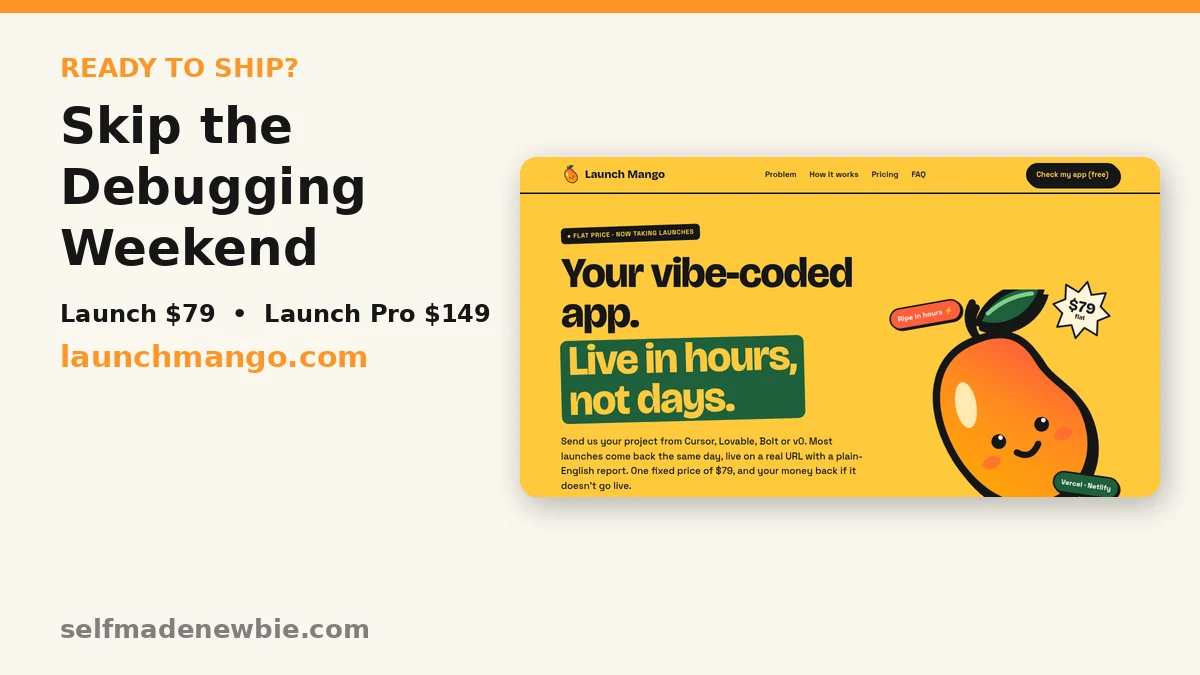
If you’re taking payments, storing user data or just want out of the builder, let Launch Mango move it onto your own accounts for $79, or $199 for Own and Secure with sign-in, RLS, API keys, Stripe and a custom domain sorted. Your app, on your accounts, safe for real users. Money back if it doesn’t end up live on your accounts. Still unsure? Run the free app check first.
Either way, stop polishing the preview. Your users can’t sign up for a preview tab.