
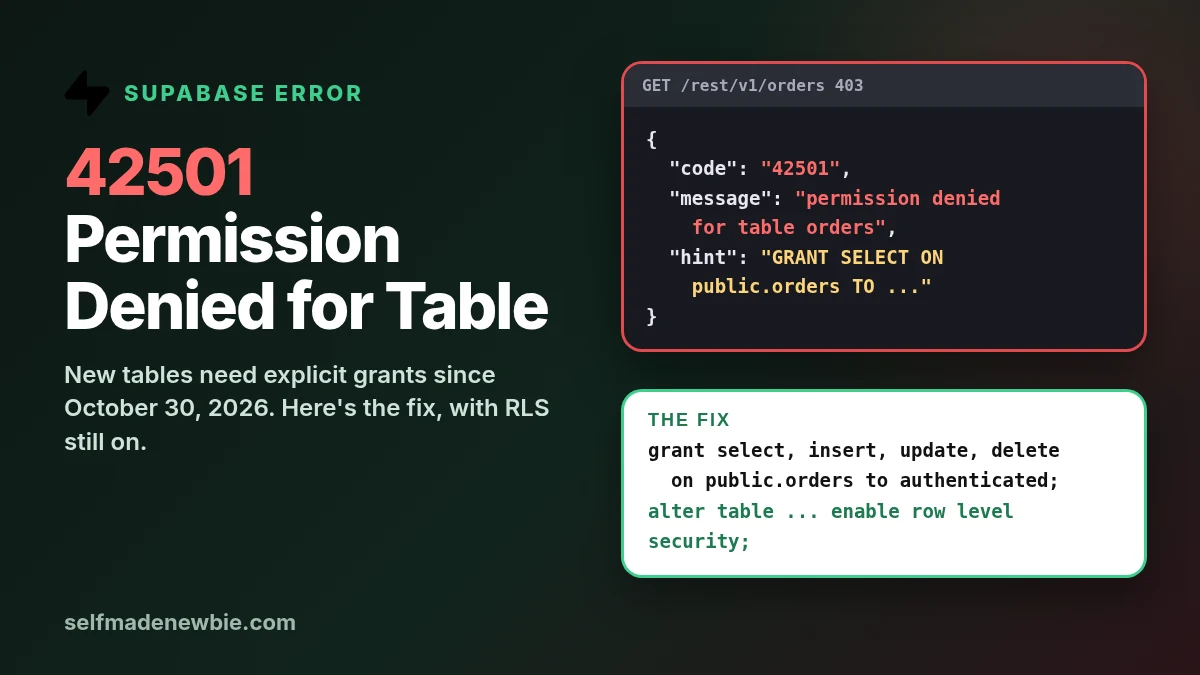
Supabase Permission Denied for Table (42501): The Fix (2026)
Your app worked yesterday. You added one new table, maybe a profiles or orders table, and now the page is blank and the console says 42501: permission denied for table. Nothing else changed. You didn’t touch the old tables. You definitely didn’t ask Postgres for an opinion.
So you do what everyone does: turn off RLS, add a policy that says “true”, maybe grant everything to everyone. The error goes away, and so does the only thing stopping strangers from reading your users’ data. That’s the expensive way to fix a one-line problem.
Here’s what actually happened. On October 30, 2026, Supabase started applying a breaking change to all existing projects: new tables in the public schema are no longer exposed to the Data API automatically. Until you add an explicit GRANT, supabase-js can’t see them, and Postgres answers with 42501. This guide shows you how to read the error, which grant is missing, the exact SQL to fix Supabase permission denied for table safely and how to stop it coming back.
Quick answer: Supabase error 42501 means the role making the request (anon, authenticated or service_role) lacks a privilege on that table, schema or function, or an RLS policy blocked a write. Since October 30, 2026, new public tables need explicit grants. Grant only what each role needs, keep RLS enabled and add policies.
| What the error says | Most likely cause | Fix |
|---|---|---|
permission denied for table your_table | New table created after the change, no grant for the role | Grant the role the privileges it needs, keep RLS on, add policies |
permission denied for schema myschema | Custom schema not exposed, or no USAGE grant | Add it to Exposed schemas and grant USAGE on the schema |
new row violates row-level security policy | Grant is fine, but no INSERT or UPDATE policy allows the write | Add a policy for that operation and role |
permission denied for function your_function | Role has no EXECUTE on the function | Grant EXECUTE to the roles that should call it |
permission denied for view your_view | View has no grant for the role | Grant SELECT on the view, create it with security_invoker |
Want the shortcut? Launch Mango moves your Lovable, Bolt, v0 or Cursor app onto your own GitHub, Supabase and Vercel accounts and makes it safe for real users. Own and Secure is $199 one-off: everything in Own Your App plus sign-in and redirects, Supabase RLS and permissions locked down, exposed API keys removed, live Stripe payments and webhooks, a security report and your custom domain included. Not sure what’s broken? Run the free 2-minute app check.
What Changed in Supabase on October 30, 2026?
On October 30, 2026, Supabase began enforcing on all existing projects a change it announced on April 28, 2026: new tables in the public schema no longer get automatic grants for anon, authenticated and service_role. Existing tables keep their grants. New tables stay invisible to the Data API until you grant access explicitly.
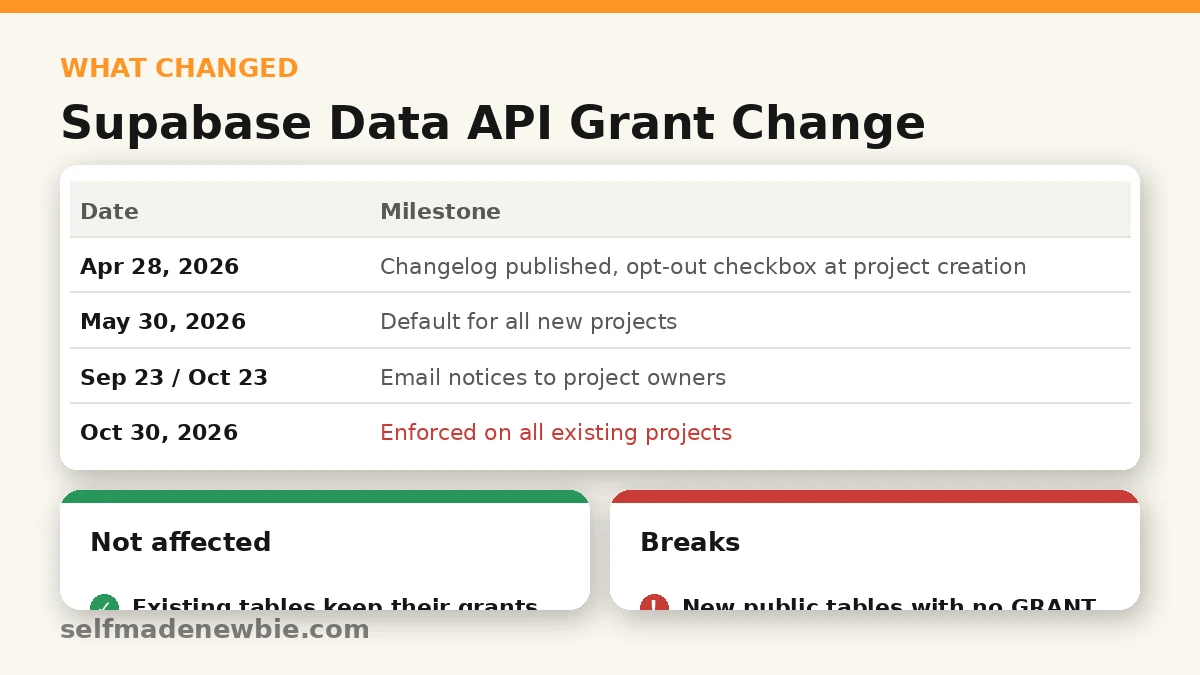
Supabase announced this in its breaking change changelog post on April 28, 2026, titled “Tables not exposed to Data and GraphQL API automatically”. Before the change, a project with default settings granted select, insert, update and delete on every new public table to anon, authenticated and service_role. Create a table, and supabase-js could reach it right away, protected or not.
| Date | What |
|---|