
How to Launch Your Vibe-Coded App (2026 Guide)
You built an app by chatting with Lovable, Bolt, Cursor or v0. It works perfectly in the preview. Now you want real people to use it, on a real domain, maybe even paying you.
That last step is where most vibe-coded apps get stuck. Login sends people to localhost. Refreshing a page shows a 404. Payments go through, but your app never unlocks anything. And there might be a secret key sitting in your code where anyone can grab it.
This guide is the full launch checklist in plain English, built around a real example app with eight common issues, plus copy-paste fixes for each one.
Here’s the quick version of how to launch a vibe coded app:
| Step | What to do | Sign it’s broken |
|---|---|---|
| 1. Pick a host | Built-in publish, or GitHub to Vercel or Netlify | App only lives in the builder preview |
| 2. Env vars | Move keys out of code and into the host’s settings | Blank page or “undefined” errors after deploy |
| 3. Supabase RLS | Turn on Row Level Security and add policies | Anyone can read your data, or everything comes back empty |
| 4. OAuth redirects | Set your live URL in Supabase Auth URL Configuration | Login bounces users to localhost |
| 5. Stripe webhooks | Point the webhook at your live URL and verify the signature | Payment succeeds but nothing unlocks |
| 6. SPA routing | Add a rewrite to index.html | Refreshing any page gives a 404 |
| 7. Domain and SSL | Connect your domain and wait for the padlock | “Not secure” warning or the old site shows |
| 8. Test | Run through the app like a brand-new user | Bugs your first users find for you |
Short on time? Launch Mango moves your Lovable, Bolt, v0 or Cursor app off the builder and onto your own GitHub, Supabase and Vercel or Netlify accounts, so you’re not locked in, for $79 one-off. It’s usually live at a real URL in 1 to 2 days, and you get your money back if it doesn’t end up live on your accounts.
Meet Mango Notes: A Real Example of What Breaks
To make this practical, let’s use a real example. Mango Notes is a small practice notes app built the Lovable way: React and Vite on the front, Supabase for login and data, and a Stripe “Upgrade” button. It looked finished. Under the hood, it had eight launch issues:
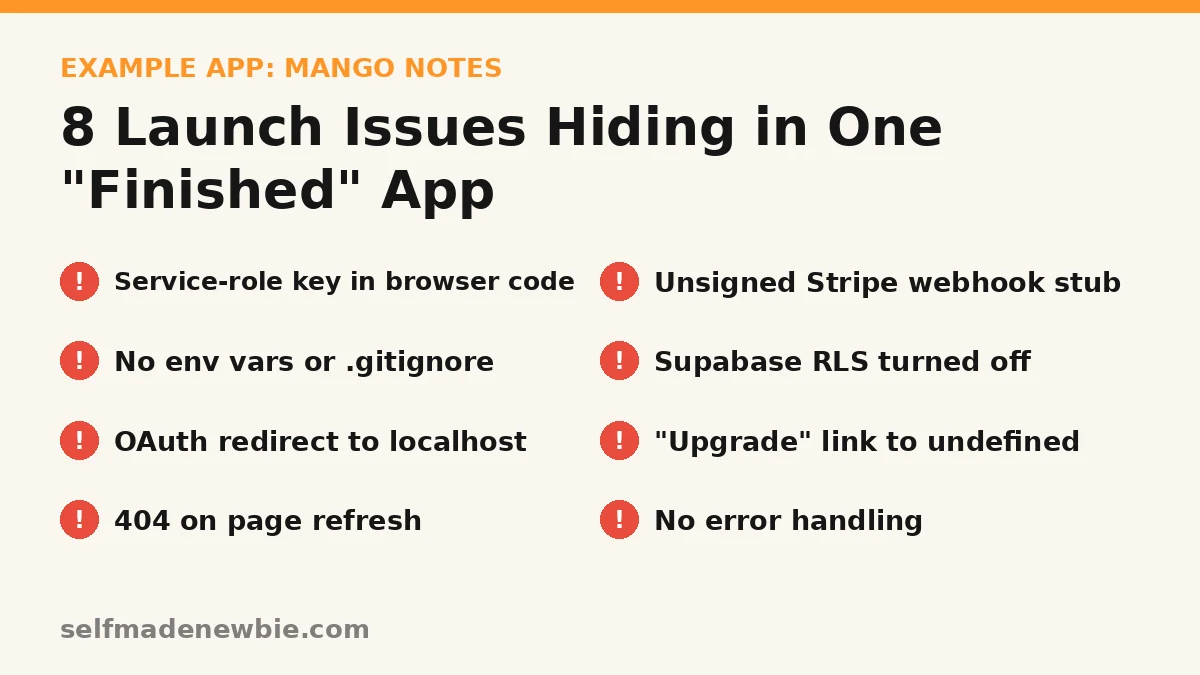
- Supabase service-role key hardcoded in browser code, which gives anyone full database access.
- No environment variable setup and no .gitignore.
- OAuth redirect hardcoded to localhost:5173.
- 404 on refresh when reloading the /dashboard page.
- Stripe webhook was an unsigned stub with no server to run on.
- Row Level Security disabled on the notes table.
- The “Upgrade” link pointed to undefined.
- No error handling, so failed data loads showed a silent empty list.
None of these show up in the builder preview. That’s normal, not a sign you did something wrong. Production just needs a few extra settings. Let’s fix each one.
Step 1: Pick a Host and Get Your Code on GitHub
First, decide where your app will live. You have two main paths:
- Built-in publish: Lovable publishes to a free yourapp.lovable.app address and runs a quick security scan when you publish. Bolt publishes to a free .bolt.host address on all plans. Custom domains need a paid plan on both.
- Your own host: sync the project to GitHub, then import the repo into Vercel or Netlify. Every push to GitHub redeploys automatically.
A quick heads-up on free tiers: Vercel’s Hobby plan is free but limited to personal, non-commercial use, so if your app takes payments, budget for Vercel Pro. Netlify’s Free plan is $0 with a monthly usage credit limit, which is plenty for most early apps.
For a typical Vite app, the build settings are simple: build command npm run build and output folder dist. On Netlify you can save them in a netlify.toml file:
[build]
  command = "npm run build"
  publish = "dist"
Not sure which route fits you? I compared them all in my guide to the ways to get your Lovable or Bolt app live.
Step 2: Move Your Keys Into Environment Variables
Environment variables (“env vars”) are settings your app reads at build time, like your Supabase URL and keys. In the builder they just work. On a new host, they don’t exist until you add them, which is why so many deploys show a blank page.