How to Migrate Off Lovable or Bolt to Your Own Stack (2026)
You built something real in Lovable or Bolt. People use it, maybe pay for it. And then it hits you: the code, the database and the hosting all live on the builder’s accounts. If the builder changes its pricing, or you want to hire a developer, or you just want to sleep better, you need to know how to leave.
This guide shows you how to migrate off Lovable or Bolt to a stack you own: your code on your GitHub, your database, sign-in and files on your own Supabase project, and your app on your own Vercel account. One section per builder, plus short notes for v0 and Cursor, then a cutover checklist and the things that usually break. If you only want to swap where a Lovable frontend is hosted, my Lovable hosting alternatives guide covers that host by host, and the hosting comparison helps you pick a host. This one is about ownership.
Quick answer: connect the builder to a GitHub repo in your own account, create a Supabase project you own and move the schema, data, users, files and secrets into it, then import the repo into your own Vercel account with the new env vars. Test on the new stack first, and switch your domain last.
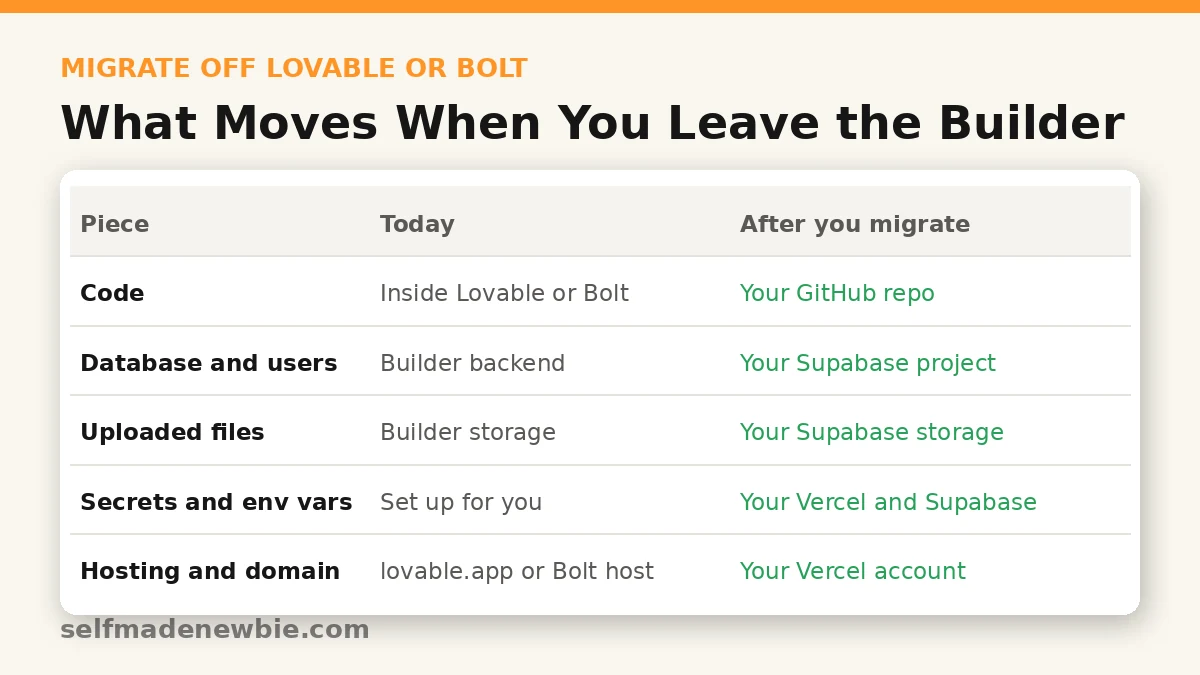
| What you own after | Lovable | Bolt | Where it goes |
|---|---|---|---|
| Code | Git sync (all plans) or zip download (paid plans) | GitHub integration or project zip download | Your GitHub repo |
| Database and users | Database export from Lovable Cloud, restored with pg_restore | Claim into Supabase (Pro or Teams) or export tables as CSV or JSON | Your Supabase project |
| Files | Download and upload by hand | Copy to your own Supabase storage | Your Supabase storage |
| Secrets and env vars | Not exported, set them again | Secrets panel values not in the export | Vercel and Supabase settings |
| Hosting and domain | Move domain, then unpublish lovable.app | Disconnect the domain in Bolt first | Your Vercel account |
Want it moved for you? Launch Mango moves your Lovable, Bolt, v0 or Cursor app onto your own GitHub, Supabase and Vercel accounts. Own Your App is $79 one-off: code, database and env vars moved, live at a real URL on your accounts with a plain-English handover report, usually in 1 to 2 days. Own and Secure is $199 one-off and also fixes sign-in and redirects, Supabase RLS, exposed API keys and live Stripe payments and webhooks, with a security report and your custom domain included. Money back if it isn’t live on your accounts. Not sure what yours needs? Run the free 2-minute app check.
What Does It Mean to Migrate Off Lovable or Bolt?
Migrating off Lovable or Bolt means moving four things onto accounts in your name: the code to your GitHub, the database, users and files to your own Supabase project, the secrets and env vars to your own settings, and the live app to your own host. Until all four move, you are still partly locked in.
Most people stop at the first step. They connect GitHub, see their code in a repo and think they’re done. But the code is the easy part. On Lovable’s own migration guide, both Git sync and the code download leave out database records and storage files. Your data, your users and the sign-in setup still sit in the builder’s backend.
So I think about lock-in in layers:
- Code lock-in: the source only lives inside the builder. Fixed by a GitHub repo you own.
- Data lock-in: tables, user accounts and uploaded files sit in the builder’s database. Fixed by your own Supabase project.
- Config lock-in: API keys, sign-in providers and redirect URLs were set up for you and you never saw them. Fixed by writing them down and setting them again.
- Hosting lock-in: the app and domain run on the builder. Fixed by your own Vercel account and DNS you control.
The good news: neither builder tries to trap you. Lovable says on its ownership page that you own your code and can move it, and Bolt documents a one-click database claim for paid plans. It’s just more steps than most people expect.
What Do You Need Before You Migrate?
Before you migrate, create three accounts in your own name: GitHub, Supabase and Vercel. Then write down what your app uses: sign-in providers, API keys, Stripe, file uploads, scheduled jobs and your domain. A 15-minute inventory up front is what stops the new copy from quietly missing a feature after cutover.
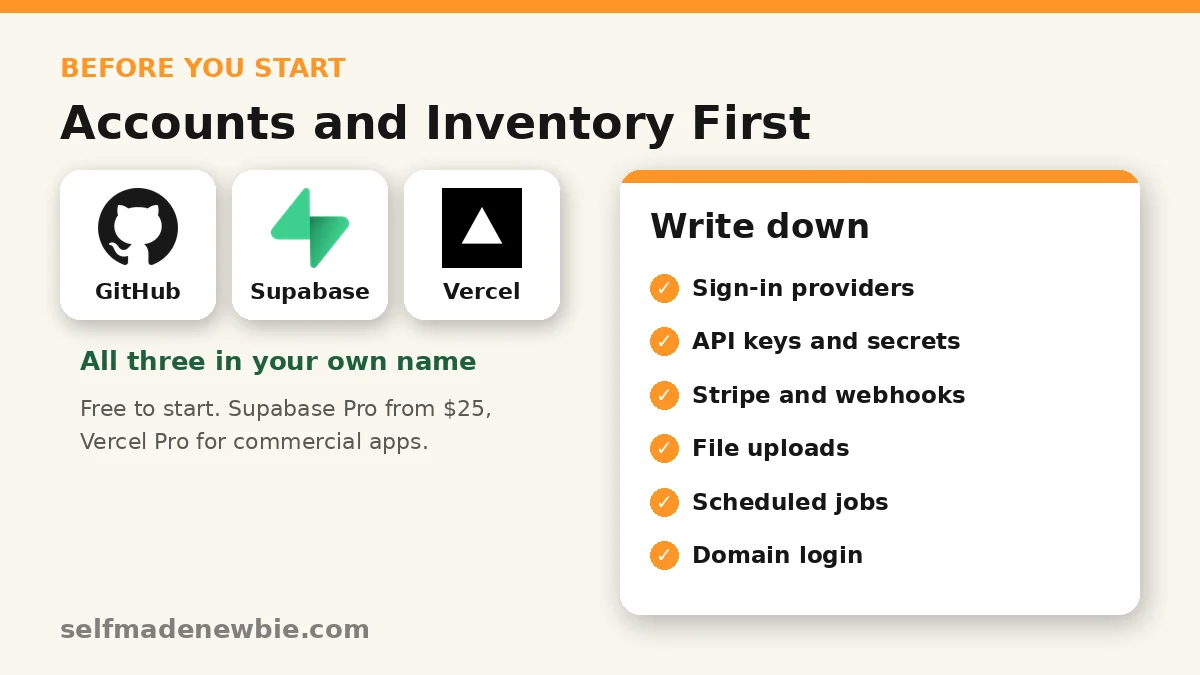
Use your own email for all three accounts, not a freelancer’s or a co-founder’s. Ownership problems usually start when someone else created the Supabase project or the Vercel team “just to get it working”.
| Account or item | Why you need it | Cost to start |
|---|---|---|
| GitHub account | Holds your code and connects to Vercel | Free |
| Supabase organization and project | Your database, users, storage and edge functions | Free plan, Pro from $25 a month |
| Vercel account | Builds and hosts the app from your repo | Hobby free for personal use, Pro for commercial apps |
| List of secrets | Stripe keys, email API keys, any third-party tokens | Free, just a note |
| Sign-in setup | Google or GitHub sign-in, redirect URLs, email templates | Free |
| Domain login | To point DNS at Vercel at the end | You already pay for it |
Two pricing notes from the official pages. Supabase Free projects pause after 1 week of inactivity and you get 2 active free projects, so a live app with paying users usually belongs on Pro. And Vercel’s fair use guidelines limit Hobby to non-commercial personal use, so an app that makes money needs Vercel Pro.
How Do You Export a Lovable App to GitHub?
To export a Lovable app to GitHub, connect the project to a repo in your own GitHub account with Git sync, which works on all Lovable plans and keeps both sides in sync. Paid plans can also download the codebase as a zip. Neither option includes your database records or storage files.
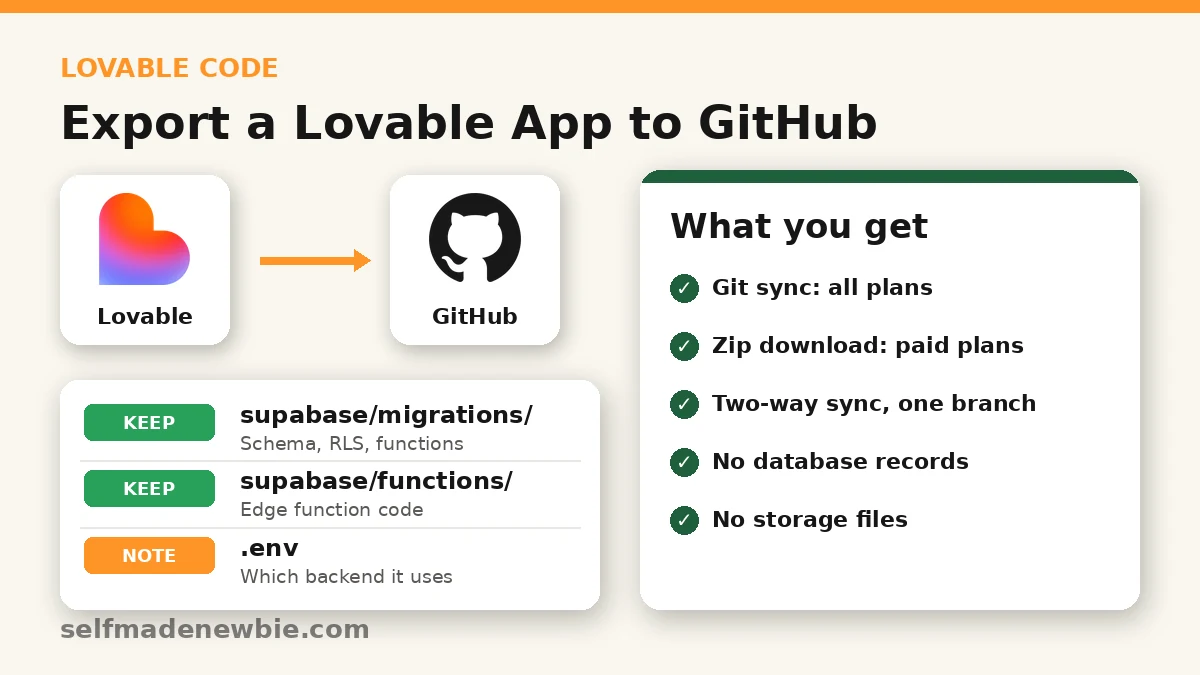
Git sync is the option I’d use, because it keeps working after the move. Lovable’s external deployment guide says it works with GitHub, GitLab or Bitbucket, syncs both ways, and follows one branch at a time. Pick your personal account or your own organization as the destination, not someone else’s.
- Open your Lovable project and connect Git from the project settings.
- Authorize the GitHub app and choose the account or organization that should own the repo.
- Create the repo and wait for the first sync. Check that the files are there on github.com.
- Look for the
supabase/migrations/folder (ordrizzle/migrations/) andsupabase/functions/. You need both later. - Note your
.envfile values, since they tell you which backend the code points at today.
One thing to check first: newer Lovable apps, created from May 13, 2026, use TanStack Start and need a host that runs server code. Vercel handles that, with build command npm run build and Node.js 22, per the same Lovable guide. For the click-by-click deploy, my Lovable deploy guide walks through it, and my Lovable hosting alternatives post has the build settings for other hosts.
How Do You Move a Lovable Cloud Database to Your Own Supabase?
There is no one-click move from Lovable Cloud to your own Supabase. You create a new Supabase project, apply the migration files from your repo, restore Lovable’s full database export with pg_restore, then set up sign-in providers, copy storage files, set secrets and deploy your edge functions. Users keep their passwords but must sign in again.
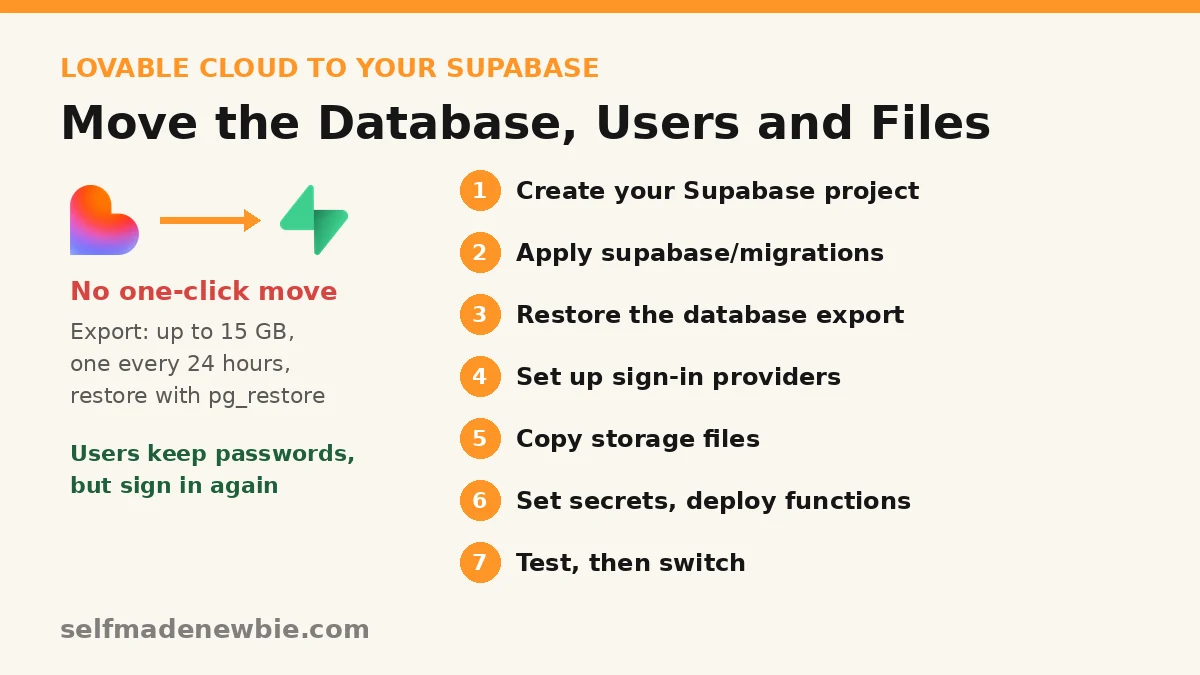
This is the part most guides skip, so here is the order from Lovable’s migration guide and database backups page:
- Create the destination. A new Supabase project in your own organization. Note its URL, project ID and publishable key.
- Move the structure. Apply the files in
supabase/migrations/in order, using the SQL editor or the Supabase CLI. - Move the data. In Lovable, go to More, then Database, Manage, Settings, Export data. You get a PostgreSQL custom-format
.backupfile that includes user accounts and their password hashes. Restore it withpg_restore. - Set up sign-in. Turn on each provider again and add your new redirect URLs.
- Copy storage files into matching buckets. The export doesn’t include them.
- Set secrets and deploy server code. Function secrets, edge functions and scheduled jobs.
- Test, then switch. Point a test deployment at the new backend before you touch the live app.
npx supabase login
npx supabase link --project-ref YOUR_NEW_PROJECT_REF
npx supabase db push
npx supabase secrets set --env-file ./secrets.env
npx supabase functions deploy
A few limits worth knowing from the Lovable backups page: the export works for databases up to 15 GB, each file is capped at 5 GB, you can run one export every 24 hours, and you need a pg_restore that supports zstd compression. Don’t run it with --clean blindly against a project that already has data. The export also leaves out storage files, edge function code, secrets, sign-in provider settings and API keys, which is why steps 4 to 6 exist.
Two catches people miss. App connectors and AI features in a Lovable Cloud app run through Lovable, and they keep running through Lovable (and your Lovable credits) until you replace them with your own provider accounts. If you’re weighing when to stop buying Lovable credits, compare repair prompts with the ongoing runtime usage you still need to replace. And if your Lovable app was already connected to your own Supabase project through the Supabase integration, you can skip the database move. Just check the project sits in an organization you own. If a freelancer’s organization owns it, Supabase supports a project transfer between organizations when you are an owner of the source.
How Do You Move a Bolt App to GitHub and Vercel?
To move a Bolt app to Vercel, connect Bolt’s GitHub integration to your own individual GitHub account, which creates a private repo on the main branch, then import that repo into your own Vercel account and add your env vars. For a quick test, you can also drop the project zip onto Vercel Drop.
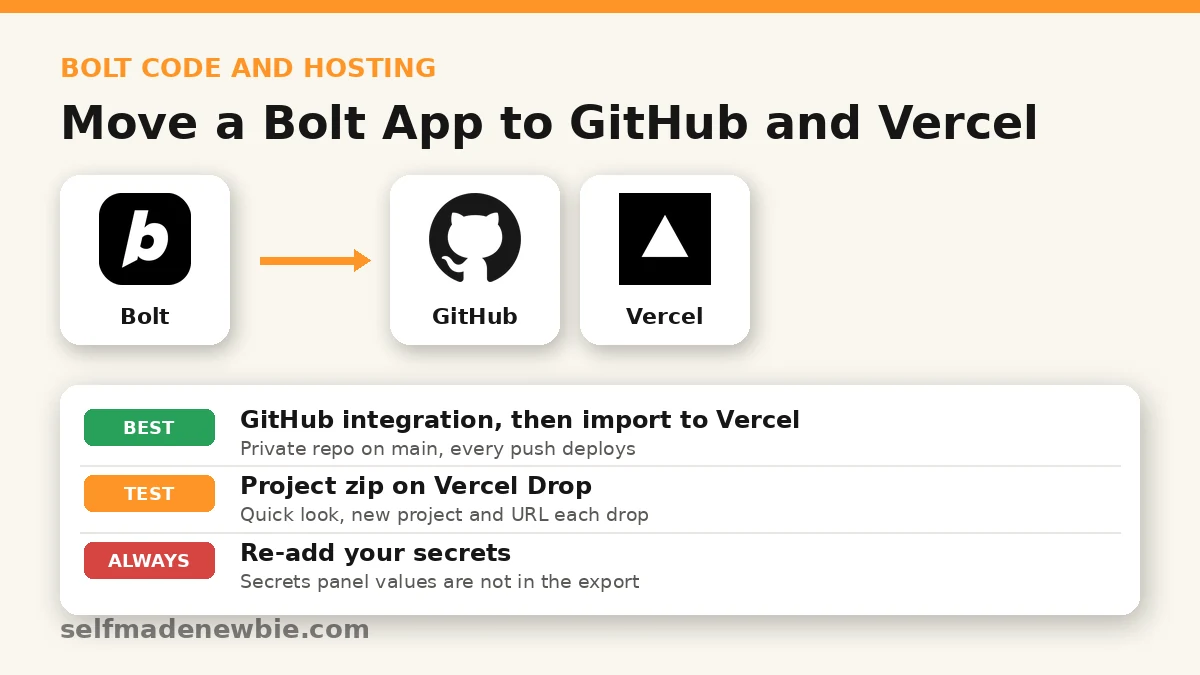
Bolt’s Git integration docs say you need an individual GitHub account, and the new repository starts private on a main branch. You install and authorize the Bolt.new GitHub app, then create the repo from inside your project. From then on, changes in Bolt push to GitHub.
- In Bolt, connect GitHub and create a repo for the project in your own account.
- In Vercel, add a new project and import that repo. Vercel detects Vite or Next.js.
- Add every env var your app reads before the first production build.
- Deploy, open the preview URL and test sign-in, data and payments.
Vercel also has an official guide to deploy a Bolt app with Vercel Drop: click the project title in Bolt, download the zip, and drag it onto Vercel. It’s handy for a quick look, but Vercel itself notes that each drop creates a new project with a new URL, and that the values from Bolt’s Secrets panel aren’t in the export. For a real migration, use GitHub so every push deploys automatically.
One domain note from Bolt’s project docs: a custom domain stays attached to its Bolt project and has to be disconnected before you can use it elsewhere, and Bolt warns that when you transfer a project, a domain bought through Bolt can’t be reconnected until it expires. If you bought your domain somewhere else, you just point DNS at Vercel at the end.
How Do You Migrate a Bolt Database to Supabase?
On a Bolt Pro or Teams plan, you can claim your Bolt Database into Supabase, which turns it into a Supabase project in your connected organization. You must be a Supabase org owner. On the free plan, export each table as CSV or JSON and rebuild the backend on your own Supabase project by hand.
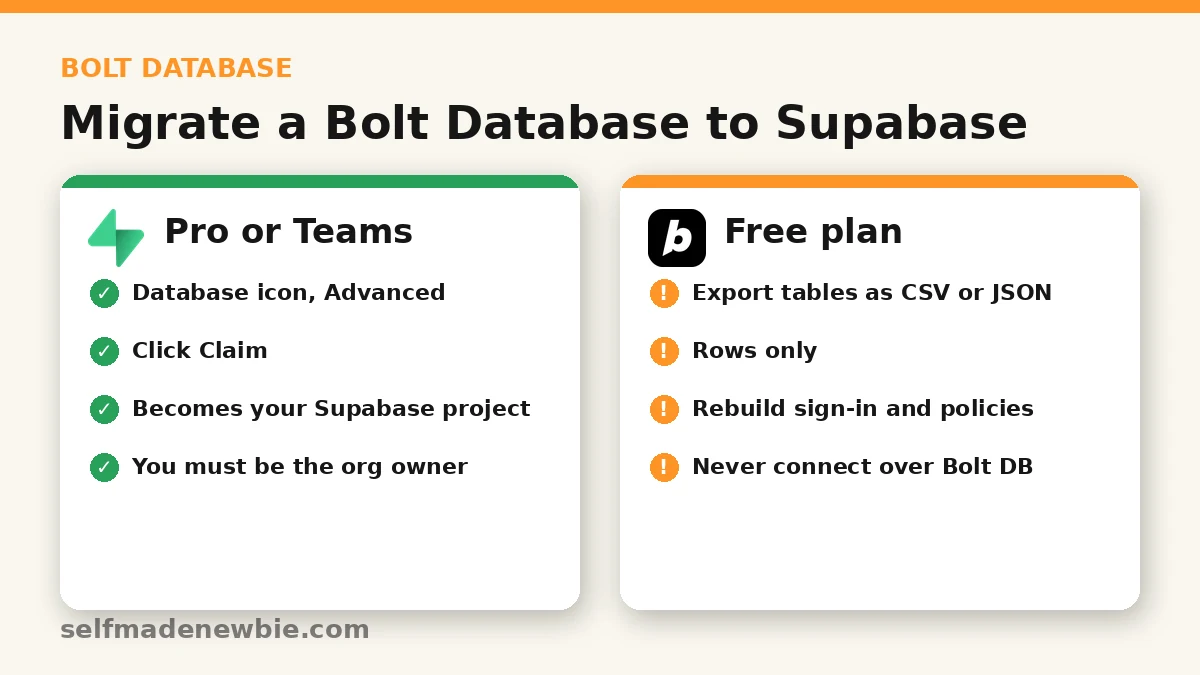
Every new Bolt project uses a Bolt Database by default. Bolt’s Supabase integration page lists the claim option for Pro ($25 a month) and Teams. The steps are short: open the project, click the database icon, go to Advanced, and click Claim. The claimed database then shows up as a project in your Supabase dashboard.
| Your situation | Best path | Watch out for |
|---|---|---|
| Bolt Pro or Teams, Bolt Database | Claim into your own Supabase organization | You must be the Supabase org owner |
| Bolt free plan, Bolt Database | Export tables as CSV or JSON, rebuild on your Supabase | Rows only, rebuild sign-in, policies and functions |
| Already on Supabase via Bolt | Check which organization owns the project | A Bolt account connects to only one Supabase org |
| Project in someone else’s Supabase org | Ask for a Supabase project transfer | Needs an owner of the source org |
Do not “fix” this by connecting a fresh Supabase database to a project that already has a Bolt Database. Bolt’s advanced database docs warn that connecting replaces the connection and may cause data loss. Claim first. Also note that a Bolt account can only be connected to one Supabase organization, so connect the one you want to keep. On the free plan, the table export gives you the rows in each table, so plan to recreate the rest (sign-in settings, policies and functions) on your own project.
What About Migrating a v0 or Cursor App?
v0 and Cursor apps are easier to own. In v0, connect GitHub and pick your own account or organization as the Git scope, so the repo and Vercel project live under you. Cursor code is already on your computer, so you push it to your own GitHub. The main risk is who owns the database account.
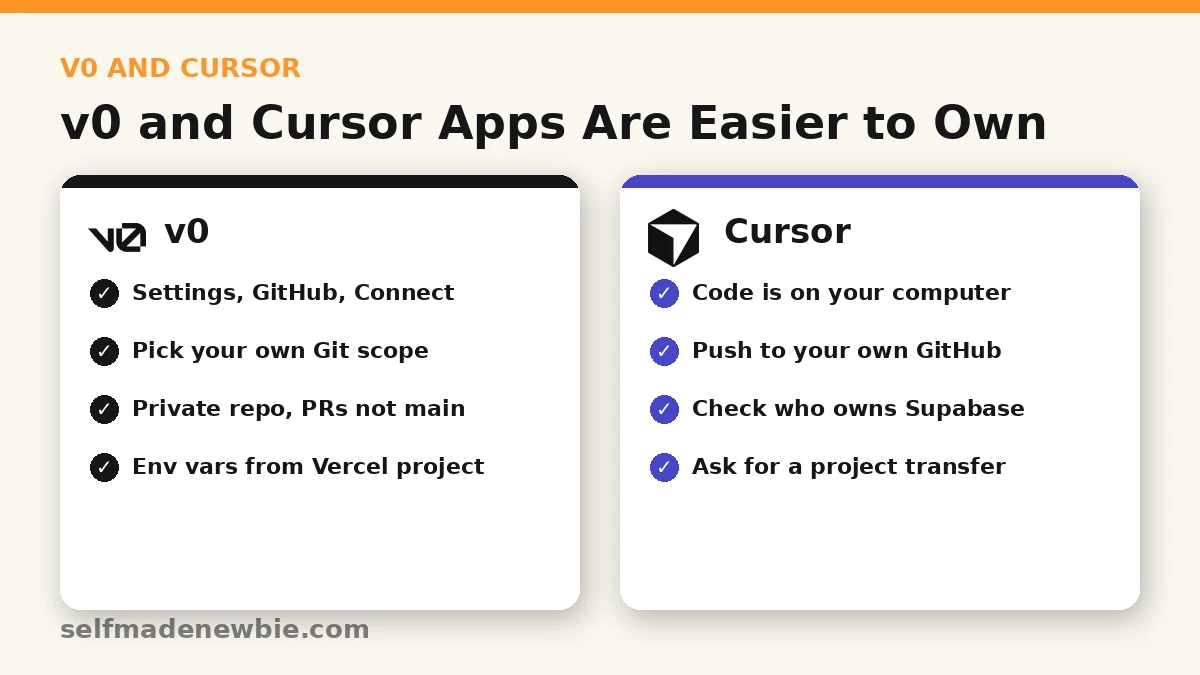
v0’s GitHub docs explain the setup: open the project menu, go to Settings, then GitHub, connect, and choose the account or organization that should own the repo. v0 creates a private repo, works on branches and pull requests, and never pushes to main directly. Publishing deploys to the connected Vercel project, and env vars come from that Vercel project. If the chat lives in someone else’s team, v0 supports transferring it to your own scope.
Cursor is an editor on your machine, so there’s no builder backend to escape. What I’d check instead: is the GitHub repo yours, and is the Supabase project in your organization? If a developer set it up under their account, ask for a Supabase project transfer rather than copying data. If transfer isn’t possible, Supabase’s backup and restore guide moves roles, schema and data to a new project with the CLI.
How Do You Set Up Vercel and Env Vars on Your Own Account?
In your own Vercel account, import the GitHub repo, let Vercel detect the framework, and add your env vars before the first production build. Use the new Supabase URL and publishable key, not the old ones. Env var changes only apply to new deployments, so redeploy after every change.

Vercel deploys every push from a connected Git repo, with preview deployments for branches and production for your main branch. For a Lovable app on Lovable Cloud, the Lovable guide lists the variables to set:
| Variable | Used by | Value after the move |
|---|---|---|
VITE_SUPABASE_URL | Browser (built in at build time) | Your new Supabase project URL |
VITE_SUPABASE_PUBLISHABLE_KEY | Browser | Your new project publishable key |
VITE_SUPABASE_PROJECT_ID | Browser | Your new project ID |
SUPABASE_URL, SUPABASE_PUBLISHABLE_KEY, SUPABASE_PROJECT_ID | TanStack Start server code | Same new values |
| Stripe and other secrets | Server or edge functions | Your own keys, never in a VITE_ variable |
Bolt and v0 apps use their own names, so copy them from your .env file or the builder’s secrets panel. Vercel’s environment variables docs are clear that changes only apply to new deployments, which is the number one reason a migrated app still talks to the old database. If a value comes up empty, my Vite env variables fix covers the usual causes. And anything secret, like a Stripe secret key or a Supabase service role key, should never carry a VITE_ prefix, because those values ship to the browser.
What Is the Safest Cutover Order?
The safest cutover keeps the old app live until the new one is proven. Build and test the full copy on your own accounts first, then pause writes, take a final database export, restore it, switch env vars, move the domain and only then unpublish the old app. Keep the old project until you’ve checked everything.
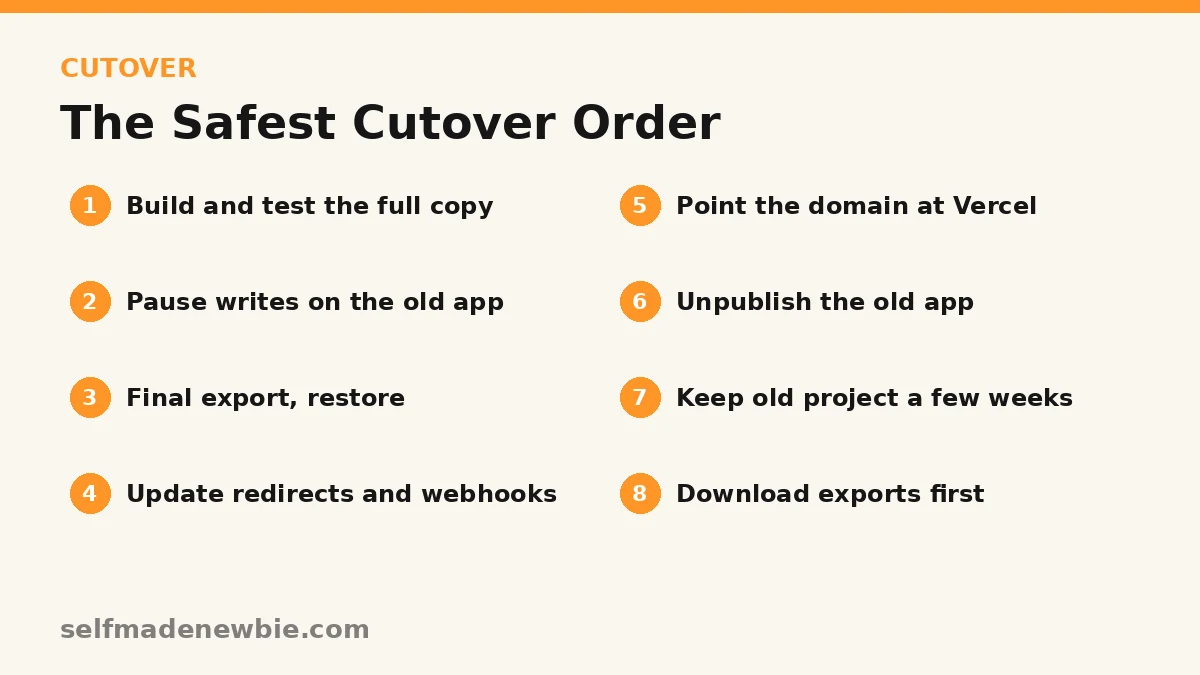
- Build the full copy on your GitHub, Supabase and Vercel, using a test export of the data.
- Test it on the Vercel preview URL: sign up, sign in, create data, upload a file, pay with a Stripe test card.
- Pick a quiet time and pause writes on the old app, so no new data lands there during the switch.
- Take the final database export and restore it into your Supabase project.
- Update Supabase sign-in redirect URLs and Stripe webhook endpoints to the real domain.
- Point your domain at Vercel and wait for SSL.
- Unpublish the old app (for Lovable, the lovable.app site) once the domain works.
- Keep the old project for a few weeks. On Lovable, download your exports before you remove the database, because removing it deletes them.
Lovable’s guide also notes that exporting code or changing your domain doesn’t cancel your subscription, so cancel or downgrade separately when you’re sure. If you plan to keep editing in Lovable after the move, update .env and supabase/config.toml in the Lovable project so it points at your new Supabase project. For pointing your domain, see my Lovable custom domain guide.
What Breaks After You Migrate Off Lovable or Bolt?
The usual breaks after you migrate off Lovable or Bolt are sign-in redirects that still point at the old URL or localhost, empty env vars, Stripe webhooks hitting the old endpoint, missing storage files, row level security that was never set, and a 404 when you refresh a page. Every signed-in user also has to sign in again.
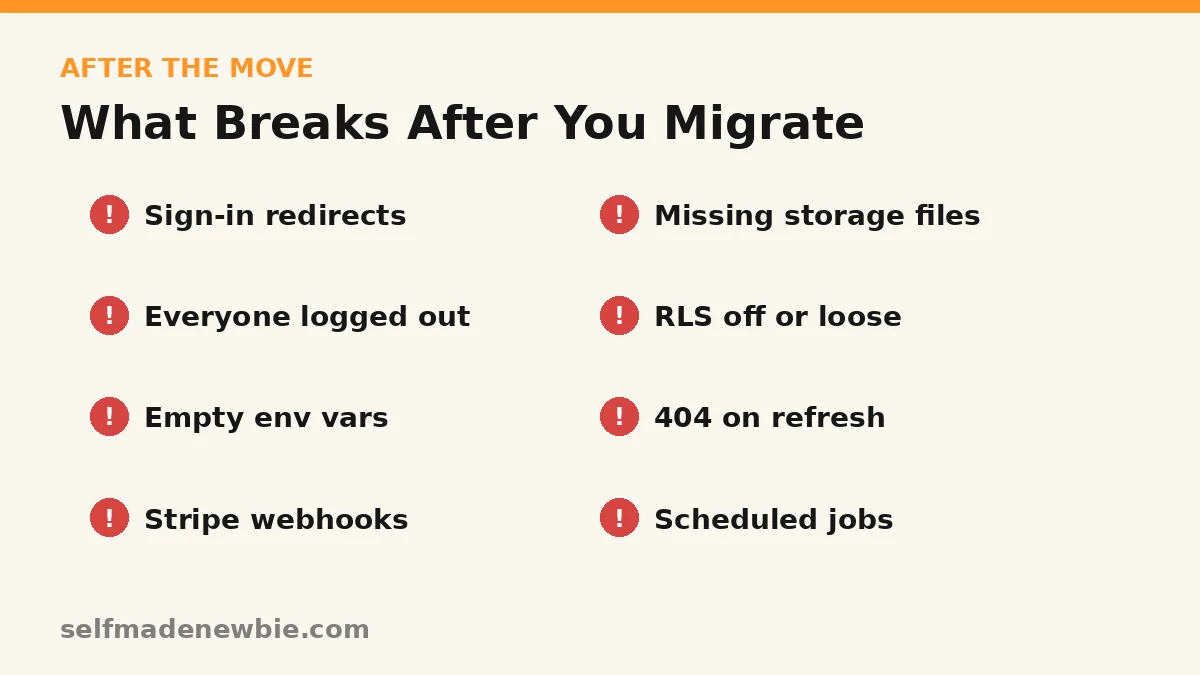
| What breaks | Why | Fix |
|---|---|---|
| Google or GitHub sign-in | Redirect URLs still list the old site or localhost | Add the new URLs in Supabase, see OAuth redirect to localhost |
| Everyone is logged out | New project, new signing keys, sessions don’t carry | Expected, tell users to sign in again |
| App shows no data | Env vars point at the old project or are empty | Set them and redeploy, see Vite env variables |
| Payments don’t unlock anything | Stripe webhook still points at the old endpoint | Update the endpoint and secret, see Stripe webhook not working |
| Images and uploads missing | Storage files aren’t in the database export | Copy buckets to the new project |
| Other users’ data visible | Row level security off or too loose | Lock it down, see Supabase RLS |
| 404 when you refresh a page | Single-page app routing on a new host | Add a rewrite, see Vercel 404 on refresh |
| Scheduled jobs stop | Cron schedules weren’t recreated | Recreate them with cron.schedule |
Supabase’s own guide to migrating users between projects confirms the logout point: passwords come across hashed, but the new project signs tokens differently, so users log in again. Supabase’s redirect URL docs suggest wildcards for Vercel preview URLs and the exact URL for production. If you used Supabase Vault in the old project, read the backup and restore guide before you pause it, since encrypted values depend on the old project’s key.
Migrate Off Lovable FAQ
Is Lovable lock-in real?
Partly. Lovable lets you sync code to your own GitHub on every plan and export your database, so you can leave. The lock-in is practical: the database, users, files, sign-in setup and secrets on Lovable Cloud take several manual steps to move, and AI features and app connectors keep running through Lovable until you replace them.
How long does it take to migrate off Lovable or Bolt?
A frontend-only app with no database can move in an hour. An app with sign-in, a database, file uploads and Stripe usually takes a weekend the first time, mostly testing. The code export takes minutes. Moving data, sign-in providers, secrets and webhooks is where the time goes.
Do my users keep their passwords after the move?
Yes, if you restore the full database export. Lovable’s export includes user accounts with their password hashes, and Supabase moves them across intact. Users who were signed in will need to sign in again, because the new project issues new sessions.
Can I keep using Lovable or Bolt after migrating?
Yes. With two-way Git sync, you can keep editing in Lovable or Bolt while the app runs on your own Vercel and Supabase. Point the builder project at your new Supabase project so both stay in step. Exporting code doesn’t cancel your subscription.
How much does it cost to run the app on my own stack?
For a small app, GitHub is free, Supabase starts free and Pro is from $25 a month, and Vercel Hobby is free for personal projects with Pro at $20 a month for commercial use. Many paying apps land around $45 a month on Vercel Pro and Supabase Pro.
Can I move a Bolt app to Vercel without GitHub?
Yes, for a quick test. Download the project zip from Bolt and drop it onto Vercel Drop, then add your env vars. Each drop makes a new Vercel project with a new URL, so for a live app use Bolt’s GitHub integration and import the repo instead.
Should You Migrate Yourself or Have It Done for You?
Migrate yourself if your app is small, has no paying users yet and you enjoy learning the stack. Have it done for you if real users, payments or a deadline are involved, because a missed redirect, webhook or RLS policy after cutover costs more than the move. Either way, the accounts should end up in your name.

If you want to do it yourself, this guide plus my checklist to launch your vibe-coded app covers every step in order. My DIY vs done-for-you breakdown helps if you’re on the fence, and the best app launch services roundup compares the options.
Handing it off is what we do at Launch Mango. Own Your App ($79 one-off) moves your Lovable, Bolt, v0 or Cursor app onto your own GitHub, Supabase and Vercel accounts, including the code, database and env vars. It goes live at a real URL on your accounts with a plain-English handover report, usually in 1 to 2 days. Own and Secure ($199 one-off) is everything in Own Your App plus sign-in and redirects checked and fixed, Supabase RLS and database permissions locked down, exposed API keys removed from the frontend, live Stripe payments and webhooks, a security report and your custom domain included. Your current app stays live on the builder while the team sets up and tests the copy, your money back if it isn’t live on your accounts, and the team removes itself from your accounts after handover.
Not sure how locked in your app is? Run the free 2-minute app check. It flags lock-in and security risks and tells you which plan fits.
Your app, on your accounts, safe for real users.