
Lovable vs Bolt (2026): Which Is Better, and Which Is Easier to Deploy?
Lovable and Bolt are the two AI app builders most people end up choosing between. Both turn a plain-English prompt into a working web app, both publish it with one click, and both cost $25 a month on their entry paid plan. So which one should you actually build on?
Most Lovable vs Bolt comparisons stop at the building part. That’s only half the story. The harder question is what happens after: how you publish, what it costs to keep the app online, how easy it is to move the code and the database onto accounts you own, and what still needs fixing before real users arrive. This guide covers both halves, building and deploying, with a quick look at Replit too.
Quick answer: Lovable vs Bolt comes down to how you like to work. Lovable is the smoother pick if you want polished apps and a built-in backend without touching code. Bolt suits you if you like seeing and editing code, want a Netlify option, or want to claim your database into your own Supabase account. Neither makes an app production-ready on its own.
| Lovable | Bolt | |
|---|---|---|
| Best for | Non-coders who want a polished full-stack app fast | Builders who like code view and more hosting choice |
| Free plan | 5 build credits a day, up to 30 a month | 1M tokens a month, 300K a day |
| Entry paid plan | Pro from $25/month (100 credits) | Pro $25/month (10M tokens) |
| Built-in backend | Yes (Lovable Cloud, built on Supabase) | Yes (Bolt Database) or your own Supabase on Pro |
| Free publish URL | yourapp.lovable.app | yourapp.bolt.host |
| Custom domain | Paid plans | Paid plans |
| Other hosts | Vercel, Netlify, Cloudflare via GitHub | Netlify built in, or any host via GitHub |
| Leaving later | Code is easy, the Cloud database takes an export and restore | Code is easy, the database can be claimed into Supabase on Pro |
| Our pick for deploying | Easier to publish | Easier to move off |
Built your app in Lovable or Bolt and want it on accounts you own? Launch Mango moves your Lovable, Bolt, v0 or Cursor app onto your own GitHub, Supabase and Vercel accounts, so you aren’t locked into either builder. Own Your App is $79 one-off: live at a real URL with a plain-English handover report, usually in 1 to 2 days. Own and Secure is $199 one-off and also fixes sign-in and redirects, Supabase RLS, exposed API keys and live Stripe payments, with a security report and your custom domain included. Money back if it isn’t live on your accounts. Not sure what your app needs? Run the free 2-minute app check.
What Is the Difference Between Lovable and Bolt?
Both are AI app builders that write a full web app from your prompts. The difference is the feel. Lovable keeps code in the background and leans on its built-in Lovable Cloud backend. Bolt shows the code more openly, measures usage in tokens, and gives you more choice over the database and the host.
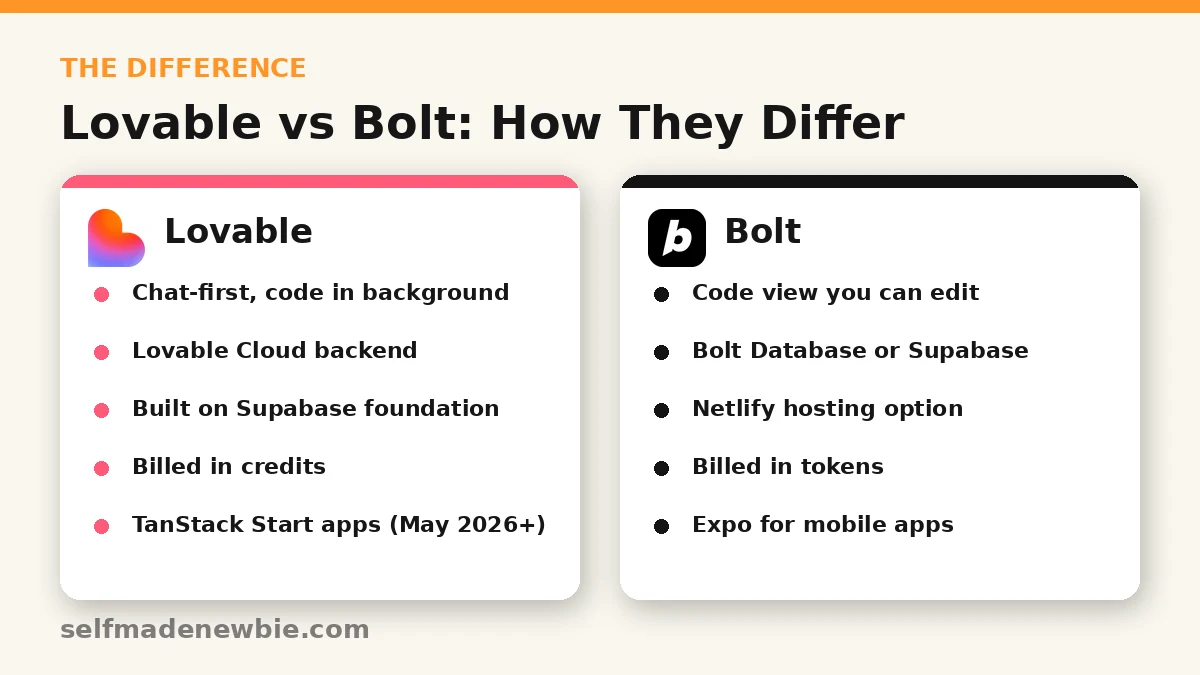
Lovable describes itself as an AI software engineer: you chat, it builds. New Lovable apps created from May 13, 2026 use TanStack Start, which runs server code, while older ones use React and Vite and build to static files (Lovable ownership docs). Its built-in backend, called Cloud in parts of the product, gives you a database, sign-in, storage, edge functions and secrets, and it’s built on Supabase’s open-source foundation (Lovable Cloud docs).
Bolt also turns a prompt into a working web or mobile app. By default every new project gets a Bolt Database, and on Pro or Teams you can start on Supabase instead or connect your own (Bolt Supabase docs). Bolt has a Code view you can edit directly, and those edits don’t use tokens (Bolt tokens docs).
- Lovable: chat-first, polished output, one backend that just works, usage billed in credits.
- Bolt: code-visible, more choice of database and host, usage billed in tokens.
- Both: one-click publish, free subdomain, custom domains on paid plans, GitHub sync, built-in security scans.
Which Is Easier to Build With, Lovable or Bolt?
For most non-coders, Lovable feels easier. You describe what you want, it plans and builds, and the backend gets set up without extra accounts. Bolt is just as quick to start, but it suits people who want to watch and edit the code, and it rewards careful prompts because bigger projects use more tokens per message.
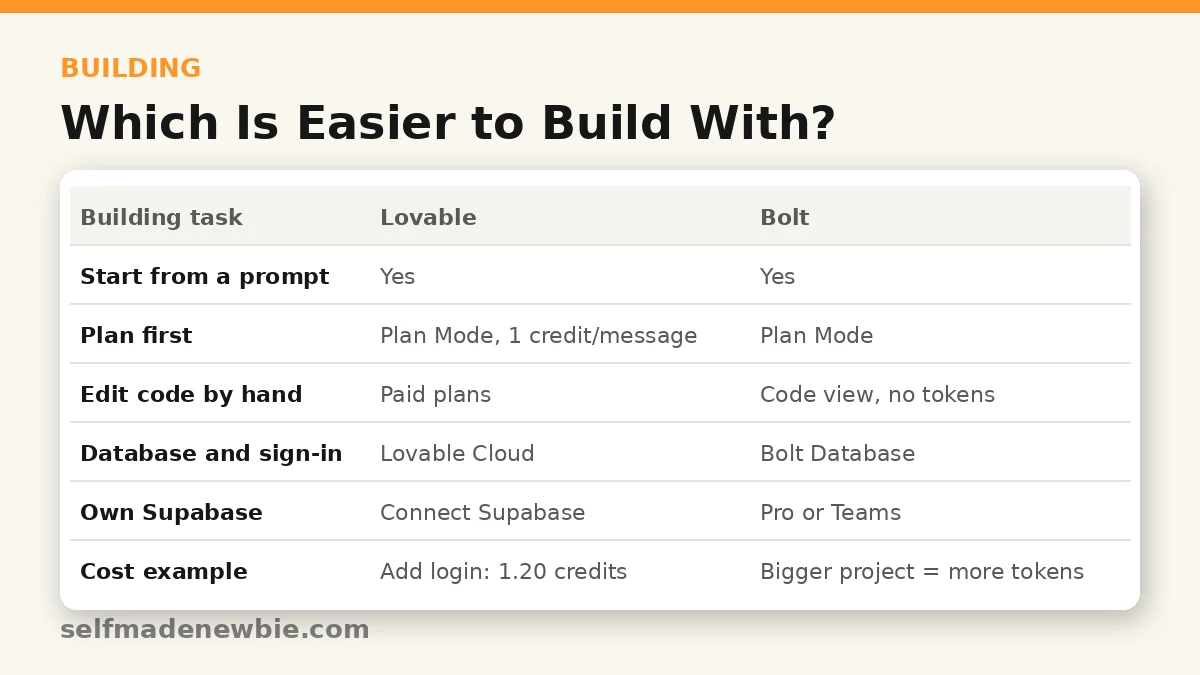
Lovable shows you what each message costs. Its pricing page gives examples: making a button gray costs 0.50 credits, removing a footer 0.90, and adding sign-up and login 1.20 credits. Plan Mode costs 1 credit per message (Lovable pricing). On Free you can’t edit code by hand. Editing code needs a paid plan (Lovable plans).
Bolt is upfront that most token use comes from syncing your project’s files to the model, so the larger the project, the more tokens each message uses (Bolt pricing). The upside is that you can fix small things yourself in Code view for free. If you’re comfortable reading code, that’s a real saving. If Lovable credits running out is pushing you to compare builders, check both the build meter and ongoing backend costs before switching.
| Building task | Lovable | Bolt |
|---|---|---|
| Start from a prompt | Yes | Yes |
| Plan before building | Plan Mode, 1 credit per message | Plan Mode |
| Edit code by hand | Paid plans | Code view, no tokens used |
| Built-in database and sign-in | Lovable Cloud | Bolt Database |
| Use your own Supabase | Connect Supabase | Pro or Teams plan |
| Mobile apps | Web apps | Expo integration for iOS and Android |
My honest take: if you’ve never coded, start in Lovable. If you already poke around in code, or you know you want your own Supabase from day one, Bolt gives you more control.
How Much Do Lovable and Bolt Cost in 2026?
Both start at $25 a month. Lovable Pro is $25 a month for 100 credits plus 5 daily build credits, and Business starts at $50. Bolt Pro is $25 a month for 10 million tokens with rollover, and Teams is $30 per member. Both have free plans with daily limits and no custom domain.
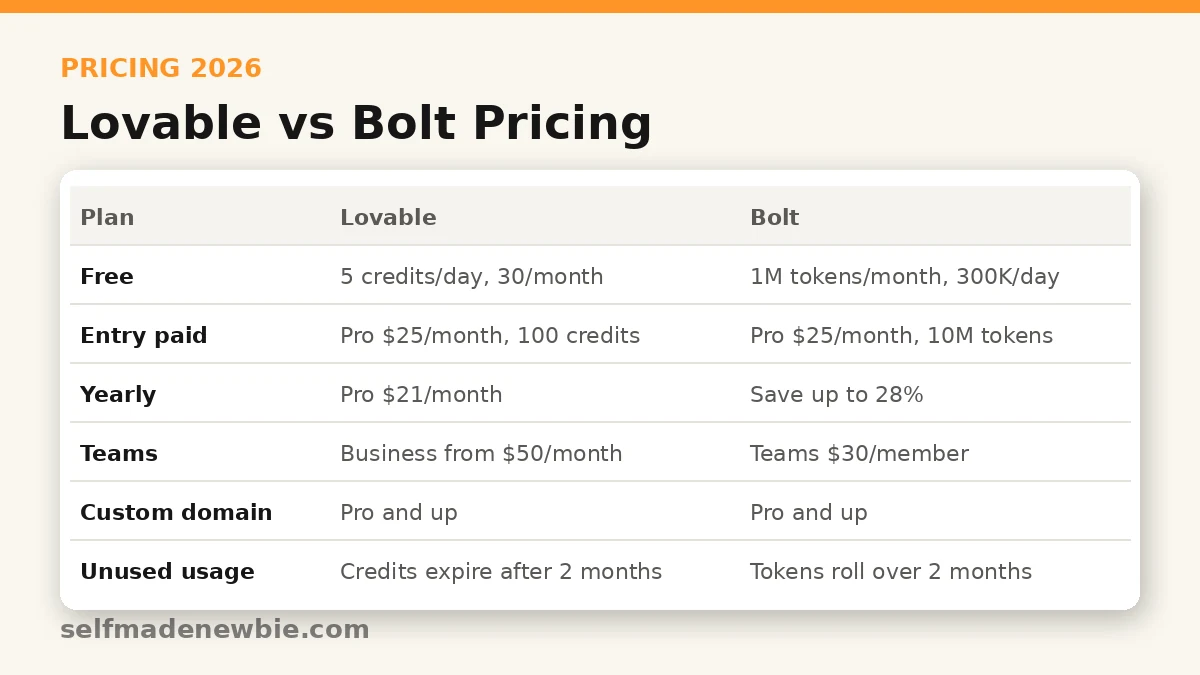
| Plan | Lovable | Bolt |
|---|---|---|
| Free | $0: 5 build credits a day, capped at 30 a month, plus 20 Cloud credits | $0: 1M tokens a month, 300K a day, Made in Bolt badge |
| Entry paid | Pro $25/month for 100 credits ($21/month billed yearly) | Pro $25/month for 10M tokens, unused tokens roll over |
| More usage | Pro tiers up to 10,000 credits for $2,250/month | Pro token amounts start at 10M, reloads never expire |
| Teams | Business from $50/month (100 credits) | Teams $30 per member per month |
| Enterprise | Custom, volume-based | Custom, billed by consumption |
| Custom domain | Pro and up | Pro and up |
| Badge removed | Pro and up | Pro and up |
Sources: Lovable pricing, Lovable subscription plans, Bolt pricing and Bolt tokens. Bolt prices are shown billed monthly, plus tax.
A few details matter for Lovable vs Bolt pricing. Lovable’s monthly credits expire two months after they’re issued, and top-ups last twelve months (Lovable pricing). Bolt’s paid tokens roll over for two months, and you lose them when a cancelled plan’s billing cycle ends (Bolt tokens). Neither price includes your own Supabase, Vercel or domain costs if you move off the builder, although their free plans cover most small apps.
How Does Publishing Work on Lovable vs Bolt?
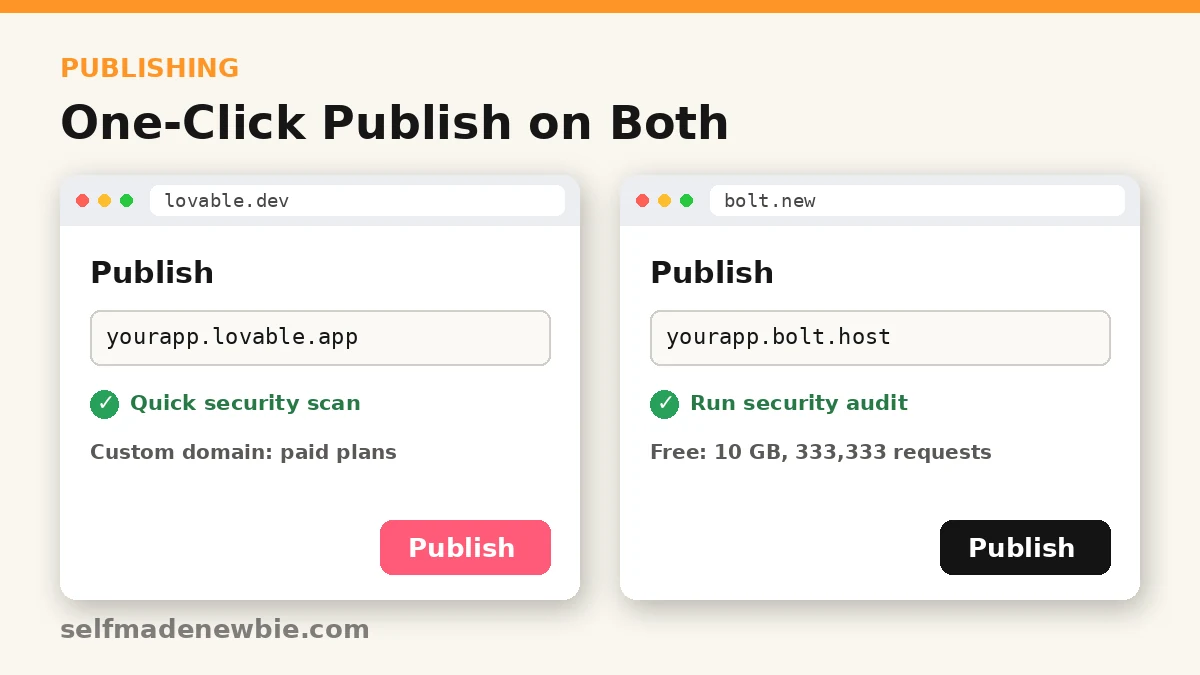
Both publish with one button. Lovable puts your app on a free lovable.app address and runs a quick security scan in the publish dialog. Bolt puts it on a free bolt.host address and suggests running a security check first. Custom domains need a paid plan on both, and Bolt’s free hosting has a hard monthly traffic cap.
| Publishing | Lovable | Bolt |
|---|---|---|
| Free address | yourapp.lovable.app | yourapp.bolt.host |
| HTTPS | Included, also on custom domains | Included, SSL issued for custom domains |
| Security check at publish | Quick scan runs automatically (RLS, dependencies) | Security audit button in the Publish menu (paid), database check on all plans |
| Pushing updates | Publish changes (the live site is a snapshot) | Update in the Publish menu, no tokens used |
| Free hosting limits | Covered by included Cloud grant for most small apps | 10 GB and 333,333 requests a month, then offline |
| Paid hosting limits | Run credits for heavy traffic | 30 GB and 1M requests, then pay as you go |
| Private sites | Invite only on Free and Pro | Private sites on paid plans |
Lovable says publishing to a lovable.app URL is free on every plan and that a live site doesn’t use credits on its own. Usage-based Run credits cover backend activity and AI features (Lovable hosting). Its Quick scan checks database access rules, including RLS mistakes, but findings don’t block publishing by default (Lovable publish).
Bolt’s free plan is generous for testing, but if a free site goes over 10 GB of bandwidth or 333,333 requests in a month, it stays offline until the next cycle. Pro raises that to 30 GB and 1 million requests and lets you pay as you go up to a cap you set (Bolt hosting plans). Tip from Bolt’s own docs: use the Publish and Update buttons, because asking Bolt to publish in chat uses tokens (Bolt publish).
Can You Deploy a Lovable or Bolt App to Vercel, Netlify or Cloudflare?
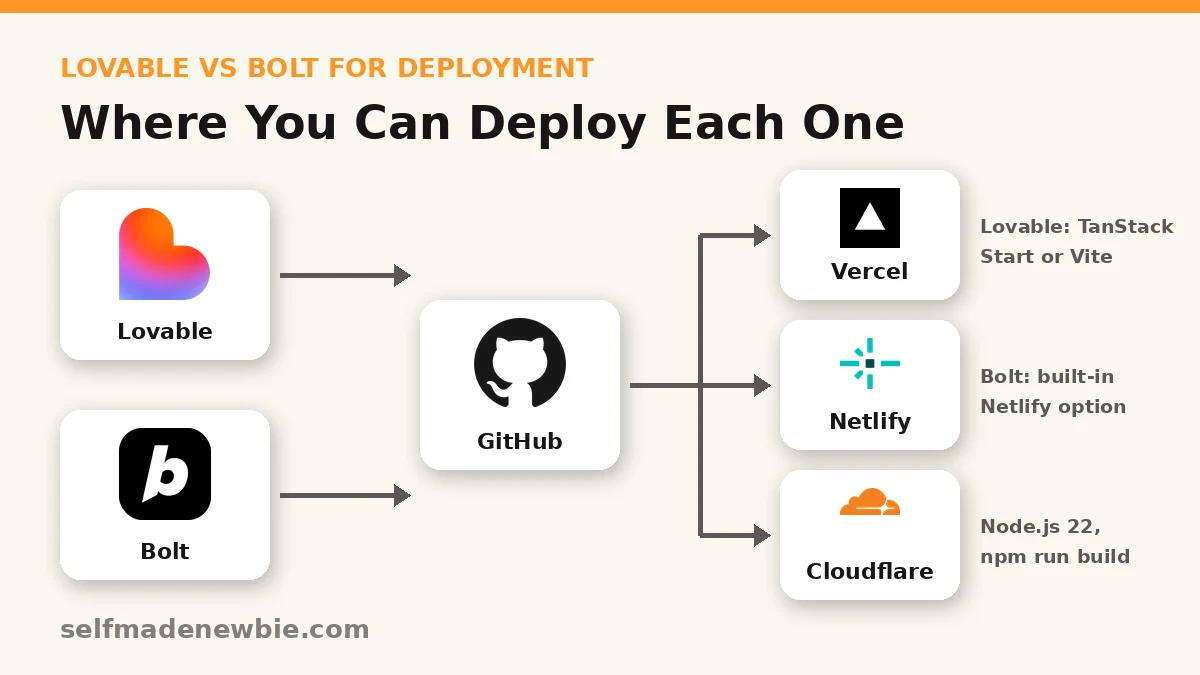
Yes, both. Sync the project to GitHub, then import the repository into Vercel, Netlify or Cloudflare. Lovable documents this route for its TanStack Start and Vite apps. Bolt goes one step further with a built-in Netlify option in project settings, though Netlify can’t host Bolt’s database or backend.
| Deploy option | Lovable | Bolt |
|---|---|---|
| Built-in hosting | lovable.app, custom domain on paid | bolt.host, custom domain on paid |
| Built-in Netlify publish | No | Yes, choose Netlify as Hosting Provider |
| GitHub sync | Two-way, GitHub, GitLab or Bitbucket, all plans | Yes, automatic commits and branches |
| Vercel, Netlify or Cloudflare from GitHub | Yes, npm run build, Node.js 22 | Yes, from the synced repository |
| Download the code | Through Git sync | Download as a zip |
| Backend on your own account | Export the Cloud database, restore into Supabase | Claim Bolt Database into Supabase (Pro or Teams) |
For Lovable, the external hosting guide says Vercel, Netlify and Cloudflare Pages pick the right preset automatically for new TanStack Start apps. Set the build command to npm run build and use Node.js 22. Older Vite apps need a fallback rewrite so routes don’t 404, which is exactly the 404 on refresh fix I covered earlier. My step-by-step guide to deploy a Lovable app and my list of Lovable hosting alternatives go deeper.
For Bolt, the Netlify integration only works on an unpublished project: pick Netlify in Domains and Hosting, then Publish. Bolt is clear that Netlify can host browser-only sites but not a database or traditional backend, so apps with sign-in or saved data should stay on Bolt hosting or move the backend separately. Bolt’s GitHub sync lets you publish from the repository to any host you choose.
So for Lovable vs Bolt for deployment: Lovable is easier to keep on Lovable, and Bolt gives you more built-in exits.
Which Is Easier to Leave, Lovable or Bolt?
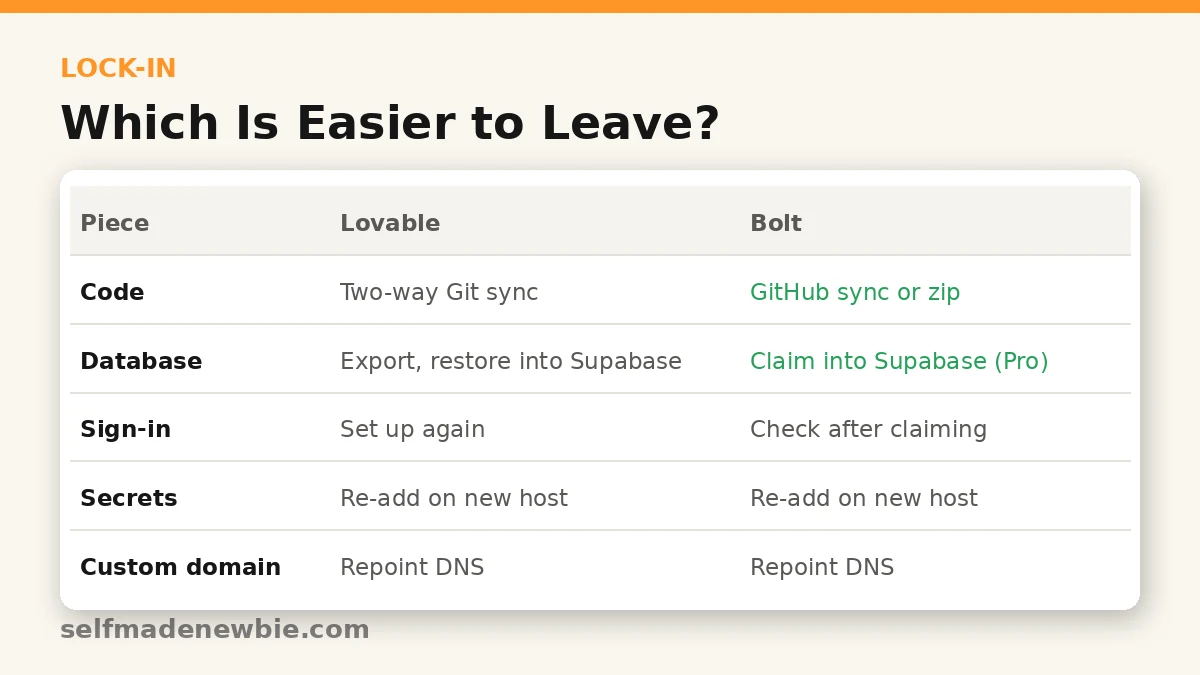
Code is easy to take from both through GitHub. The database is where they differ. Bolt lets Pro users claim the Bolt Database into their own Supabase account. Lovable’s Cloud backend has no one-step move to your own Supabase: you export the data, restore it, then set up storage, sign-in and secrets again.
To be fair to Lovable, it says plainly that you own your code and data and are never locked in, and that you can export, migrate or self-host at any time (Lovable ownership docs). That’s true. The catch is effort. Lovable’s own Cloud FAQ says it does not move a project from the built-in backend to your own Supabase in one step (Lovable Cloud), and its database backups page walks through the export and restore.
Lovable also lists what you take on when you leave completely: CI/CD, SSL and CDN, databases and backups, authentication and data isolation, OAuth flows, secrets and security audits. Bolt warns that connecting a new Supabase database to a project that already has a Bolt Database replaces the connection and may lose data, which is why claiming is the safer route (Bolt Supabase docs).
| Piece of your app | Lovable | Bolt |
|---|---|---|
| Code | Two-way Git sync | GitHub sync or zip download |
| Database | Export, then restore into Supabase | Claim into Supabase (Pro or Teams) |
| Sign-in and users | Set up again on the new backend | Check sign-in settings after claiming |
| Secrets and API keys | Re-add on the new host and backend | Re-add on the new host |
| Custom domain | Repoint DNS to the new host | Repoint DNS to the new host |
This is the part people underestimate. Publishing takes a minute. Moving a live app with real users and their data onto your own GitHub, Supabase and Vercel accounts, without downtime, takes planning.
How Do Lovable and Bolt Handle Security Before Launch?
Both scan for problems. Lovable runs a Quick scan every time you open the publish dialog and offers a Deep scan of your whole codebase. Bolt offers a project security audit on paid plans and a database security check on every plan. Both say plainly that these scans don’t replace a proper review.
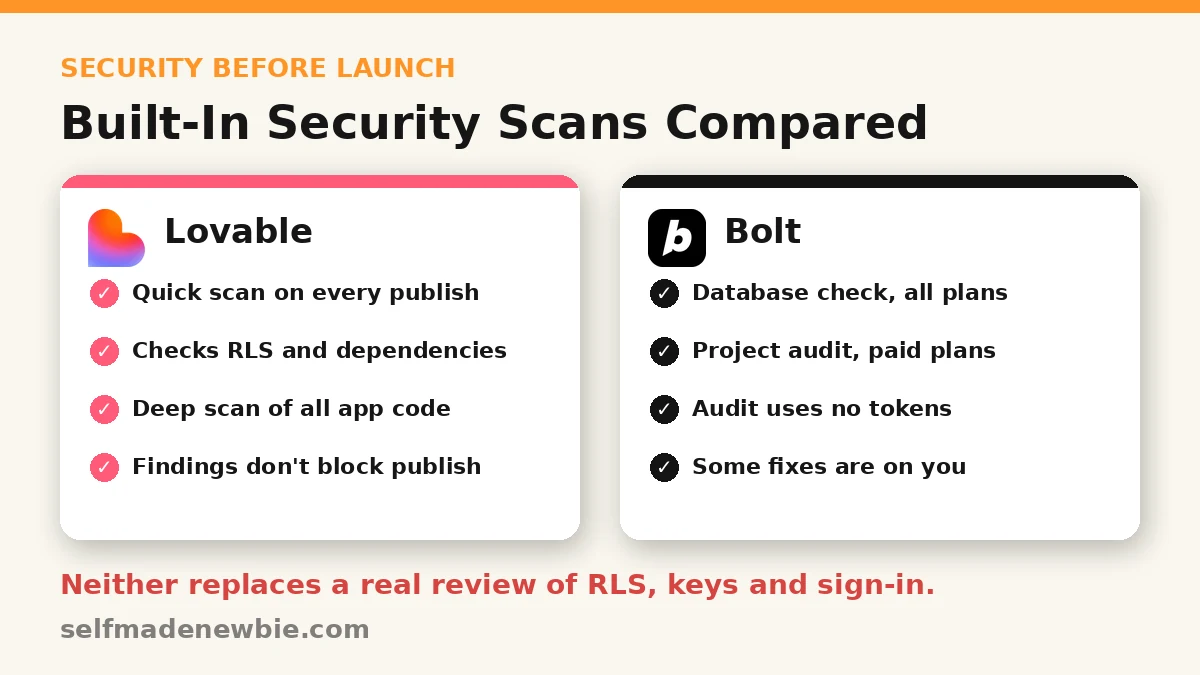
Lovable’s security docs say its scans can’t guarantee complete security and suggest an extra professional review for apps that handle sensitive data. Bolt’s security check fixes most issues on its own but may leave you action items in connected services, such as your email or payment provider.
In practice, the scans catch the obvious things, like a table without RLS. They’re less reliable on logic, such as a policy that lets any signed-in user read every row. My guide to Supabase RLS has copy-paste policies you can check against, whichever builder you use.
What Still Breaks After You Publish Lovable or Bolt Apps?
The same six things, whichever builder you choose: Supabase RLS that’s off or too loose, sign-in redirecting to localhost, env variables missing on a new host, Stripe stuck in test mode or webhooks failing, a custom domain that won’t connect, and 404 errors on refresh after moving hosts.
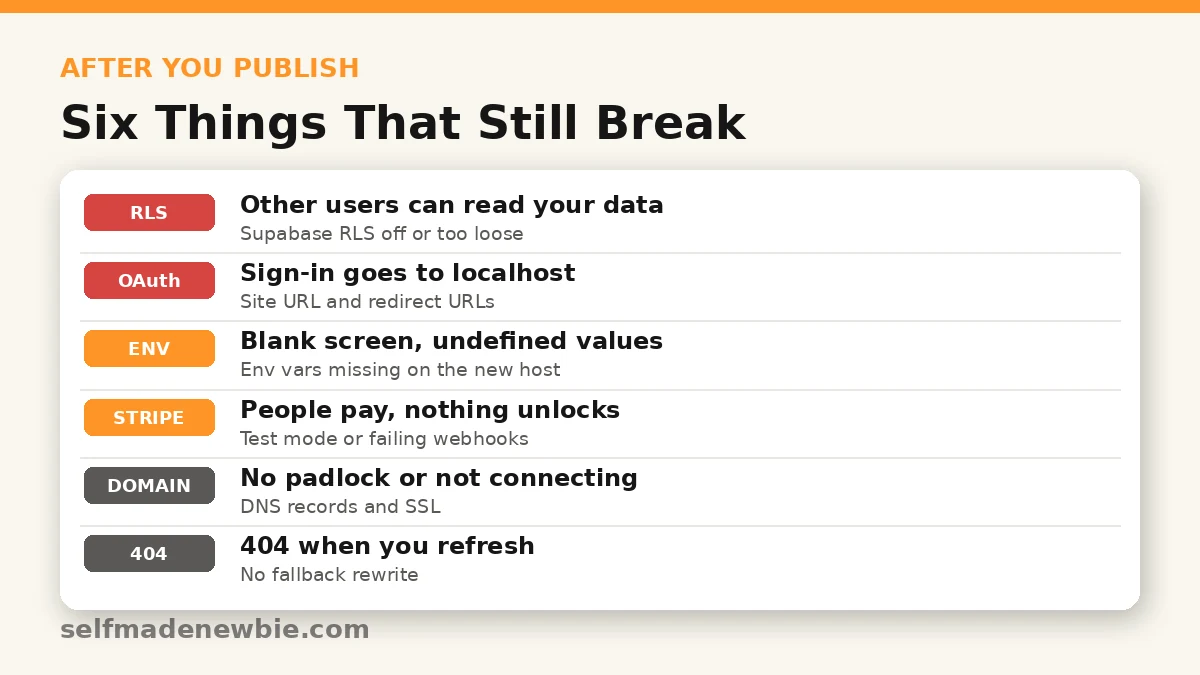
| Problem | Why it happens | Fix guide |
|---|---|---|
| Other users can read your data | RLS off or policies too loose | Supabase RLS explained |
| Sign-in sends users to localhost | Site URL and redirect URLs still point at dev | OAuth redirect to localhost fix |
| Blank screen or undefined values | Env variables not set on the new host | Vite env variables not working |
| People pay and nothing unlocks | Stripe in test mode or webhook not reaching the app | Stripe webhook not working |
| Domain not working or no padlock | DNS records or SSL not set up | Lovable custom domain fix |
| 404 when you refresh a page | No fallback rewrite on your host | Vercel 404 on refresh fix |
None of these are Lovable or Bolt bugs. They’re the gap between published and production-ready. My checklist to launch your vibe-coded app walks through all of them in order.
Lovable vs Bolt vs Replit: Where Does Replit Fit?
Replit is the third big option. It’s a full cloud development environment with AI building built in, so it suits people who want more technical control. Core costs $20 a month, or $18 billed yearly, and Pro is $100. The free Starter plan includes one published app, but that link goes down after 30 days.
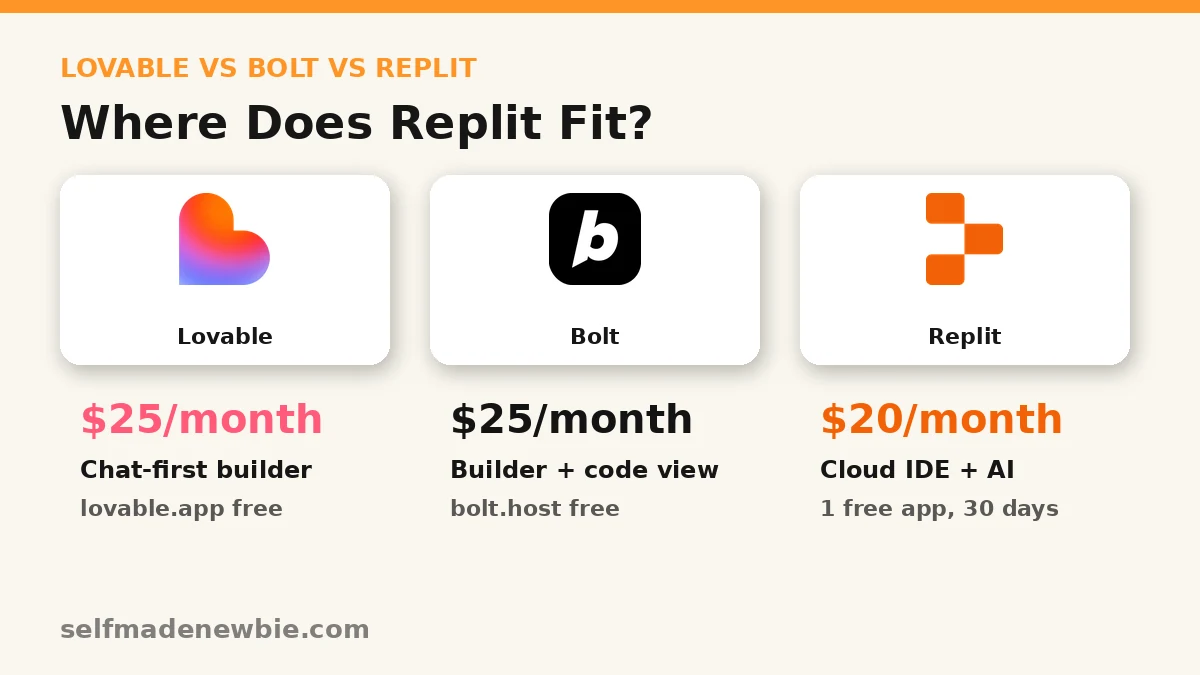
| Lovable | Bolt | Replit | |
|---|---|---|---|
| Entry paid plan | $25/month | $25/month | $20/month ($18 yearly) |
| Free publishing | lovable.app | bolt.host, traffic capped | 1 app, link goes down after 30 days |
| Feels like | Chat-first app builder | App builder with code view | Cloud IDE with AI built in |
| Best for | Non-coders | Hands-on builders | Developers and technical founders |
Sources: Replit pricing and the Replit Starter plan docs. Replit Core lifts the one-app cap to unlimited published apps. If you’re weighing Lovable vs Bolt vs Replit as a non-coder, Lovable or Bolt will get you to a working app faster. Replit makes more sense once you’re comfortable in a code editor.
Lovable vs Bolt: Which Is Better for Your App?
Pick Lovable if you want the smoothest path from idea to a polished, published app and you’re happy on Lovable’s backend for now. Pick Bolt if you want to edit code, use Netlify, or own your Supabase database from day one. Either way, plan to move onto your own accounts before real users rely on it.
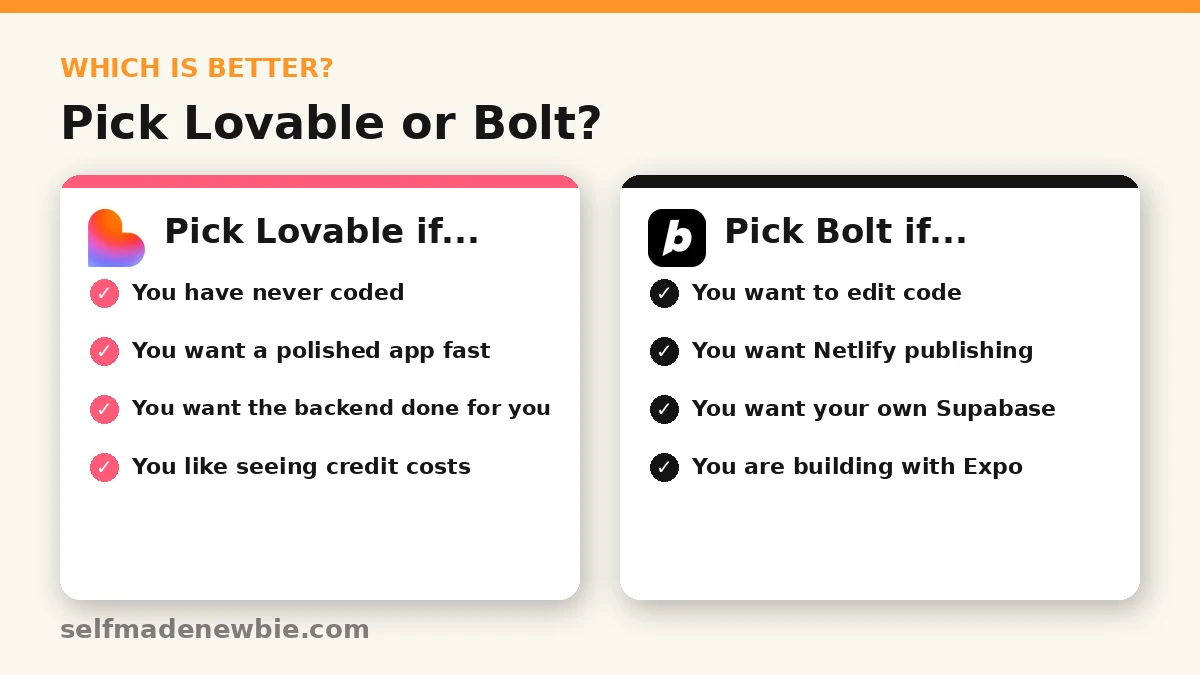
| If you… | Pick |
|---|---|
| Have never coded and want a polished app fast | Lovable |
| Want the backend set up for you with no extra accounts | Lovable |
| Want to edit code without paying for every change | Bolt |
| Want your own Supabase database from the start | Bolt (Pro) |
| Want to publish straight to Netlify | Bolt |
| Are building a mobile app with Expo | Bolt |
| Want to own everything on your own accounts | Either, then move it |
If most of your answers in that table landed on Lovable, you can start on the free plan and only pay when you need a custom domain or more credits.
Lovable pros and cons
- Pro: the most beginner-friendly of the two, with polished output.
- Pro: Lovable Cloud gives you a database, sign-in and storage with no setup.
- Pro: Quick scan runs automatically every time you publish.
- Con: editing code by hand needs a paid plan.
- Con: moving off Lovable Cloud to your own Supabase takes a few manual steps.
Bolt pros and cons
- Pro: Code view edits don’t use tokens.
- Pro: more exits, including Netlify publishing, zip download and claiming your database into Supabase.
- Pro: paid tokens roll over for two months.
- Con: token use grows as your project grows.
- Con: free sites go offline if they pass the monthly traffic cap.
Lovable vs Bolt FAQ
Is Lovable or Bolt cheaper?
They start at the same price. Lovable Pro and Bolt Pro both cost $25 a month on monthly billing. Lovable gives you 100 credits plus 5 free build credits a day, and Bolt gives you 10 million tokens that roll over. Which one goes further depends on how big your project gets and how you prompt.
Is Lovable or Bolt better for beginners?
Lovable is usually easier for complete beginners. It keeps the code in the background, sets up the backend for you and shows the credit cost of each message. Bolt is still beginner-friendly, but it shows more code and suits people who want to learn how their app works.
Do I own the code I build in Lovable or Bolt?
Yes. Lovable says you own your apps, code and data, and you can sync your project to GitHub on every plan. Bolt lets you sync to GitHub or download your project as a zip. Owning the code is different from having it running on your own accounts, though.
Can I use a custom domain on the free plan?
No. Both Lovable and Bolt only allow custom domains on paid plans. On the free plans your app lives on a lovable.app or bolt.host address. If you move the app to your own Vercel account, you can connect a domain there instead.
Can I move a Lovable or Bolt app to Vercel?
Yes. Sync the project to GitHub, import the repository into Vercel, add your environment variables and deploy. The code part is simple. The database, sign-in redirects, secrets and Stripe webhooks are what take the time, so check each one before switching your domain over.
Should I choose Replit instead of Lovable or Bolt?
Choose Replit if you’re comfortable in a code editor and want a full cloud development environment. Its Core plan costs $20 a month. If you’ve never coded, Lovable or Bolt will usually get you to a working, published app faster.
How Do You Own Your App, Whichever Builder You Pick?
Move it onto your own GitHub, Supabase and Vercel accounts before real users depend on it, then close the production gaps: RLS, sign-in redirects, exposed keys, live Stripe webhooks and your domain. You can do it yourself with the guides above, or hand it off for a flat price and keep building.
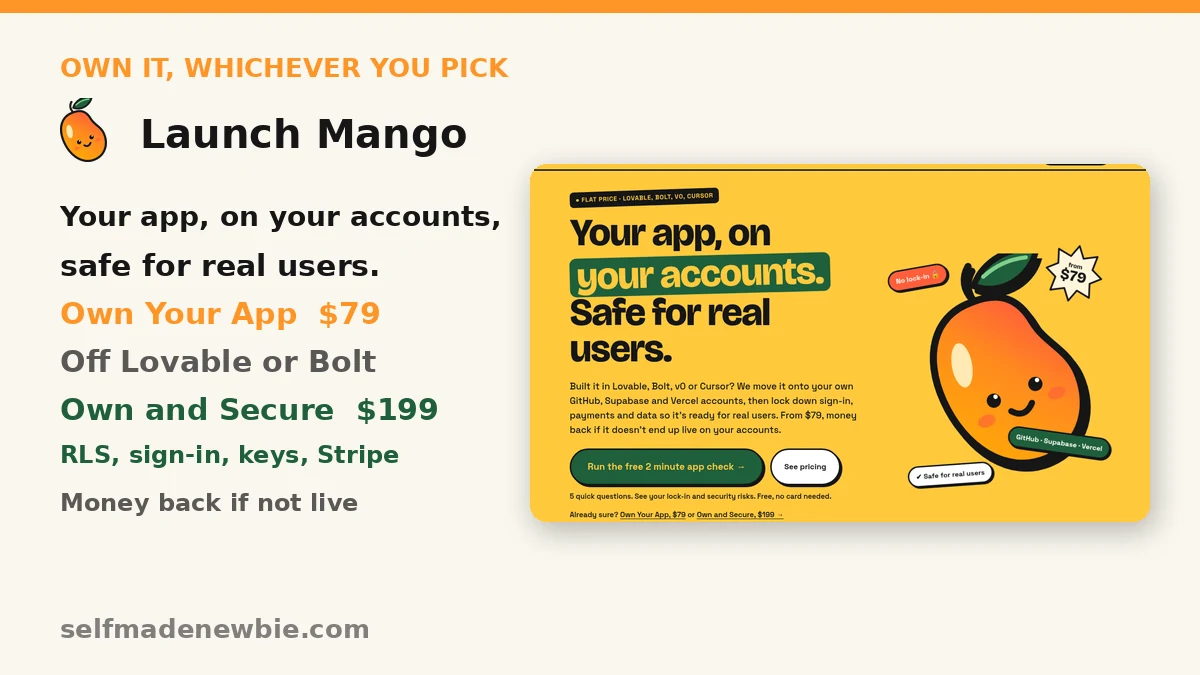
Lovable and Bolt are both great at getting you from idea to a published app. Neither one decides who owns the accounts your app runs on, or whether it’s safe for real users. If you’d rather do the move yourself, my DIY vs done-for-you breakdown shows what the do-it-yourself route really costs in time.
Handing it off is what we do at Launch Mango. Own Your App ($79 one-off) moves your Lovable, Bolt, v0 or Cursor app onto your own GitHub, Supabase and Vercel accounts, including the code, database and env vars, so you aren’t locked into the builder. It goes live at a real URL with a plain-English handover report, usually in 1 to 2 days. Own and Secure ($199 one-off) is everything in Own Your App plus sign-in and redirects checked and fixed, Supabase RLS and database permissions locked down, exposed API keys removed from the frontend, live Stripe payments and webhooks, a security report and your custom domain included. Either way, your money back if it isn’t live on your accounts.
Want to see how locked in and exposed your app is first? Run the free 2-minute app check. Or read my Launch Mango review and my roundup of the best app launch services first.
Your app, on your accounts, safe for real users. Pick the builder you enjoy, then make the app yours.


