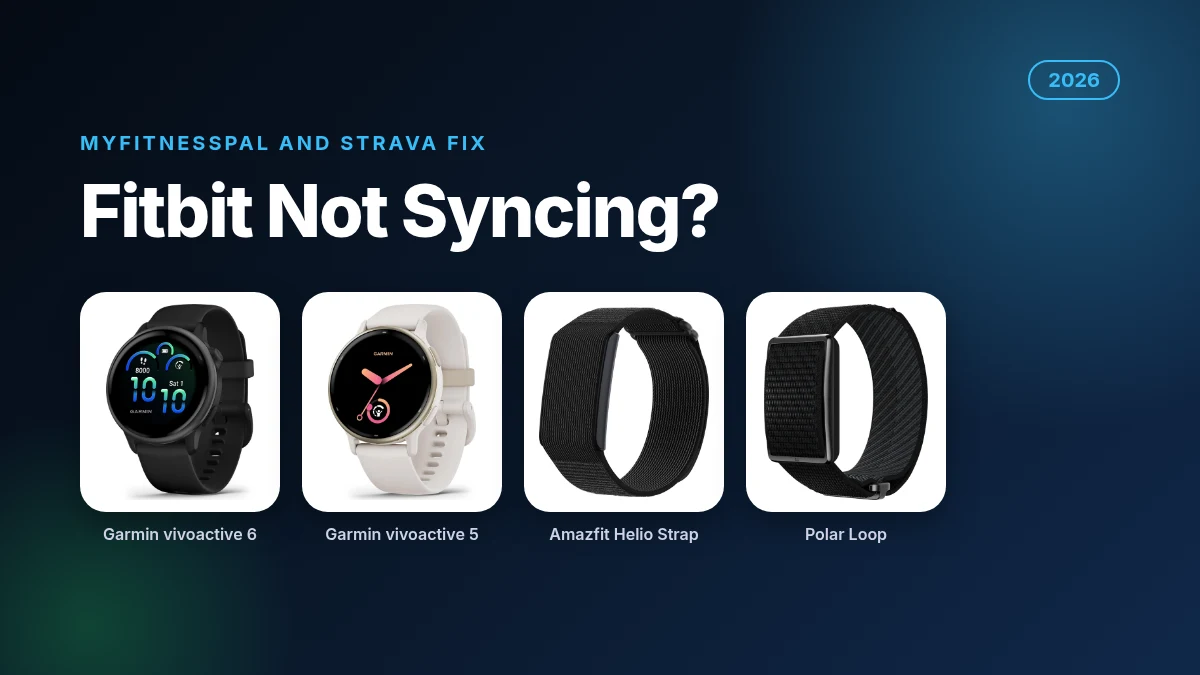
Fitbit Not Syncing With MyFitnessPal or Strava? Fix (2026)
Your Fitbit counted 11,000 steps today, and MyFitnessPal thinks you spent the day lying very still on a couch. Strava has not heard about your morning run either. You are not imagining it: Google turned off the old Fitbit connection on November 2, 2026, and every app that still used it stopped receiving data the same day. If you are stuck with a Fitbit not syncing with MyFitnessPal or Strava, this guide gives you the 2-minute reconnect, the fix for MyFitnessPal’s known steps bug, the Health Connect route that skips the problem, and the trackers that sync cleanly if you are done fighting it.
Quick answer: Your Fitbit stopped syncing because Google shut off the legacy Fitbit Web API on November 2, 2026. Reconnect inside each app: in MyFitnessPal go to Apps and Devices, Connected, Google Health, Connect, then set Google Health as your step source. In Strava go to Settings, Connect an app or device, Google Health. If steps still do not show, route the data through Health Connect or Apple Health, or switch to a tracker that talks to MyFitnessPal and Strava directly, like the Garmin vivoactive 6.
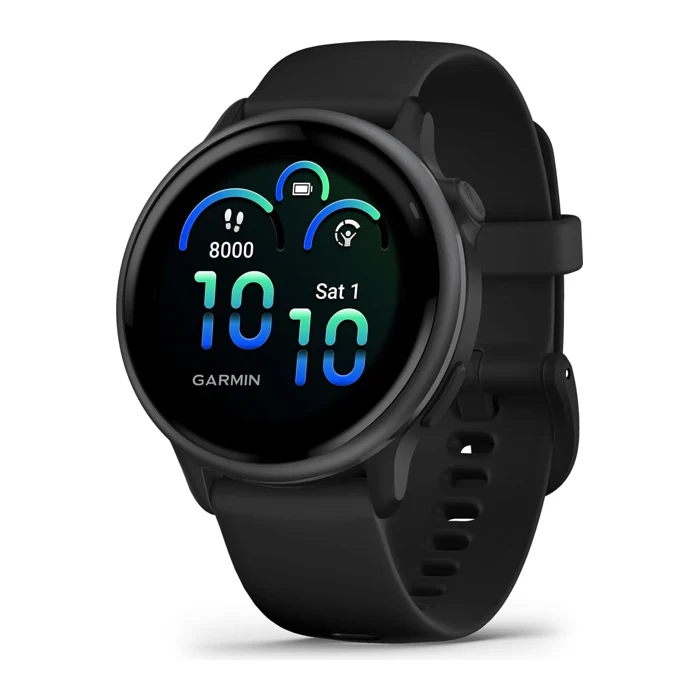
Garmin vivoactive 6
GPS smartwatch whose Garmin Connect app links directly to MyFitnessPal and Strava, so steps, workouts, weight and calorie burn sync without the Fitbit API. AMOLED screen, up to 11 days of battery and 80+ sports apps.
| Best For | Fitbit users who log food in MyFitnessPal and train with Strava |
| Price | $299.00 on Amazon (Nov 3, 2026) |
| Discount | No discount listed today |
| Promotion | Sold and shipped by Amazon |
Why did my Fitbit stop syncing with MyFitnessPal and Strava?
Your Fitbit stopped syncing because Google turned off the legacy Fitbit Web API and Fitbit login on November 2, 2026. Apps that used the old connection now get an HTTP 410 Gone error and receive nothing. Each app has to move to the new Google Health API, and you have to reconnect your account inside every app.
Here is the timeline, straight from Google for Developers:
- September 30, 2026: support for the Fitbit Web API ended. It kept working, but Google stopped fixing bugs.
- October 30, 2026: the date Google Health Help told users to reconnect partner apps by.
- November 2, 2026: the Fitbit Web API and Fitbit OAuth endpoints were turned off. Requests now fail with HTTP 410 Gone.
The important part: your old data is safe. Google Health Help says any history already synced to your Google Health account “won’t be deleted.” What broke is the pipe between Google Health and your other apps, not the data. If your history itself looks wiped, that is a different problem, and our guide to what to do when Google Health lost your Fitbit data covers the recovery steps.
You are also in good company. One MyFitnessPal reviewer on Google Play wrote that the Google Health and Fitbit integration “is completely broken” and “doesn’t pull any activities or steps at all”.
Which apps are affected right now?
Any app that read your Fitbit data through the old Fitbit Web API is affected until you reconnect it through Google Health. That includes MyFitnessPal and Strava. Apps that get your data through Health Connect on Android or Apple Health on iPhone are not affected, according to Google Health Help, and keep syncing as usual.
Fitbit sync status board (checked November 3, 2026): our own summary of each route, built from the official help pages linked in each row.
| App or route | What changed | What to do | Status on Nov 3, 2026 |
|---|---|---|---|
| MyFitnessPal | Moved to the Google Health API, reconnect required since Oct 12 | Reconnect in Apps and Devices, then set Google Health as step source | Known issue “Exercise and Step Data is Not Syncing” marked Investigating |
| Strava | Updated Google Health integration | Reconnect in Strava Settings or Google Health Connections | Google Health to Strava works; Strava to Google Health no longer syncs |
| Health Connect (Android) | Not affected | Connect Google Health and the app to Health Connect | Syncing as usual, per Google |
| Apple Health (iPhone) | Not affected | Connect Google Health and the app to Apple Health | Syncing as usual, per Google |
| Garmin, Polar, Amazfit trackers | Not affected (own apps) | Link the maker’s app to MyFitnessPal and Strava | Working; Polar’s status page lists MyFitnessPal and Strava transfer as Operational |
How to read it: if your row says reconnect, do the 2-minute fix below. If you are on the MyFitnessPal steps bug, jump to the Health Connect route.
How do I reconnect Fitbit to MyFitnessPal in 2 minutes?
Open MyFitnessPal, tap your profile icon (or More), then Apps and Devices, Connected, Google Health, and Connect. Sign in with the same Google account your Google Health app uses. Finally open Steps and make sure Google Health has the blue checkmark as your primary step source. Order matters: connect, authorize, then check steps.
These are MyFitnessPal’s own steps, tidied up:
- In the MyFitnessPal app, tap the Profile icon at the top right of the Today tab (or More at the bottom right).
- Tap Apps and Devices, then Connected.
- Tap Google Health, then Connect.
- When asked for a Google account, pick the exact Gmail account tied to your Google Health app. A different email is the most common reason a “successful” reconnect still shows nothing.
- Open Steps from the More menu and tap Google Health so it has the blue checkmark as your primary step source.
Already reconnected in October? Do it again. MyFitnessPal says that if you re-authorized after Google’s email, “you will still need to complete this reconnection again” when MyFitnessPal prompts you. That second reconnect is the one that survives the shutdown.
On the website: open the Apps tab, find Google Health under Your Apps, click Connect, then set Google Health as your step source in the Steps tab.
Check Google’s side too: in the Google Health app, tap Connections, then Partner Apps, and look under Needs Action. Anything listed there still needs a reconnect, either with “Tap to reconnect” or in the partner app.
How do I reconnect Fitbit to Strava?
In Strava, open the You tab, then Settings, Connect an app or device, and Google Health, and authorize both accounts. Or start from the Google Health app: Connections, Partner apps, Strava, then authorize. Only new activities sync after you connect. Older workouts need a TCX export from Google Health uploaded to Strava.
Google’s Strava instructions add three things worth knowing:
- The update is better than the old link. It now syncs every activity type, with or without GPS. If you skip the update, only GPS bikes, runs, hikes and walks keep syncing.
- It is one-way now. Activities you log in Strava no longer sync into Google Health through the Strava integration.
- Health Connect will not rescue Strava. Google says Strava does not import Fitbit or Pixel Watch activities from Health Connect or Apple Health, so the direct Google Health link is the only automatic route.
Still nothing after reconnecting? Google’s checklist: make sure you accepted the option to upload activities from Google Health to Strava, sync your Fitbit with the Google Health app and wait an hour, do not record the same workout in Strava and on your Fitbit at the same time, and remember that only workouts recorded after connecting will upload. For a missing workout, open it in the Google Health app’s Fitness tab, tap More, Export, and upload the TCX file to Strava.
Why are my Fitbit steps still missing in MyFitnessPal after reconnecting?
It is a known MyFitnessPal bug, not something you did wrong. MyFitnessPal lists “My Exercise and Step Data is Not Syncing from Google Health” as a known issue with the status Investigating. Food data still flows to Google Health, but steps and exercise coming from Google Health can lag or stop entirely.
MyFitnessPal says it has shipped updates that “improved sync of data from Google Health to MFP for many members” and is working with Google on remaining delays, but it is “not yet considering this issue resolved.” App Store reviewers put it more bluntly: “NO LONGER SYNCING STEPS FROM FITBIT/GOOGLE HEALTH.”
Run this checklist before you give up:
- Open the Google Health app first. If today’s steps are not there, the problem is your Fitbit, not MyFitnessPal. Sync the tracker.
- Check the step source. In MyFitnessPal, Steps must show Google Health with the blue checkmark. Reconnecting can quietly reset it.
- Confirm the Google account. The account you chose during reconnect must match the one in Google Health.
- Disconnect, then connect again in this order: connect, authorize, verify step source.
- Give it time. MyFitnessPal is still working through sync delays with Google, so a few hours of lag is common right now.
If steps still will not show up, the Health Connect or Apple Health route below sidesteps the direct connection completely.
Does Health Connect fix Fitbit syncing with MyFitnessPal?
Yes, for MyFitnessPal it is the most reliable workaround right now. Google says apps using Health Connect on Android or Apple Health on iPhone are not affected by the Fitbit API shutdown. Connect both Google Health and MyFitnessPal to Health Connect or Apple Health, and steps flow through the phone instead of the broken direct link.
On Android (Health Connect):
- In the Google Health app, tap Connections, then Partner apps, and connect Health Connect. Allow steps, calories, exercise and weight.
- In MyFitnessPal, open Apps and Devices and connect Health Connect, allowing the same data types.
- In MyFitnessPal’s Steps menu, pick the Health Connect source as your primary step source.
On iPhone (Apple Health):
- In the Google Health app, tap Connections, then Apps and services, and connect Apple Health.
- In MyFitnessPal, connect Apple Health under Apps and Devices and allow steps and workouts.
- Set the Apple Health source as your primary step source.
One catch: use one route, not both. Google notes that MyFitnessPal only appears as a direct connection when MyFitnessPal and Google Health are not both connected to Health Connect, and that apps reporting the same meal through two connections can create duplicates. Pick Health Connect (or Apple Health) or the direct link, and disconnect the other.
And for Strava: this route does not help, because Strava does not import Fitbit activities from Health Connect or Apple Health. That is the point where a lot of runners decide their next tracker should talk to Strava on its own.
Which fitness trackers sync with MyFitnessPal and Strava without problems?
Garmin is the cleanest pick: Garmin Connect links directly to MyFitnessPal and to Strava, so a Fitbit-style API shutdown at Google cannot touch it. Polar links Polar Flow directly to both apps too. Amazfit syncs to Strava from the Zepp app and reaches MyFitnessPal through Health Connect or Apple Health.
Switch-and-sync picks (prices on Amazon US, November 3, 2026):
| Tracker | MyFitnessPal | Strava | Battery (listed) | Price | Amazon rating |
|---|---|---|---|---|---|
| Garmin vivoactive 6 (best overall) | Direct, from Garmin Connect | Direct, from Garmin Connect | Up to 11 days | $299.00 | 4.4 (3,894) |
| Garmin vivoactive 5 (best value) | Direct, from Garmin Connect | Direct, from Garmin Connect | Up to 11 days | $169.00 (list $299.99) | 4.3 (12,566) |
| Amazfit Helio Strap (screen-free) | Via Health Connect or Apple Health | Direct, from the Zepp app | Up to 10 days | $99.00 | 4.4 (1,234) |
| Polar Loop (no subscription) | Direct, from Polar Flow | Direct, from Polar Flow | Up to 8 days | $199.99 | 3.5 (180) |
Why the direct link matters: a Garmin or Polar tracker sends your steps and workouts from the maker’s own app straight to MyFitnessPal and Strava. Nothing in that chain depends on the Fitbit API, Google Health or a step-source setting that resets itself, which is exactly the part that broke this week.
Garmin vivoactive 6: best overall
The Garmin vivoactive 6 is the tracker to buy if you want MyFitnessPal and Strava to just work. Garmin Connect links to MyFitnessPal in Settings, Third Party Apps, MyFitnessPal, and MyFitnessPal’s help page confirms Garmin sends weight, workouts, step count and the matching calorie burn, while your food calories flow back. You can then pick Garmin as your MyFitnessPal step source.
On the wrist you get a bright AMOLED screen, up to 11 days of battery in smartwatch mode, 80+ built-in indoor and GPS sports apps, sleep score and sleep coaching, HRV status, Body Battery energy monitoring and a smart wake alarm, according to the Amazon listing. It is $299.00, sold and shipped by Amazon, and rated 4.4 out of 5 by 3,894 buyers at the time of writing.
Garmin vivoactive 5: best value
The Garmin vivoactive 5 uses the same Garmin Connect links to MyFitnessPal and Strava, so you get the same clean sync for a lot less. It was $169.00 on Amazon at the time of writing, against a $299.99 list price, and it has the most reviews in this guide: 4.3 out of 5 from 12,566 buyers.
The listing covers an AMOLED display, up to 11 days of battery in smartwatch mode, 30+ built-in sports apps, sleep score and coaching, HRV status, Body Battery and wheelchair mode. If you mostly walk, run and lift, it covers everything a Fitbit did.
Amazfit Helio Strap: best screen-free tracker
The Amazfit Helio Strap is for people who liked a simple band and do not want another screen. The Zepp app syncs to Strava, TrainingPeaks, adidas Running and komoot, per the listing, and Google lists Zepp among the apps that share steps, sleep, workouts and heart rate through Health Connect and Apple Health, which is how it reaches MyFitnessPal.
It tracks heart rate, blood oxygen, stress and sleep around the clock, adds strength and HYROX training modes, and lasts up to 10 days per charge. It is $99.00 and rated 4.4 out of 5 by 1,234 Amazon buyers at the time of writing.
Polar Loop: best with no subscription
The Polar Loop is a 29 g screen-free band with 24/7 heart rate, sleep tracking and Nightly Recharge, and its listing says “No Subscription Needed” with full Polar Flow access from day one. Polar Flow connects directly to MyFitnessPal (General settings, MyFitnessPal, On) and to Strava.
Polar’s status page listed both “Data transfer to MyFitnessPal” and “Data transfer to Strava” as Operational on November 3, 2026. The Loop is $199.99 with up to 8 days of battery, rated 3.5 out of 5 by 180 Amazon buyers at the time of writing.
How do I connect a Garmin to MyFitnessPal and Strava?
In the Garmin Connect app, open Settings, then Third Party Apps, then MyFitnessPal, and tap Link Accounts. For Strava, link Garmin Connect from Strava’s Settings under Connect an app or device. Then set Garmin as your step source in MyFitnessPal. Only new data syncs after linking, so older history stays where it is.
Quick setup for the Garmin vivoactive 6 or 5:
- Pair the watch with the Garmin Connect app and let it finish its first sync.
- In Garmin Connect, go to Settings, Third Party Apps, MyFitnessPal, swipe through the screens and tap Link Accounts.
- In MyFitnessPal, open Steps and choose Garmin as your step source (you can only have one).
- In Strava, go to Settings, Connect an app or device, choose Garmin, and authorize it. New activities upload automatically.
- Sanity check: MyFitnessPal’s website should list Garmin under Your Apps on the Apps tab.
If you are also moving years of Fitbit history across, see what moves from Fitbit to Garmin and what does not. And if a smart scale is part of your setup, check our Withings Apple Health sync fix before you assume your weight data will keep flowing for free.
Should you keep your Fitbit or switch?
Keep your Fitbit if the reconnect worked and your steps show up in MyFitnessPal and Strava again. Switch if you are stuck on the MyFitnessPal steps bug, you need Strava to receive every workout, or you are tired of reconnecting after every Google change. A Garmin vivoactive 5 or 6 links to both apps directly.
| Your situation | Best move |
|---|---|
| Reconnect worked, steps are back | Keep the Fitbit and check Needs Action in Google Health once a week |
| MyFitnessPal steps still missing | Use Health Connect or Apple Health, or switch to a Garmin vivoactive 5 |
| Strava is your main app | Switch to a Garmin vivoactive 6 or Polar Loop for a direct Strava link |
| You want a simple band, no screen | Amazfit Helio Strap or Polar Loop |
| Smart scale data stopped too | See the Withings sync fix, then link the scale to Health Connect or Apple Health |
For most people who log food daily and run or ride with Strava, the Garmin vivoactive 6 is the upgrade that ends the sync drama, and the vivoactive 5 gets you the same direct links for $169.00 at the time of writing.
If the next device is a smart ring rather than a watch, see what Oura replaces on a dying battery and the no-subscription switch.
Health Connect is on but Lose It still shows nothing?
Permissions alone are not enough. Google Health must write steps, exercise, weight and calories into Health Connect, and Lose It must read those same types. Check each permission separately, then wait up to 15 minutes. Lose It retired the direct Fitbit link in October 2026: Premium connects Google Health; free members bridge through Health Connect (Android) or Apple Health (iOS).
Readers hit this exact wall after flipping every Health Connect toggle: both Fitbit/Google Health and Lose It show access on, yet the Lose It log stays empty (paraphrased from an r/fitbit thread with dozens of replies). The usual miss is one-way permissions. Lose It reading Health Connect does nothing if Google Health is not writing into it.
Fix checklist (Android Health Connect path):
- Confirm Google Health is writing. In the Google Health app, open Connections / Partner apps (or Health Connect settings) and allow write for steps, exercise/activity, weight and calories. Reading alone is not enough.
- Confirm Lose It is reading the same types. In Lose It, Profile → Automatic Tracking → Health Connect. Toggle each data type on separately (steps, exercise, weight, calories). A single master switch can look green while one type is still off.
- Verify the pipe in the middle. Open the Health Connect app and confirm today’s steps or a recent workout appear there before you blame Lose It. If Health Connect is empty, fix Google Health sync first.
- Wait up to 15 minutes, then force a refresh. Lose It help says data routed through Health Connect can take up to 15 minutes to show. Pull down on the Lose It Log to refresh.
- Know which Lose It path you are on. Lose It retired the legacy direct Fitbit connection in October 2026. Premium can connect Google Health directly inside Lose It (Profile → Automatic Tracking → Google Health). Free members bridge through Health Connect on Android or Apple Health on iOS instead (Lose It help: Fitbit scale / Health Connect bridge; Google Health connection requires Premium).
iPhone note: the same pattern applies with Apple Health. Google Health must write the data types, Lose It must read them, and a first sync can take 15 to 30 minutes after you connect Google Health on Premium (Lose It: Fitbit not syncing, use Google Health).
Still empty after the checklist? Reconnect Google Health (or Health Connect) in Lose It, force-close the app, and make sure the Google account matches the one your Fitbit data lives on. For the MyFitnessPal and Strava reconnects on the same shutdown, use the sections above. For the full Lose It, Yazio and AIA Vitality fix, see our guide to Fitbit not syncing with Lose It.
FAQ
Why is my Fitbit not syncing with MyFitnessPal?
Google turned off the legacy Fitbit Web API on November 2, 2026, so MyFitnessPal needs a fresh reconnect through Google Health. Go to Apps and Devices, Connected, Google Health, Connect, choose the Google account tied to Google Health, and set Google Health as your primary step source.
Do I have to reconnect again if I already did it in October?
Yes. MyFitnessPal says members who re-authorized after Google’s email in late September or early October still need to complete the reconnection again when MyFitnessPal prompts them. That second reconnect is the one that keeps data syncing after the shutdown.
Why does Strava not show my Fitbit workouts?
Strava needs the updated Google Health connection. Reconnect in Strava Settings under Connect an app or device, or in Google Health under Connections and Partner apps. Only workouts recorded after connecting will sync, and Strava does not import Fitbit workouts from Health Connect or Apple Health.
Is my Fitbit data lost after the shutdown?
No. Google Health Help says historical data already synced to your Google Health account is safe and will not be deleted. The shutdown only stopped the old connection that other apps used to read new data.
Which fitness tracker works best with MyFitnessPal?
Garmin works best because Garmin Connect links directly to MyFitnessPal and sends weight, workouts, steps and calorie burn. The Garmin vivoactive 6 ($299.00) and vivoactive 5 ($169.00) both use that direct link, as do Polar trackers through Polar Flow.
Does Health Connect still work with Fitbit data?
Yes. Google says apps that use Health Connect on Android or Apple Health on iPhone are not affected by the Fitbit API shutdown and keep syncing as usual. Connect Google Health and MyFitnessPal to the same one to route steps around the broken direct link.